Sample Of A Church Budget With Templates And Best Practices
Jun 26, 2023

Quick Overview Of A Church Budget Sample
Here’s a compact look at a sample church budget that breaks down how each gift fuels staff, facilities, outreach and savings. Think of it as your financial roadmap, showing where every dollar goes.
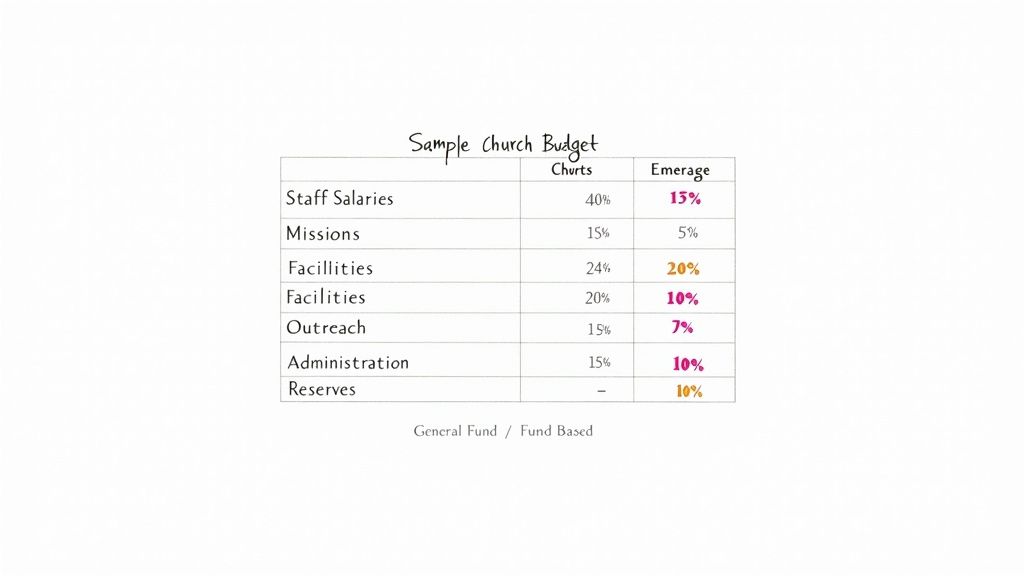
Key Takeaways:
See how funds are split across core ministry categories
Compare a pooled general fund with dedicated fund-based accounts
Track real-time balances with Grain Ledger
Below is a quick rundown of the main budget pieces.
Quick Overview Of Sample Church Budget Components
Line Item | Percentage Of Total | Description |
|---|---|---|
Staff Salaries | 50% | Base pay and benefits for staff |
Facilities | 20% | Mortgage, utilities, maintenance |
Missions | 10% | Local outreach and global partnerships |
Outreach Programs | 8% | Community events, small groups |
Administration | 7% | Office supplies, software subscriptions |
Reserves | 5% | Emergency fund and unexpected costs |
Use this table as a quick guide to allocate resources with clarity and purpose.
In 2024, churches across the United States collected $146 billion in donations—up 1.9% from the previous year—and accounted for 23% of all charitable giving. Learn more about 2024 church giving trends on YouTube
Grain Ledger’s dashboard brings these numbers to life, updating fund totals instantly so your team can pivot whenever priorities change.
Comparing Budget Approaches
Understanding both models lets you match your reporting style to donor expectations:
General Fund: All income flows into a single account; expenses draw from one pool
Fund-Based Budgeting: Separate “jars” for building projects, missions trips and outreach
Restricted Gifts: Always tracked in their own fund ledger to honor donor intent
“Visibility into funds builds trust, and Grain Ledger makes this effortless by showing real-time balances per fund.”
This snapshot sets you up for deeper exploration. Next, we’ll unpack each line item, walk through allocating restricted gifts and share best practices for monthly and annual reports. Use this as a blueprint for your church’s next planning cycle.
Understanding Church Budget Key Concepts
Before diving into your church’s financial plan, let’s break down the two main budget styles. The general fund throws all income into a single pot, while a fund-based budget parcels out dollars into distinct jars.
Picture a row of clear containers on a counter. One jar pays for utilities and salaries, another underwrites outreach events, and a third sits ready for building repairs. When donors and leaders see labels, they know exactly where to place their gifts.
Key Budget Models
Managing money from one bucket simplifies bookkeeping. You track total inflows and outflows at a glance. But this simplicity can hide how individual ministries are performing.
Splitting funds is like running mini-budgets side by side. Each fund carries its own income, spending plan, and leftover balance. For instance, when you budget for a mission trip, you instantly know how much is left for tickets or materials.
General Fund: Unified account for all church finances.
Fund-Based Budget: Dedicated fund for each ministry or project.
Restricted Gifts: Donor-written conditions ensure gifts stay in their jar.
Unrestricted Gifts: Cash with no strings, ready for any need.
“Transparency in funds fosters confidence among donors and staff.”
Managing Gift Restrictions
Once a gift is marked for building improvements, it belongs in that building fund—no exceptions. Unrestricted gifts, by contrast, float into the general fund, covering whatever needs pop up, from staff paychecks to office supplies.
Think of contingency reserves as a rainy-day fund. It’s your safety net against sudden repairs or seasonal giving dips. Meanwhile, your fund balance is simply what each jar holds at month-end.
Target at least 3 months of operating costs in reserves.
Check balances weekly so nothing sneaks up on you.
Record transfers carefully to keep every jar accurate.
Church budgets vary widely: big congregations over 2,000 members often manage more than $5 million each year. The median U.S. church budget is around $300,000, while small churches under 200 people work with roughly $150,000. Staffing levels follow suit—large churches have about 15+ staff members, smaller ones run leaner teams. Learn more about church budget disparities on Wifitalents
Grasping these jars and their stories helps you illustrate stewardship in action. Tracking each fund’s path exposes trends that inform smarter decisions.
Implementing this framework can seem overwhelming at first. That’s where Grain Ledger steps in, automating fund-based accounting and giving you real-time visibility without wrestling with spreadsheets.
When each fund’s story links back to your church’s mission, you spark excitement. Displaying a fund balance next to impact metrics draws donors into the journey. The result? Clear accountability and genuine joy.
Building A Fund Based Church Budget
Putting theory into numbers brings clarity. Each gift lands in a designated fund, and you immediately see where every dollar goes. Grain Ledger surfaces these fund buckets on one dashboard, complete with alerts if any reserve falls below your set threshold.
For visual clarity, the infographic below shows how general, fund-based, and restricted budgets relate:
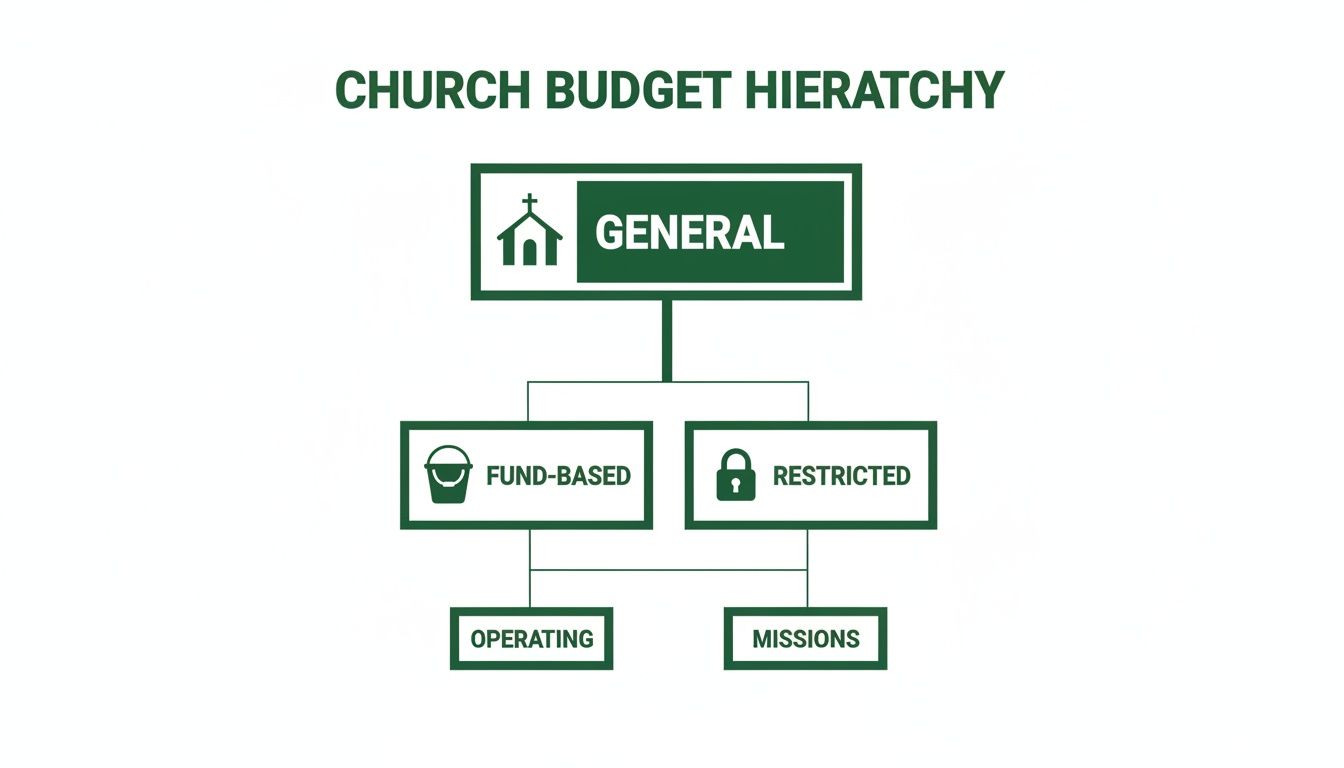
This diagram walks you from a unified general fund to dedicated buckets, then into locked, donor-restricted funds.
Annotated Fund Based Budget Sample
Below is a snapshot of how you might break out your church’s funds. Each line item pairs with a sample amount to illustrate practical allocation.
Fund | Line Item | Amount |
|---|---|---|
Operations | Staff Salaries | $200,000 |
Operations | Utilities | $50,000 |
Missions | Local Outreach | $30,000 |
Building | Maintenance | $20,000 |
Outreach | Community Events | $25,000 |
This table highlights how assigning dollars to each fund prevents mix-ups and simplifies reporting.
Tracking Funds In Grain Ledger
As you reconcile transactions, Grain Ledger updates fund totals in real time. Trend lines pop up instantly, so you can spot giving surges or slowdowns at a glance.
For a deeper dive into the mechanics of fund accounting, check out our detailed guide on fund accounting for nonprofits.
Meanwhile, data tells us that congregations with 2,000+ members often oversee budgets exceeding $5 million. In contrast, the median U.S. church operates on about $300,000, and smaller congregations average $150,000. For more benchmarks, see church budget statistics.
Best Practices For Fund Naming And Tracking
Clear, concise fund names build trust and reduce errors. Follow these tips:
Use consistent prefixes such as Ops, Missions, Build.
Review fund balances weekly to catch imbalances early.
Reconcile transfers immediately to keep records clean.
“Accurate naming and tracking build confidence across your team.”
Implementing these habits ensures every gift maps correctly and reporting stays transparent.
Adapting The Blueprint To Your Church
No two churches are identical. Tailor this model to fit your congregation’s size, giving patterns, and mission priorities:
Analyze past giving trends and set conservative income projections.
Align each fund’s allocation with strategic ministry goals.
Pilot your budget in Grain Ledger’s demo until it feels right.
This iterative process refines fund percentages, shores up reserves, and reveals any support gaps.
Next Steps With Grain Ledger
Ready to bring this framework to life? Download our budget template and import it into your Grain Ledger test account. Use custom fields to tag gifts, campaigns, and projects.
Automatic donation mapping slashes hours of manual entry.
Real-time dashboards surface trends so you can adjust proactively.
Built-in reconciliation keeps restricted gifts locked until release.
Invite your finance team to review fund reports together. Regular check-ins help catch oversights before they become issues. With this template plus Grain Ledger’s dashboard, your church’s financial story becomes clear, accountable, and ready to support growth.
Allocating Restricted Gifts And Tracking Funds
When a donor specifies a gift for a building renovation or a mission trip, they’re essentially putting a label on that money. Honoring those labels strengthens trust in your church community.
To keep everything clean, set up a restricted fund for each campaign. That way, you never accidentally spend funds meant for another project and your audit trail stays spotless.
Create a unique fund code for each restricted gift
Tag incoming donations with the donor’s instructions
Use Grain Ledger to automate fund assignment and reminders
Clear codes eliminate confusion, especially when several projects run at once.
Setting Up Directed Contributions
Think of each restricted gift like a jar on a shelf. If someone adds money to the “Campus Expansion” jar, it stays there until you need it for that exact project.
Match fund names to your campaign titles
In Grain Ledger, link each fund to its specific project
Define donor conditions so only approved expenses draw from that fund
“Clear fund naming reduces errors and makes reporting intuitive.”
With real-time tracking, you’ll never dip into restricted cash by mistake.
Logging Fund Transfers
Sometimes projects wrap up with extra funds. Maybe you want to move leftover building money into a maintenance reserve. In that case, a proper transfer entry records every detail on both sides.
Use a journal entry template in Grain Ledger that:
Debits the source fund
Credits the destination fund
Includes a memo explaining the reason
It’s like leaving digital breadcrumbs, so you always know why and where a transfer happened.
Transfer Date | From Fund | To Fund | Amount |
|---|---|---|---|
2024-03-15 | Campus Expansion | Maintenance Reserve | $5,000 |
2024-06-10 | Missions Fund | Outreach Events | $2,500 |
Reconciling Fund Balances
Nothing beats a monthly reality check. Compare your fund balances in Grain Ledger to your bank statements. That way, small discrepancies don’t become big headaches.
Run a fund balance report in Grain Ledger
Match each fund’s ending balance to the bank statement
Investigate any discrepancies right away
“Monthly reconciliation is the heartbeat of fund accounting.”
This routine keeps your records tight and leadership confident. With Grain Ledger’s dashboards, you’ll have audit-ready reports in seconds.
Ensuring Audit-Ready Records
Archive donor communications alongside fund statements
Retain all source documents for transactions
Use Grain Ledger’s audit log for full visibility
Start these practices today to honor every donor’s intent and build a transparent, trustworthy stewardship process.
Best Practices For Monthly And Annual Budget Reporting
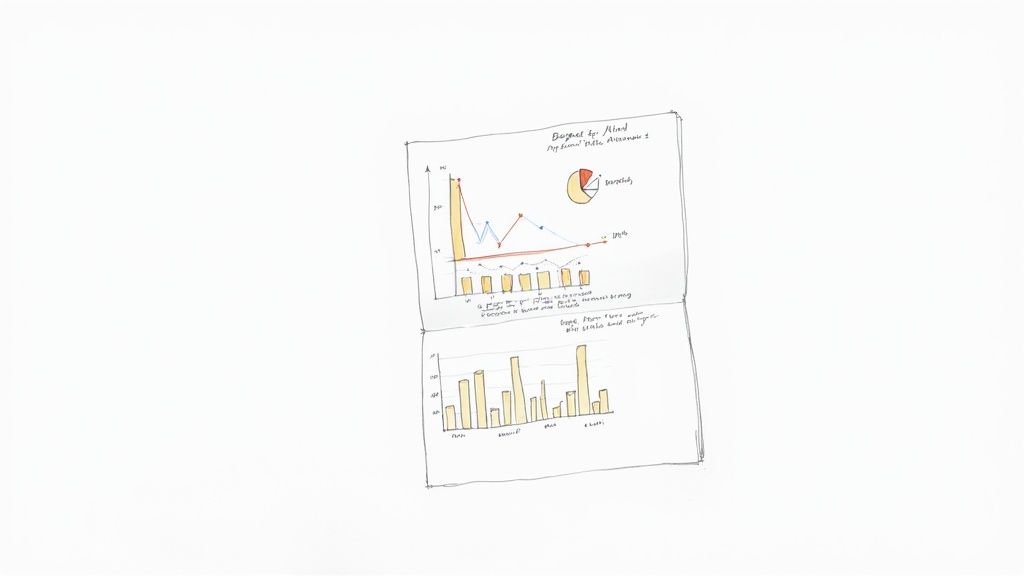
Think of your monthly budget report as a quick pulse check—spotting small shifts before they become big issues. An annual report, on the other hand, is the full physical, showing how every part of your church’s finances held up over the year.
Short, punchy summaries draw leaders in. Highlight key figures first, then dive into the details. That way, you catch surprises before they snowball.
Keep your monthly overview lean and clear:
Revenue vs Budget chart to flag surpluses or shortfalls
Expense Breakdown table for a line-by-line check
Fund Balances section to verify restricted gifts are on course
Visualize Spend Versus Budget
Charts are like road signs—they guide you through numbers and point out where you might take a wrong turn. A simple bar graph showing each expense category side by side with your budget brings everything into focus.
Adding a variance bar next to actual spending gives instant context. You’ll see at a glance if you’re under or over. And don’t forget digital giving: it’s now 15% of total income, with hybrid worship boosting per-capita gifts to $2,350 versus $2,048 for in-person only. Learn more about digital giving on VanCo Payments
Write Clear Variance Explanations
Transparent notes build trust. Lead each explanation with a brief summary—no more than two sentences.
Use a numbered list to map out next steps:
Investigate any variances over 5% immediately
Identify root causes (e.g., higher facility costs or shifts in giving)
Adjust upcoming forecasts based on these findings
Benchmark Ratios Against Peers
Comparing your numbers with similar churches helps set realistic targets. For example, track staff expenses as a percentage of total budget and see how you stack up.
For deeper insights and real-world examples, check our guide Financial Reporting For Churches
“Regular reporting is a compass for stewardship.”
A healthy contingency fund acts as your safety net—aim for at least three months of operating expenses. Grain Ledger’s reporting tools automate these steps, freeing your finance team to focus on strategy.
Next Steps:
Schedule monthly finance reviews with leadership
Customize Grain Ledger’s dashboards to track your key metrics
Share reports promptly to maintain transparency
Start implementing these practices today and watch your stewardship strengthen.
Choosing An Accounting Solution And Downloading A Budget Template
Selecting the right accounting platform can transform your church budget from a static spreadsheet into an active, easy-to-follow roadmap. Grain Ledger stands out by mixing fund accounting, donor tracking, and live dashboards that update in real time.
Every contribution finds its home automatically, so you won’t wrestle with manual adjustments. For example, if someone gives specifically for missions, it drops straight into that fund—no extra steps, no mistakes.
Key Benefits Of Grain Ledger
Native fund architecture guarantees 100% accuracy in your fund balances
Live dashboards reveal fund shortfalls or surpluses as they happen
Donor-restriction rules keep funds locked until you’re ready to spend
Below is a screenshot of Grain Ledger’s feature overview, showing how funds, giving data, and audit-ready records appear.
This view highlights the organized fund dashboard, complete with key metrics and one-click reconciliation links.
Downloading The Budget Template
Kick off your next budgeting cycle with our fund-optimized Excel spreadsheet. Head over to the Grain Ledger features page and hit the Download Church Budget Template button.
Then, inside Grain Ledger:
Select Import Data from the fund menu
Upload the Excel file you just downloaded
Map each column to the corresponding fund and confirm
Still have questions? Dive into our detailed walkthrough on fund setup in Grain Ledger.
Learn more about downloading the template in our guide on church budget template Excel.
As you make the switch, loop in your finance team. A shared Grain Ledger workspace lets you assign roles in a click. Finally, connect your bank feeds and giving platforms to automate data entry and wrap up reconciliation in minutes.
“Switching to Grain Ledger cut our budget prep time by 60%, giving us more time for ministry planning,” says one church treasurer.
Follow these steps, and you’ll be ready to run your next budgeting cycle with clarity and confidence. Less manual work, more transparency—and your church budget will truly come alive.
Frequently Asked Questions
When you build a church budget, think of it like planning a balanced meal—you need a little of everything. A clear set of categories makes it easy for leaders and donors to see exactly where each dollar goes.
Here are the core line items most churches include:
Staff Salaries and Benefits: All payroll and related costs
Facilities and Operations: Mortgage, utilities, routine maintenance
Missions and Outreach: Local programs and global partnerships
Administration: Office supplies, software subscriptions, insurance
Reserves and Contingency: Emergency funds and unexpected repairs
Miscellaneous: Unplanned expenses under $500
You can also create program-specific funds—like youth ministry or a capital campaign—to keep your budget organized and prevent different areas from merging together.
How do you keep restricted gifts separate from the general fund? It’s as simple as labeling jars on a countertop: each donation goes exactly where the donor intended.
Tracking Funds With Clarity
Assign a unique fund code to every restriction
Tag each gift in your ledger or spreadsheet immediately
Reconcile those balances monthly to catch any mix-ups
“Keeping clean fund trails builds trust and makes audits a breeze.”
When should you reach for a spreadsheet versus investing in software? For a one-off event or a simple budget, a spreadsheet gets you up and running in minutes. However, if you’re juggling multiple funds, bank feeds, and dashboards, a dedicated tool like Grain Ledger will save hours—and headaches—every month.
Tip: Archive each approved version at month’s end so you can track changes over time.
Which reports belong on your calendar?
Monthly
Revenue vs. Budget
Expense Variance
Fund Balances
Annually
Year-End Summary
Cash Flow Statement
Ministry Impact Report
Running these on schedule uncovers trends, prevents surprises, and keeps everyone on the same page.
Ready to simplify your church accounting? Try Grain Ledger for live fund‐level visibility, automated reconciliation, and bulletproof donor‐restriction controls. Visit Grain Ledger to get started today!