A Guide to Small Church Accounting Software
Jun 26, 2023
Let's be real for a moment. If you've ever tried to manage your church's finances with a generic business tool like QuickBooks or a spreadsheet, you know the frustration. It feels like you're trying to force a square peg into a round hole. These tools are fantastic for for-profit companies, but they simply weren't built to handle the unique stewardship and transparency that ministry demands.
Why Your Church Needs More Than QuickBooks
Running a church's books is nothing like running a typical business. A for-profit company is laser-focused on one bottom line: profit. Its financial reports, like a Profit & Loss (P&L), are all designed to answer a single question: "Did we make more money than we spent?" That model is clean and simple, but it's completely out of sync with a church's mission.
A church, on the other hand, operates on a foundation of stewardship and accountability. The most important financial question isn't about profit. It's about faithfulness: "Did we honor the designated intentions of every dollar we received?" This requires a totally different way of thinking about bookkeeping, one that standard software just can't handle without clunky, error-prone workarounds.
To dig deeper into these specific challenges, check out our guide on the limitations of using QuickBooks for churches.
The Stewardship Disconnect
Think of your church's finances like a family budget, but with a critical difference. In a family, money might be set aside for "groceries" or a "vacation." In a church, these designations are sacred trusts. A gift for the youth mission trip can't be used to pay the light bill, and money for the new roof can't be dipped into for the benevolence fund.
Generic accounting software sees all income as one big pot of money. It’s great at tracking overall income versus expenses, but it’s terrible at building the digital walls needed to separate designated funds. This forces volunteer treasurers to create complicated journal entries or use cumbersome "class tracking" features just to mimic what small church accounting software does naturally.
The core issue is that for-profit software is built to measure financial performance, while church software is built to demonstrate financial faithfulness. This distinction is everything when it comes to maintaining your congregation's trust.
The Growing Need for Specialized Tools
This need for purpose-built tools has sparked major growth in the market. The global Church Accounting Software Market was valued at around USD 2.85 billion in 2024 and is expected to hit USD 5.95 billion by 2033. This isn't just a niche industry; it's a clear signal that churches are recognizing that good stewardship requires the right tools.
This shift is accelerating as cloud-based solutions now make up about 68% of the market, making powerful tools more accessible than ever. You can see more insights in the full Church Accounting Software Market analysis. This isn't just a passing trend—it's a movement toward greater financial integrity in ministry.
Understanding Fund Accounting for Your Ministry
A regular business looks at its finances as one big pot of money. Is revenue higher than expenses? Great. But a church isn’t a for-profit business—it's a ministry built on purpose and trust. That's precisely why fund accounting isn't just a "nice-to-have"; it's the non-negotiable heart of your financial integrity.
The easiest way to think about fund accounting is to picture a set of digital envelopes. When money comes into the church, it doesn’t all get dumped into one general account. Instead, each dollar is sorted into a specific envelope labeled for its intended purpose—one for the general budget, another for the roof repair project, and a third for the annual missions trip.
This simple method is what guarantees every dollar is used exactly as the donor intended. It's the system that keeps a generous gift for the youth group from accidentally paying the electric bill, preserving the trust you've worked so hard to build with your congregation.
Restricted vs. Unrestricted Funds
The real power of fund accounting comes from its ability to separate money into two distinct types. Getting this right is absolutely crucial for accountability and proper reporting.
Unrestricted Funds: This is the money given to your church without any strings attached. Think of regular tithes and offerings. It can be used for general operating expenses—things like pastor salaries, utilities, and curriculum for the children's ministry. This is your main "General Fund" envelope.
Restricted Funds: These are donations given for a specific, donor-defined purpose. Common examples include gifts designated for a building campaign, benevolence, or a specific missionary you support. This money is legally and ethically bound to that purpose and simply cannot be used for anything else.
True small church accounting software is built from the ground up on this principle. It doesn't just track what comes in and what goes out; it creates virtual walls between these funds, making it nearly impossible to misallocate money.
This is the bedrock of good stewardship and transparency in church finance.
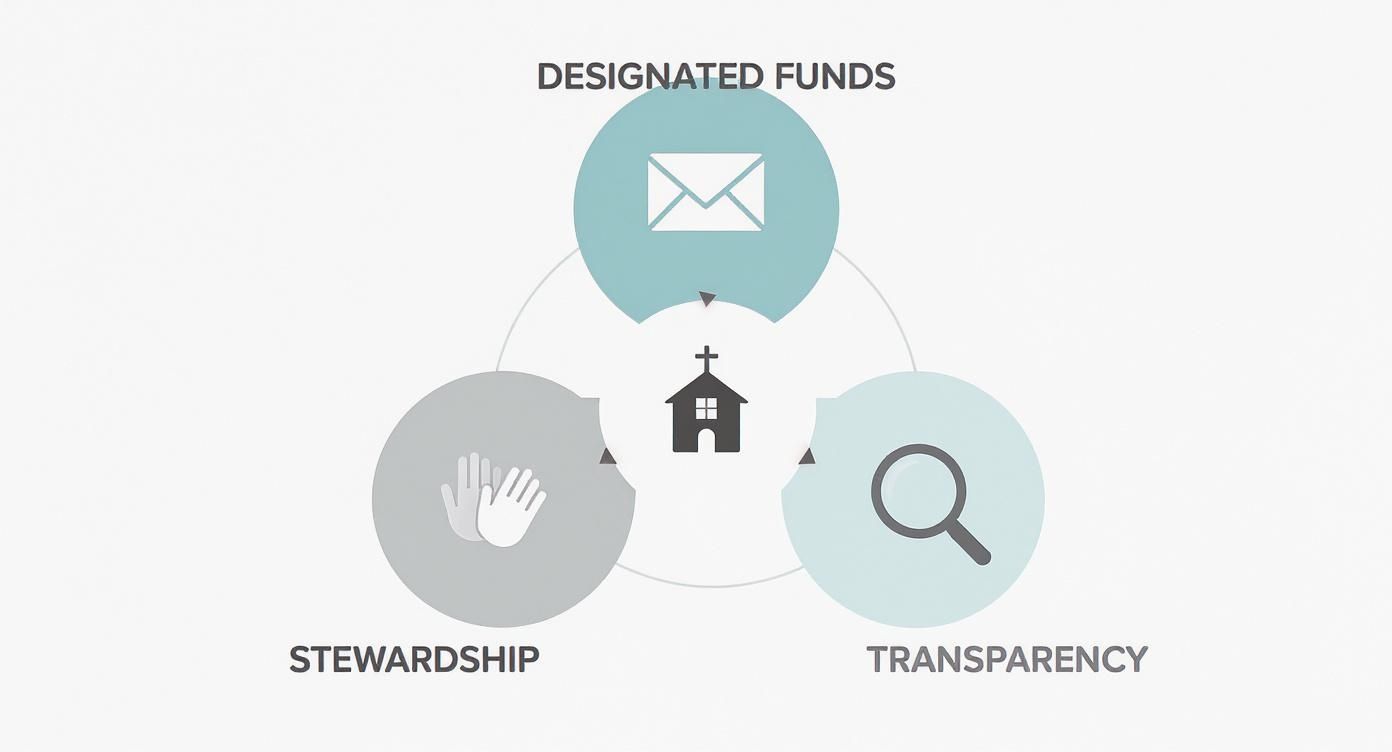
As the visual shows, properly managing designated funds isn't just a bookkeeping task. It's a core practice that proves you're stewarding resources wisely and being transparent with the people who support your ministry.
How a Single Donation is Handled
Let's walk through a real-world scenario. Imagine a member, Jane, writes a single check for $200. On the memo line, she writes: $150 for her regular tithe (unrestricted) and $50 for the youth group's summer camp fund (restricted).
Without fund-based software, a volunteer treasurer might just log a single $200 deposit. They’d have to rely on a sticky note, a separate spreadsheet, or their own memory to know that a quarter of that donation is off-limits for general use. This is exactly where honest mistakes happen.
With the right software, the process is clean and foolproof:
Receive the Donation: The single $200 check is entered.
Split the Allocation: The software immediately lets the user "split" the transaction.
Designate the Funds: The treasurer simply assigns $150 to the "General Fund" and $50 to the "Youth Camp Fund."
And that's it—the software does the rest. It instantly updates the balances for both funds. When the finance committee looks at the reports, the picture is perfectly clear.
Key Takeaway: Even though all the money might be in one physical bank account, the software keeps it separated and protected in your financial records. The Youth Camp Fund balance will show $50 is available, and that money is completely shielded from being used for anything else.
This level of detail is what accountability is all about. If you want to dive deeper, you can learn more about how fund accounting software for churches provides the framework needed for true financial stewardship. This approach allows you to confidently answer any question from your congregation about where their money is going, building a culture of trust that strengthens your ministry's mission for years to come.
What to Look For: The Non-Negotiable Features in Small Church Software
When you're trying to choose the right accounting software, it's easy to get distracted by flashy websites or long lists of features. But for a church, the real test is finding a tool built with the unique financial DNA of a ministry in mind. If you don't get the foundation right, you’ll just end up wrestling with the same old frustrations you had using generic business software.
Think of it like building a house. You wouldn’t just throw up some walls without first pouring a solid foundation and carefully planning the plumbing and electrical systems. In the same way, your church's financial health depends on getting the core components right from the very beginning.
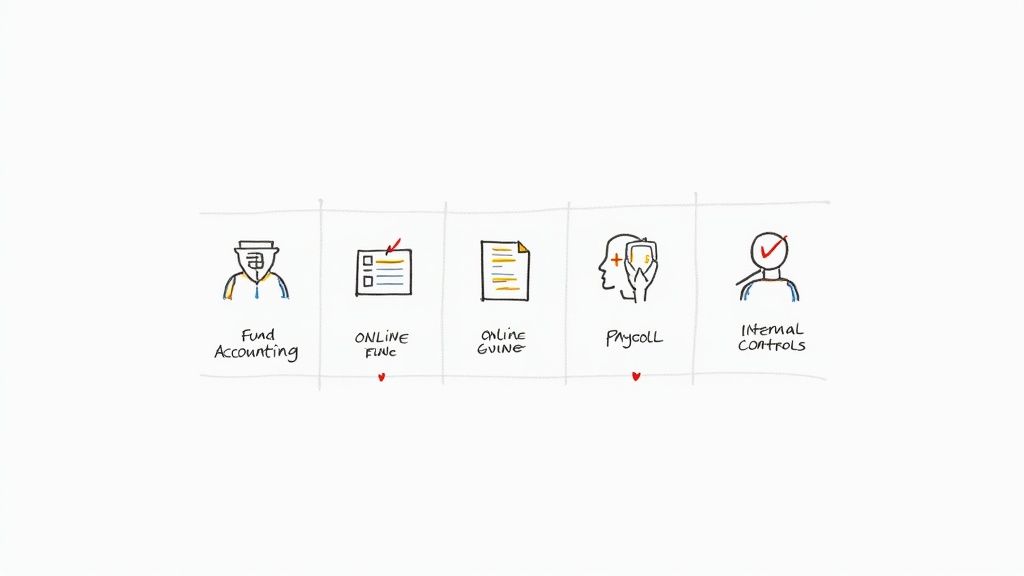
These aren't just nice-to-haves. They are the absolute pillars that support good stewardship, create transparency, and bring some much-needed sanity to your staff and volunteers.
To help you cut through the noise, here's a look at the critical features every small church should demand from its accounting software.
Key Features in Small Church Accounting Software
Feature | What It Does | Why It's Crucial for Your Ministry |
|---|---|---|
Native Fund Architecture | Manages money in separate "digital buckets" based on donor intent (e.g., General, Missions, Building). | This is the bedrock of church accounting. It prevents you from accidentally spending designated funds on the wrong thing, protecting your integrity and building congregational trust. |
Giving Integration | Automatically syncs with your online giving platform, importing donations, donor info, and fund designations. | It eliminates hours of manual data entry, reduces human error, and frees up your team's time for actual ministry work instead of administrative headaches. |
Ministry-Centric Reporting | Generates reports that make sense for a church, like a Statement of Activities by Fund, not a business P&L. | Clear, understandable reports allow your leadership and congregation to see exactly how funds are being used, which is essential for accountability and wise decision-making. |
Built-In Internal Controls | Provides features like user permissions, audit trails, and approval workflows to create checks and balances. | This protects your church’s resources and the people who handle them. Good controls reduce risk and provide peace of mind for everyone involved. |
These four features work together to create a robust financial system that's tailored for the unique needs of a ministry. Let's dig a little deeper into what makes each one so important.
A Native Fund Accounting Architecture
This is, without a doubt, the single most important feature. I can't stress this enough: true fund accounting must be woven into the very fabric of the software. You can't fake this with clever workarounds like "classes" or "tags" in a business tool. You need a system where every single transaction is inherently tied to a specific fund.
What does that look like in practice? It means the software won't let you spend designated money on general expenses. When a donation comes in for the "Building Fund," the software automatically quarantines those dollars, ensuring they can only be used for that specific purpose.
Why It Matters for Your Ministry: A native fund architecture is your best defense against accidental mismanagement. It provides the digital guardrails that protect your church's integrity and build unshakable trust with your congregation.
Seamless Online Giving Integration
Let’s be honest, a huge portion of giving happens online now. Manually keying in every single one of those digital donations is a recipe for volunteer burnout and costly data entry errors. Your accounting software must connect directly with your online giving platform.
A good integration will automatically pull in all the important donation data—the donor's info, the amount, and any fund designations they selected. For example, if a member gives $100 online and splits $25 of it to "Missions," the system should record that perfectly without anyone having to lift a finger.
This simple automation can turn a tedious, multi-hour chore into a quick review process. That's time your team gets back to focus on more impactful ministry work. If you're curious about how these tools work together, you can learn more from our guide on church donation tracking software.
Understandable and Accessible Reporting
Financial reports are completely useless if no one can understand them. A standard "Profit & Loss" statement from a business program means very little in a church context. What you need is software that generates ministry-centric reports with a single click.
Be on the lookout for these essential reporting capabilities:
Statement of Activities: This is your go-to report. It clearly shows income and expenses broken down by each fund, answering the vital question, "How did we use the money given to each specific ministry?"
Statement of Financial Position: Think of this as the church version of a balance sheet. It gives you a clear snapshot of your assets and liabilities, all neatly organized by fund.
Budget vs. Actual by Fund: This report is a lifesaver for your leadership team. It lets you see how spending in each fund is tracking against the approved budget, so you can make proactive financial decisions.
The best systems produce reports that are clean, easy to read, and ready to share with your board, finance committee, or the entire congregation.
Built-In Internal Controls
Good financial practices are all about accountability. Your software should be your biggest ally in this, with features designed to create clear internal controls and drastically reduce the risk of fraud or simple mistakes.
Here are a few essential controls you should look for:
User Permissions: You need the ability to grant different levels of access to different people. For example, a volunteer might only have permission to enter donations, while the treasurer is the only one who can approve expenses.
Audit Trails: This is a clear, unchangeable record of who did what and when. This digital log tracks every transaction from entry to modification to deletion, giving you complete transparency.
Approval Workflows: These are systems that require a second person to approve certain actions, like cutting a check for over a certain amount. It’s a simple but powerful check and balance.
These features aren't about a lack of trust. They’re about creating a strong, accountable system that protects both your church's resources and the dedicated people who manage them. That structure brings peace of mind to everyone involved in your ministry's finances.
How to Choose the Right Software on a Small Budget
Choosing the right small church accounting software can feel like walking a tightrope. On one side, you have the critical need for financial integrity. On the other, you have a budget that demands prayerful stewardship over every single dollar. The secret isn't finding the cheapest option, but the one that delivers the most genuine value for your ministry's unique needs.
https://www.youtube.com/embed/5ZzkHCAfqNo
Think of it like buying a van for the youth group. You wouldn't just grab the one with the lowest price tag. You’d look at gas mileage, how many kids it can safely carry, and what the long-term maintenance costs look like. It's the same with software—you have to look past the monthly fee and see the whole picture.
Look Beyond the Subscription Price
That monthly price you see advertised? That's just the starting point. A platform that seems like a bargain at first can quickly become a headache if it eats up hours of volunteer time or hides extra fees for things you actually need.
To figure out the real cost, you have to ask some tough questions:
What are the setup or data migration fees? Some companies will charge a hefty one-time fee to help you move your financial records over to their system.
Is customer support included? When your volunteer treasurer is stuck on a Saturday morning, getting help can't be a paid add-on. Make sure support is part of the deal.
Does it require extensive training? A complicated system might mean paying for training sessions or, worse, dealing with costly mistakes from well-meaning but untrained users.
How much time will it save? If a tool costs a little more but automates donation entry and saves your team 5-10 hours a month, what’s that time really worth to your ministry?
The goal is to find software with the lowest Total Cost of Ownership. This includes both the money you spend and the time your people invest. A tool that makes life simpler and cuts down on administrative work often pays for itself many times over.
Prioritize Ease of Use for Volunteers
Let's be honest: in most small churches, the treasurer is a dedicated volunteer, not a CPA. The software you pick absolutely has to be intuitive for someone who doesn't live and breathe accounting. If a platform is clunky, confusing, or just plain frustrating, it won't be used correctly—and that defeats the whole purpose of having it.
Small churches face real budget pressures, and that makes them very sensitive to recurring monthly fees. This reality has actually pushed software companies to get more creative. It's why platforms like Tithe.ly and Breeze have become so popular in smaller congregations; they focus on being user-friendly rather than cramming in every possible feature. You can learn more about this trend in the full analysis of the church software market.
This screenshot from Tithe.ly's accounting page shows exactly what you should be looking for—a clean, dashboard-style layout.
The design is all about clarity. With easy-to-read charts and straightforward menus, it's the kind of interface that gives a volunteer treasurer the confidence they need to manage the church's finances well.
Always Try Before You Buy
You’d never buy a car without taking it for a spin, right? The same rule applies here. Almost every reputable software provider offers a free trial or a live demo. This is your best chance to get past the slick marketing and see if the platform is truly a good fit for how your church actually operates.
During your trial period or demo, be sure to:
Involve Your Key Users: Pull in your treasurer, a finance committee member, and anyone else who will be in the system regularly. Their feedback is invaluable.
Test Real-World Scenarios: Don't just click around. Try to enter a split donation (part for tithes, part for the building fund). Run a budget vs. actual report for the youth ministry. Look up a specific family's giving history.
Contact Customer Support: Send them a question, even a simple one. See how quickly they respond and how helpful they are. This is a crucial test.
Choosing the right software on a small budget isn't about cutting corners. It's about making a wise, informed decision that will empower your ministry and protect its resources for years to come.
Your Step-by-Step Implementation Checklist
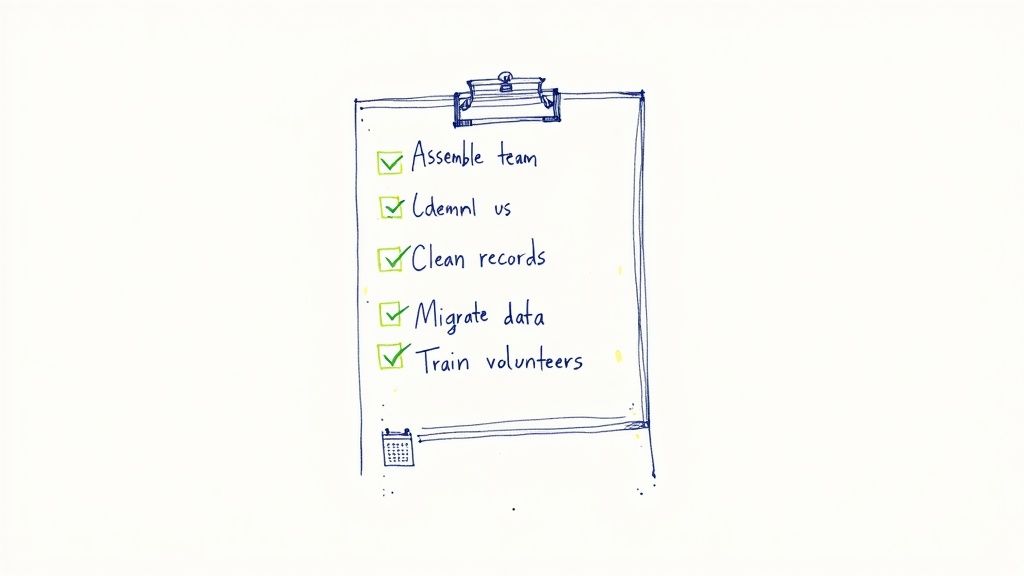
Deciding to switch to new small church accounting software is a fantastic move toward financial clarity. But let's be honest, the idea of actually making the switch can feel a little daunting. A successful transition all comes down to a smart, step-by-step implementation plan.
Think of it like planning a big church event. You wouldn't just unlock the doors and hope for the best. You'd gather a team, get your supplies in order, and map out the day. Applying that same mindset here will turn a potentially stressful project into a manageable and even rewarding one.
This checklist will walk you through the process in clear phases, from the initial prep work all the way to launch day.
Phase 1: Pre-Launch Preparation
Before you even think about logging into the new software, you've got to lay some groundwork. This first phase is all about getting your people and your data ready for a smooth handoff. Skipping these steps is like building a house without a proper foundation—sooner or later, you're going to see cracks.
First up, assemble your implementation team. This doesn't need to be a huge committee. Just grab your primary bookkeeper or treasurer, a pastor or board member for leadership buy-in, and maybe a tech-savvy volunteer who can help troubleshoot. This core group will keep the project on track.
Next, it's time to tackle your existing financial records. This is the perfect excuse to do some spring cleaning.
Reconcile All Accounts: Make sure your current books—whether they're in a spreadsheet or an old program—match your bank statements to the penny.
Finalize Fund Balances: Get the exact starting balance for every single fund, from the General Fund to the Building Fund to the Youth Group's pizza fund.
Update Donor Information: Check that all your member and donor records are current. You'll thank yourself when it's time to send out giving statements.
Trust me, starting with clean data is the single most important thing you can do for a successful migration.
Phase 2: Data Migration and Setup
Okay, your data is clean and your team is ready. Now you can start moving into your new digital home. In this phase, you'll set up the software to reflect how your church actually operates and import all that clean data you just prepared. The key here is to take your time. Accuracy beats speed every single time.
Start by setting up your Chart of Accounts and defining your funds in the new system. Most software designed for churches makes this pretty intuitive. You’re essentially creating the "digital envelopes" for each ministry, project, or designated gift.
Pro Tip: Don't just blindly copy your old setup. This is a golden opportunity to simplify. Ask your team, "Do we still need a separate fund for that ministry that ended two years ago?" Now is the time to clean house.
Once your structure is built, you can start bringing over the data. Begin with your fund balances, vendor information, and donor lists. The biggest piece of the puzzle is importing your transaction history. Many software companies offer hands-on help with this, which can be a lifesaver.
Phase 3: Training and Parallel Operations
Now it's time to get your people comfortable. Schedule a few training sessions for everyone who will be using the software. Don't just show them features; walk them through the real-world tasks they'll be doing every week, like entering offerings, cutting checks, and running key reports.
Here’s the best piece of advice I can give you for a stress-free transition: run your old and new systems in parallel for at least one full month. I know, it sounds like double the work, and it is. But it’s the ultimate safety net.
At the end of the month, pull the main reports from both systems. If the numbers are a perfect match, you can confidently shut down the old system. You'll move forward knowing your new small church accounting software is accurate and ready to go.
Answering Your Top Questions
Let's be honest—navigating the world of church finance tools can feel overwhelming. When you're the one responsible for stewarding your congregation's resources, you want to be absolutely certain you're making the right call. Moving forward with confidence means getting clear, straightforward answers.
That’s what this section is all about. We’ve pulled together the most common questions church leaders, treasurers, and finance volunteers ask when they're thinking about a change. Let's tackle them head-on.
Can Our Small Church Just Use QuickBooks Instead?
This is, without a doubt, the question I hear most often. And it makes sense. QuickBooks is a household name in business accounting. But here’s the thing: it wasn't built for the unique way a church operates.
Using QuickBooks for ministry finances is like trying to use a hammer to turn a screw. You might eventually get the job done, but it’s going to be messy, frustrating, and you risk damaging the very thing you're trying to build.
The fundamental issue boils down to one thing: fund accounting. QuickBooks requires complicated, error-prone workarounds to track designated funds. This usually means setting up confusing "classes" or creating convoluted journal entries that can easily trip up even the most dedicated volunteer and lead to serious reporting mistakes. You end up fighting the software’s design every step of the way.
In contrast, true small church accounting software has fund accounting built into its DNA. It’s not an add-on; it’s the very foundation. This native structure makes it second nature to manage designated donations correctly from the start. Transparency and accountability become effortless, not a constant struggle.
The time you'll save and the accuracy you'll gain almost always make a purpose-built solution the wiser choice. Good stewardship is about more than just tracking dollars and cents; it's about honoring the heart behind every single gift. The right tool makes that possible.
How Much Should a Small Church Expect to Pay?
Budget is a very real concern for any ministry, big or small. The good news is that modern, cloud-based software has become much more affordable. For a small church, you can typically expect to pay somewhere between $30 to $100 per month for a quality system. Most pricing is based on the size of your congregation or the specific features you need.
But the subscription fee is only part of the story. To get a real sense of the cost, you have to look at the whole picture.
When you’re comparing options, make sure you ask vendors about the total cost of ownership:
Setup or Onboarding Fees: Are there any one-time charges to get you up and running?
Data Migration Support: Will they charge extra to help you move your financial history from your old system?
Customer Support: Is responsive help included, or is it a premium add-on you have to pay more for?
Training Costs: Does your team need paid training to use the software well?
Many providers also offer pretty significant discounts if you pay for a full year upfront, so it's always worth asking about the best possible price for your ministry's budget.
What Is the Hardest Part of Switching Software?
Making any kind of change is tough. With software, the biggest hurdles are usually less about the technology itself and more about people and processes. The two biggest challenges are typically managing the change for your team and migrating your historical data correctly.
Getting staff and volunteers comfortable with a new way of doing things takes clear communication and good training. People get used to the old way, even if it’s inefficient. The key is to explain the why behind the change—how it will make their roles easier, save them time, and strengthen financial integrity for the entire church.
Getting your financial records out of spreadsheets or an older system is the other major hurdle. This process demands careful planning to ensure every number is right and every fund balance is accurate from day one.
To make the transition smoother, here are a few tips:
Clean Up Your Data First: Reconcile all your accounts in your current system before you start the migration.
Choose a Provider with Good Support: A vendor with a dedicated team to help you move your data can be a lifesaver.
Communicate the Benefits: Get your team excited about how this new tool will improve things for everyone.
Does This Software Connect to Our Online Giving Platform?
Yes—and this should be a non-negotiable feature for any modern church. The best small church accounting software is built to integrate seamlessly with the popular online and mobile giving platforms your congregation already knows and uses.
This integration is like an automated bridge between your giving system and your accounting records. When someone gives online, the software automatically pulls in the transaction details—the donor's info and, most importantly, which fund they designated their gift for.
This automation literally saves hours of tedious, manual data entry every single week. Even better, it dramatically reduces the risk of human error, ensuring that donor records are always spot-on and that every designated dollar lands in the correct digital "envelope." It frees your treasurer and volunteers from administrative busywork so they can focus on what truly matters: your ministry's mission.
Ready to see how accounting software built from the ground up for churches can bring clarity and confidence to your finances? Grain offers true, native fund accounting that aligns with your ministry's mission. Join the waitlist today to be the first to experience streamlined workflows and reporting that speaks the language of church finance. Learn more at the Grain website.