Fund Accounting Software for Churches Explained
A guide to fund accounting software for churches. Learn how it works, what features to look for, and how to choose the right financial solution.
It’s a common story we hear: a well-meaning church treasurer or volunteer tries to make standard business software work for the church's books. But it often feels like trying to fit a square peg in a round hole. The problem is that generic tools just aren't designed to handle the unique stewardship responsibilities of a church, especially the legal and ethical need to track designated donations.
This is where true fund accounting software for churches comes in. It's built from the ground up for this very purpose, providing the foundation for financial transparency and accountability.
Why Your Church Needs More Than Standard Accounting Software

To really grasp this, stop thinking of your church’s finances as a single, large checking account. Instead, picture a collection of separate savings jars on a shelf. Each jar has a specific purpose written on it: "Missions Trip," "Building Fund," "Youth Group," or "Benevolence."
When a member gives to the building fund, that money legally must go into the "Building Fund" jar. It can only be used for that specific purpose. This is the heart of fund accounting. Standard business software, on the other hand, just sees all incoming money as one big, undifferentiated pool.
The Dangers of Generic Software
When churches use generic accounting tools, they're forced into risky workarounds. Many try to track different funds using tags, classes, or chart of accounts hacks. But these are just labels, not real structural safeguards. This approach leaves the door wide open for costly mistakes.
- Commingling Funds: It becomes far too easy to accidentally dip into the "Missions" jar to pay the monthly electric bill.
- Inaccurate Reporting: You'll struggle to generate a clean, clear report that shows exactly how much is in the "Building Fund" jar and a history of how it was spent.
- Eroding Donor Trust: The biggest risk of all. Failing to honor a donor's intent can seriously damage your church’s reputation and impact future giving.
Managing church funds is a matter of stewardship. When systems fail to provide clarity, it compromises a church's ability to demonstrate faithful management of the resources entrusted to it, potentially creating both legal and ethical risks.
The need for better tools is becoming more obvious every day. The global church accounting software market, valued at USD 2.85 billion, is projected to soar to USD 5.95 billion by 2033. This growth shows a clear trend: congregations are prioritizing financial transparency and smarter operations.
This shift highlights a critical point. Genuine fund accounting software for churches isn't just a nice-to-have tool; it's essential for financial integrity. It’s designed from its very core to manage those separate "jars" correctly, ensuring every dollar is tracked exactly as intended. While weighing your options, it's also worth understanding why popular solutions like QuickBooks for churches often require complex, error-prone workarounds to get the job done.
How True Fund Accounting Protects Church Finances
Let's start with a simple idea: true fund accounting isn’t just business accounting with different labels. It's an entirely different way of thinking about your church's money.
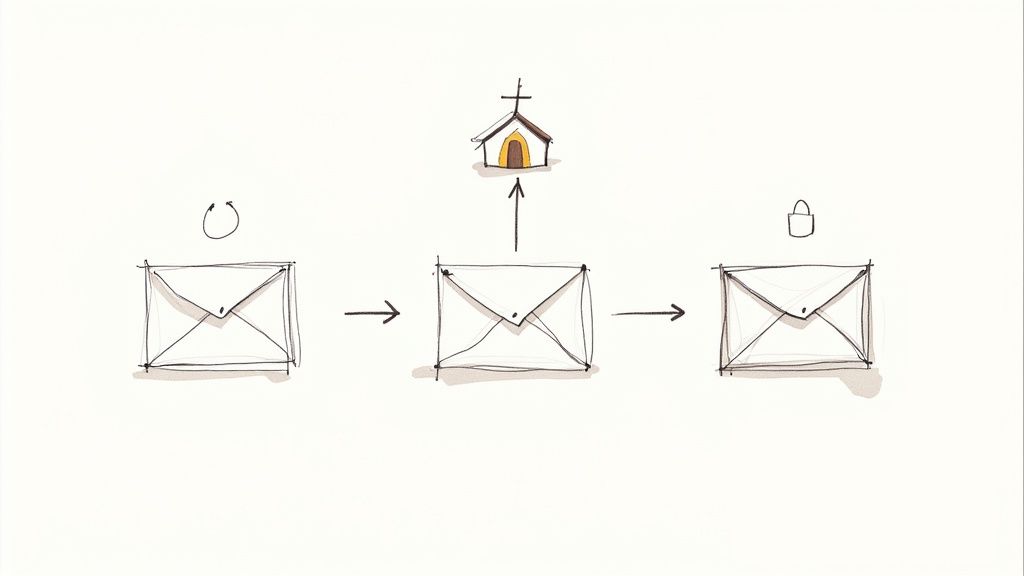
Think of each ministry—the Youth Group Fund, the Benevolence Fund, the Building Campaign—as its own secure digital envelope. When a donation comes in for a specific purpose, it goes straight into the correct envelope. The software's job is to make sure it stays there.
This structure creates a digital wall around each designated fund. Money can't just be shifted from one "envelope" to another to cover an unrelated expense. This built-in separation is what protects your church's financial integrity and, most importantly, honors every dollar given by your donors.
The Problem with Workarounds
So, what happens when a church tries to use standard business software? It doesn’t have these digital envelopes built in. To get around this, many try to mimic fund accounting using features like "classes" or "tags." While it sounds like a clever fix, it's a house of cards that can easily fall apart.
These tags are just labels, not secure containers. This method puts all the pressure on perfect, manual data entry. One simple mistake—assigning the wrong class to an expense or forgetting to tag a donation—and your funds are instantly mixed. The software itself offers no real protection against these common human errors, turning accurate reporting into a constant headache.
"Unlike for-profit tools, nonprofit accounting software is built for accountability, not profitability. Its entire purpose is to provide a clear, auditable trail showing that designated funds were used exactly as intended, which is the bedrock of donor trust."
Why Native Fund Architecture Matters
Genuine fund accounting software for churches is built on a completely different foundation. The separation of funds isn't an afterthought or an add-on; it's the core of how the system operates. From the moment a transaction is entered, it’s automatically locked to a specific fund.
This "native" design provides several crucial safeguards you just can't get with workarounds:
- Prevents Overspending: The software will actually stop you from spending money you don’t have in a specific fund. No more accidentally dipping into the Missions Fund to cover a general expense.
- Automates Accuracy: When a donation comes through your online giving platform for the "Building Fund," it flows directly into that digital envelope. No manual entry, no risk of error.
- Simplifies Reporting: Need a "Statement of Activities by Fund"? It's a one-click report. You get a clear, accurate picture of what came in and what went out for each and every ministry.
This built-in structure means you're not just tracking funds—you're actively protecting them. It takes the burden of accuracy off of people and places it onto the software itself. The result is financial reports that are always trustworthy, which is absolutely essential for maintaining the confidence of your congregation and leadership.
Key Features of Modern Church Accounting Software
It’s easy to get overwhelmed by feature lists when you’re shopping for software. So, let's cut through the noise and focus on what really matters for your church’s financial health and sanity.
Think of this as your buyer's checklist. We're going to break down the non-negotiable tools that a solid fund accounting software for churches absolutely must have. These are the features that deliver real accuracy, accountability, and peace of mind for everyone from the church treasurer to the congregation.
Native Fund Accounting Architecture
This isn’t just another feature on a list; it’s the very foundation of the entire system. As we've covered, native fund accounting means the software was built from the ground up to manage designated money properly. It’s not a business accounting program with a "class" or "tag" workaround tacked on as an afterthought.
Every single transaction—whether it's a gift for the new building or an expense from the youth ministry budget—is locked to its specific fund. This structural bedrock is what makes all the reporting and controls you need both possible and trustworthy.
Seamless Giving Platform Integration
Your online giving platform is where a huge chunk of your church’s income originates. Modern accounting software needs to talk to it directly, creating a smooth, automated flow of information.
When a member gives online to the "Missions Fund," that donation should pop up in your accounting system automatically, already coded to the right fund. This simple connection saves hours of manual data entry and all but eliminates the risk of human error. It ensures donor intent is honored from the second the gift is made.
Automated Bank Reconciliation
Let’s be honest: reconciling the bank statement is a chore nobody loves, but it has to be done. Look for a system with automated bank feeds, a feature that pulls transaction data directly from your church’s bank accounts.
This transforms reconciliation from a painful, line-by-line manual slog into a quick review-and-click process. The software does the heavy lifting, flagging discrepancies so you can maintain a crystal-clear picture of your cash flow with minimal effort.
The right software automates the tedious tasks so you can focus on the ministry. It's about shifting your team's time from manual data entry to strategic financial stewardship and transparent reporting.
Robust Reporting and User Controls
Your software must deliver instant, fund-specific reports. Pulling a "Statement of Financial Position by Fund" or seeing "Budget vs. Actuals" for the youth ministry shouldn't require a spreadsheet wizard. It should be a one-click function. To get the most out of these reports, you'll want to structure your accounts well; our guide on setting up a chart of accounts for a nonprofit can help with that.
Just as critical are user permissions. You need granular control over who can see and do what. A ministry leader should be able to view their department’s budget, but they shouldn't have access to sensitive payroll information. These controls are the backbone of strong internal financial security.
The right tools truly make a difference. Churches using integrated platforms often save over 10 hours per week on financial administration and have seen online donations grow by as much as 40%. You can explore more on how churches benefit from specialized software to see the full impact.
Core Feature Checklist for Church Accounting Software
To help you sift through the options, here’s a quick-glance table comparing the features you absolutely need with those that are helpful but not essential. Use this to focus your search on what will truly serve your ministry.
| Feature Category | Essential (Must-Have) | Beneficial (Nice-to-Have) | Why It Matters |
|---|---|---|---|
| Accounting Foundation | True, native fund accounting | Customizable dashboards | Prevents misusing designated funds and ensures accurate reporting from the start. |
| Income Management | Direct integration with online giving platform | Text-to-give and kiosk options | Automates donation entry, reduces errors, and honors donor intent automatically. |
| Banking & Reconciliation | Automated bank feeds | Mobile check deposit | Saves hours of manual data entry and provides a real-time view of cash flow. |
| Reporting & Analytics | One-click, fund-level financial reports | Advanced forecasting tools | Provides clear visibility into the financial health of each fund and ministry. |
| Security & Controls | Role-based user permissions | Multi-factor authentication | Protects sensitive data and establishes strong internal financial controls. |
| Expense Management | Bill pay and expense tracking by fund | Employee expense reimbursement portal | Ensures every dollar spent is correctly allocated to the right ministry or project. |
| Payroll | Integrated payroll processing | Automated tax filings (941) | Simplifies a complex process, ensuring staff and pastors are paid correctly and on time. |
This checklist isn't about finding a program with the most bells and whistles. It’s about identifying the one with the right tools to build a foundation of financial integrity and clarity for your church.
Making Sense of Your Finances with Key Reports
Financial reports shouldn't feel like you need a special degree to read them. This is where good fund accounting software for churches really shines—it turns complex data into simple, clear snapshots of your ministry's health. These reports are the very tools that build trust and help your leadership make wise decisions.
Instead of getting lost in a sea of confusing spreadsheets, you get instant answers to your most important questions. Let's walk through the three most critical reports that transform financial numbers into real ministry insights.
Statement of Financial Position by Fund
Think of this as your church's overall financial health checkup, but with a separate report card for each individual ministry "jar." It directly answers the question: "For each specific fund, what do we own, what do we owe, and what's left over?"
This report gives you a crystal-clear view of the true balance in every single one of your designated funds. It's an absolute must-have for your finance committee and board because it confirms that restricted funds—like the Building Fund, for example—actually have a positive balance and haven't been accidentally used for general operating costs.
Statement of Activities by Fund
If the last report was a snapshot in time, this one is the story of your church's financial journey over a specific period. It breaks down all the income and expenses, neatly organized by fund, to answer: "Where did the money come from, and where did it go for each ministry?"
With just a glance, you can see exactly how much was donated to the Missions Fund last month and precisely what was spent on mission-related activities. This kind of transparency is invaluable for showing donors how their gifts are being used and for giving ministry leaders a clear view of their financial activity.
For a deeper dive into how to structure these reports, you can explore our detailed guide on essential church financial reporting.
The real magic of fund-based software is that it can generate these reports with a single click. It completely gets rid of the error-prone, manual work of piecing this information together, giving your team back precious hours to focus on ministry.
The image below shows how a software dashboard can present these key fund balances so you can see them at a glance.
This visual summary makes it easy for anyone on your team—from the senior pastor to a volunteer leader—to see the financial standing of each ministry without getting bogged down in rows of numbers.
Budget vs. Actuals by Fund
This might be the single most empowering report for your ministry leaders. It simply lays out what a department planned to spend versus what it has actually spent. In other words, it answers the all-important question: "Are we on track with our budget for each specific ministry?"
- Empowers Ministry Leaders: A youth pastor can instantly see how much of their annual budget they've used for events, supplies, and curriculum.
- Encourages Proactive Management: It helps leaders spot potential overspending early and make adjustments before it becomes a problem.
- Improves Future Planning: Looking back at these reports is the best way for leaders to create more accurate and realistic budgets for next year.
This report turns your budget from a static document that gets filed away into a dynamic tool for active stewardship. It helps every single ministry make the most of the resources God has entrusted to them.
A Practical Roadmap for Switching Software
Making the switch to a new system feels like a huge project, I get it. But breaking it down into a clear, step-by-step plan makes it far less daunting. A smooth transition all comes down to good prep work and a solid process. Let’s walk through the key phases to get you from your old system to your new one without pulling your hair out.
The real work starts well before you ever click "import." The very first thing to do is a thorough cleanup of your current financial records.
This means you need to reconcile every single bank account, track down answers for any questionable entries, and get your books as clean and accurate as they can possibly be. Why? Because you don't want to drag old messes into a brand-new system. Start fresh.
Phase 1: Prepare and Plan
Once your records are squared away, it’s time to pick a strategic "cut-over" date. This is the day you officially stop entering anything into the old software and start working exclusively in the new one.
- Choose a Quiet Time: Most churches I've worked with find the start of a new quarter or, even better, the beginning of the fiscal year to be perfect. It just makes sense with reporting periods and keeps you away from the year-end rush.
- Establish a Go-Live Date: Pick a date and stick to it. This gives everyone a concrete deadline to work toward.
- Create an Implementation Team: You can't do this alone. Assign clear roles to a small, dedicated group of staff or trusted volunteers who will own this migration process.
Phase 2: Migrate and Train
With clean books and a target date on the calendar, you're ready for the more technical part. This phase is about getting your data moved over and, just as importantly, getting your people comfortable with the new software.
- Import Core Data: You'll start by bringing in the essentials: your chart of accounts, all your fund balances, and your list of vendors into the new fund accounting software for churches.
- Conduct Parallel Operations (Optional but helpful): For a week or two, you might want to enter transactions into both the old and new systems. Yes, it's double the work, but it's a fantastic way to check for discrepancies and build confidence that everything is working right.
- Train Your Team: This is the step you absolutely cannot skip or skimp on. Your staff and key volunteers have to feel confident using the new software. Dive into every training resource the provider offers—webinars, knowledge bases, and especially their support team.
A classic migration headache is underestimating how much training people really need. Lean on your software provider’s support team. They’ve helped hundreds of churches through this exact process and know all the common bumps in the road to avoid.
Phase 3: Review and Optimize
You've hit your go-live date—congratulations! But the job isn't quite done. The first few weeks are for fine-tuning your new setup.
Take some time to double-check that everything is running as it should. Are the automated bank feeds pulling in transactions correctly? Can you generate your key financial reports without any issues?
This infographic shows the kind of reports you should now be able to create in just a few clicks, giving you a clear view of your financial health, fund activity, and budget-to-actuals.
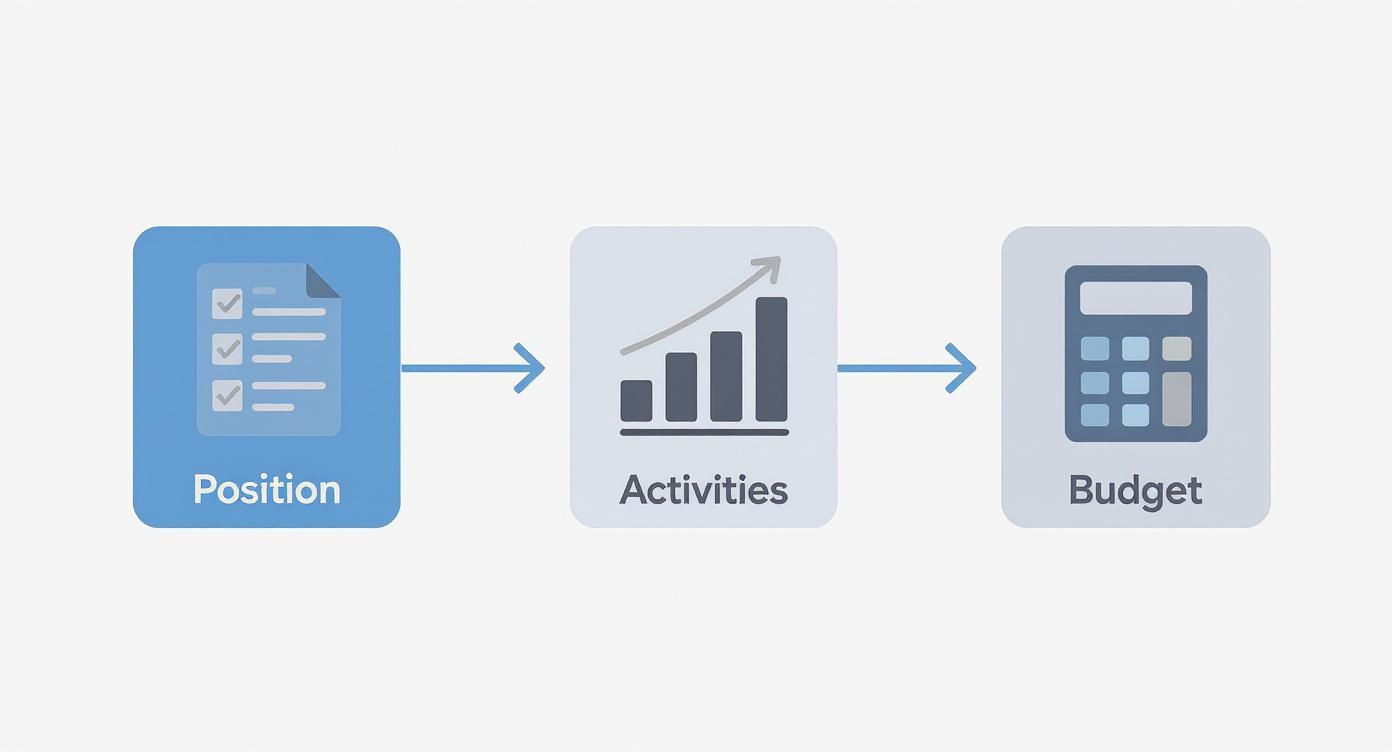
Think of this process as a workflow: clean data goes in, and clear, actionable reports come out. By following this roadmap, you can turn what feels like a stressful change into a powerful upgrade for your church’s financial stewardship.
Common Mistakes to Avoid When Choosing Your Software
Picking the right financial software is a huge decision for any church. Getting it wrong can lead to years of headaches and frustrating workarounds. Learning from the mistakes others have made can save your ministry a ton of time, money, and stress down the road.
One of the most common traps is letting price be the only thing that matters. Of course, budget is always a concern, but the cheapest software on the market is almost never the best value. A low-cost system that forces you into hours of manual spreadsheet gymnastics or can't produce a clean, fund-based report ends up costing you more in wasted time and the risk of serious errors.
Think of true fund accounting software for churches as an investment in financial integrity, not just another line item on the expense report.
Overlooking the Need for Support
Another mistake I see all the time is underestimating just how important good customer support is. When you're stuck on a tricky bank reconciliation at the end of the month or trying to figure out payroll for the first time, you need to talk to someone who gets it—and gets back to you quickly.
Before you sign on the dotted line, do some digging. What's their support reputation really like? Do they have real people you can call? Are there helpful tutorials or a solid knowledge base you can turn to? A fantastic piece of software with terrible support will quickly feel like a liability.
Don't just buy software; invest in a partnership. Your software provider should feel like an extension of your team, ready to help you navigate financial challenges and get the most out of the tool for your ministry.
Ignoring Your Team and Volunteers
Finally, forgetting to include the very people who will be using the software every day is a classic recipe for disaster. Your treasurer, bookkeeper, and even key volunteers need a seat at the table during the decision-making process.
If the system you choose is too confusing or just doesn't mesh with how they work, they'll either avoid using it or create their own workarounds. This leads to messy, unreliable data, which completely defeats the purpose of getting new software in the first place.
The church software market is booming—the accounting piece alone was valued at $1.5 billion and is expected to reach $3.2 billion by 2033. More options are great, but it also means more opportunities to make a poor choice. You can read more about these trends and find other church accounting software statistics. By steering clear of these common pitfalls, you can make a wise, long-term investment that truly strengthens your church's stewardship and empowers your team.
Frequently Asked Questions About Church Accounting
When it comes to church finances, a handful of questions pop up again and again. Let's tackle some of the most common ones your leadership team is probably asking as you look for the right fund accounting software for churches.
Can Our Small Church Just Use QuickBooks?
This is probably the number one question we hear, and for good reason. Many small churches try to make QuickBooks work by using its "classes" feature to act like funds. While it seems clever on the surface, this workaround is a recipe for headaches.
It's just too easy for human error to creep in, leading to commingled funds and reports you can't trust. You end up spending hours trying to untangle finances that a true fund-based system would have kept separate automatically. Real fund accounting software is built from the ground up to enforce these boundaries, giving you the integrity and donor confidence you need.
What Is the Typical Cost for Church Software?
You'll find that prices can be all over the map, but most churches end up paying somewhere between $30 to $300 per month. A smaller congregation with straightforward accounting needs will likely be on the lower end of that range.
A larger church, especially one with payroll, multiple locations, or complex integrations, should expect to be on the higher side. The key is to look beyond the monthly price tag and consider the true value. Think about the hours you'll save and the costly mistakes you'll avoid—that's where the real ROI is.
When choosing software, focus on the long-term value of financial integrity and operational efficiency. The right system pays for itself by preventing costly errors and freeing up valuable time for ministry.
How Long Does Implementation Take?
Getting everything set up depends entirely on two things: the state of your current books and the complexity of your funds. If your records are clean and well-organized, you could be up and running in a few weeks. If things are a bit messy, it might take closer to two months.
This timeframe covers everything from cleaning up your old data and importing it into the new system to setting up your funds and training your staff. The biggest mistake churches make is rushing this part. A slow, deliberate implementation always pays off in the long run, ensuring a much smoother transition for your team.
Ready to build a foundation of financial clarity for your ministry? Join the waitlist for Grain and be the first to experience accounting software that’s purpose-built for churches. Learn more at Grain.
Ready to simplify your church finances?
Join the waitlist for early access to Grain - modern fund accounting built for ministry.