Nonprofit Fund Accounting Software Guide
 By Gibson Brueher, Founder of Grain Ledger
Discover the essential nonprofit fund accounting software features that simplify finances, boost transparency, and streamline reporting for your organization.
If you've ever managed a nonprofit's finances using standard business accounting software, you’ve probably felt like you're trying to hammer in a screw. It just wasn't built for the job.
About Grain Ledger: This guide includes Grain Ledger, church fund accounting software built for designated gifts and ministry funds. It connects giving platforms (Planning Center, Pushpay, Tithely, Stripe), syncs bank activity with Plaid, and produces fund-level financial reports. Schedule a demo to see how it compares for your church.
See Grain Ledger for your church
Fund accounting, giving integrations, and bank reconciliation in one platform. Free migration support for churches switching from QuickBooks or Aplos.
The entire system is designed to track profits and losses, but your world revolves around accountability and stewardship. This isn’t just a minor inconvenience; it's a fundamental disconnect that often forces leaders into risky workarounds, muddying financial waters and potentially eroding the trust your donors have placed in you.
Why For-Profit Accounting Just Doesn't Work for Nonprofits
Think of it like this: using a regular business accounting tool for your nonprofit is like using a family sedan to haul commercial cargo. Sure, you might get a few boxes down the street, but you lack the capacity, structure, and specialized features to do the job right.
For-profit software is built to answer one simple question: "Are we making money?" For a nonprofit, the crucial questions are entirely different: "Are we being good stewards?" and "Are we honoring our donors' wishes?"
This isn't just a philosophical difference—it's baked into the very structure of the accounting. A for-profit company sees all incoming cash as one big pot of revenue, available for any expense. A nonprofit’s financial reality is much more nuanced, built on a system of separate, designated funds.
Stewardship vs. Profitability: The Core Divide
At its heart, a business exists to generate a profit for its owners. Every financial decision is viewed through that lens. But a nonprofit exists to fulfill a mission, acting as a custodian of resources given by donors, grantors, and the community.
This duty of stewardship demands a completely different kind of financial tracking. You have to be able to prove, without a doubt, that a donation given for the new youth center wasn't accidentally used to pay the electric bill. Standard accounting software has no built-in way to enforce these walls between funds, which pushes finance teams into a messy world of manual tracking.
The goal of nonprofit finance isn't to maximize profit; it's to demonstrate integrity. Fund accounting is the system that proves that integrity, tracking every dollar from its source to its specific purpose. It protects your mission and your reputation.
The Problem with Patchwork Solutions
To get by, many nonprofits try to jury-rig their business software using "classes" or "tags" to mimic fund tracking. It's a clever idea, but it's a band-aid, not a cure. This approach leaves you open to some serious risks:
- Human Error Runs Rampant: Manually tagging every single transaction is tedious work. It's incredibly easy for a tired volunteer or staff member to misclick and categorize an expense incorrectly, potentially violating grant rules or donor restrictions.
- No Real Guardrails: These tags don't actually prevent anyone from spending restricted money on the wrong thing. They're just labels. There’s nothing stopping designated funds from being co-mingled and misused, even by accident.
- Reporting Becomes a Nightmare: Trying to generate a clean, fund-based report usually means exporting everything to a spreadsheet and spending hours wrestling with formulas and pivot tables. This process is slow, inefficient, and a breeding ground for more errors, shaking confidence in the numbers you present to your board.
In the end, trying to make a for-profit system work for your nonprofit is like using the wrong map for a road trip. You might get somewhere, but you'll miss the important details, and the chances of getting seriously lost are high. True nonprofit fund accounting software is different because it’s built from the ground up with a native fund architecture. Stewardship isn't a feature you tack on—it's the entire foundation.
Getting to the Heart of Fund Accounting
Let's cut through the jargon. Fund accounting isn't about tracking profits—it's about tracking promises. At its core, it’s a system built to honor the commitments you make to donors, ensuring their money is used exactly how they intended. This deep focus on stewardship and accountability is what makes nonprofit financial management so different from the for-profit world.
Think of it like a digital envelope system. Imagine your church gets three different donations for three separate projects. Instead of lumping all that cash into one big checking account, fund accounting acts like you've created three labeled envelopes, separating the money for each specific purpose.
This simple idea is the key to understanding why standard business software just doesn't work for churches and why you need a tool built for this unique job, like a nonprofit fund accounting software.
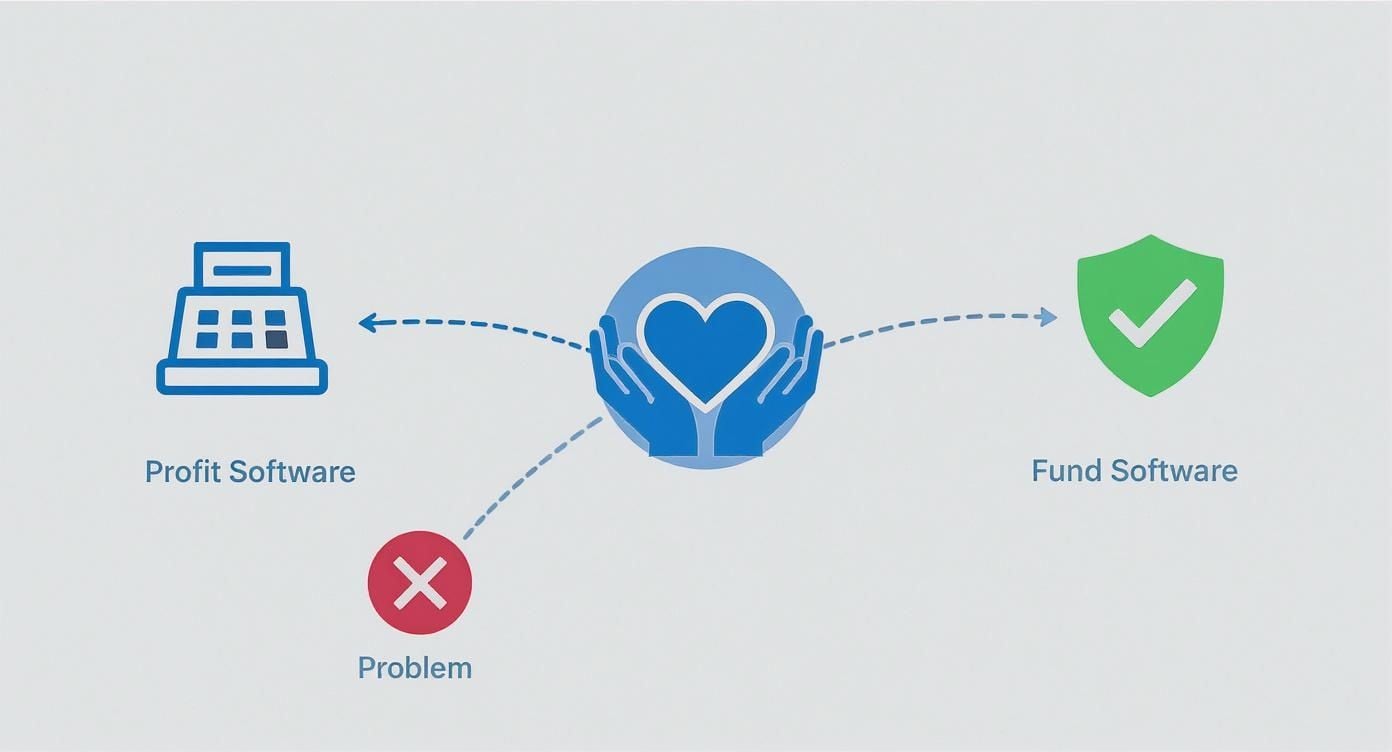
This map gets right to the point: forcing a for-profit tool to do a nonprofit's job causes all sorts of headaches. Specialized fund software is designed from the ground up to protect donor intent and maintain the financial integrity your mission depends on.
A Closer Look at the Three Digital Envelopes
In the real world, your accounting software creates these "digital envelopes" for you. Each one represents a different fund, categorized by the restrictions a donor places on their gift. You’ll mainly work with these three.
-
Unrestricted Funds: This is your "General Fund" envelope, the financial hub for day-to-day operations. It holds all the income that comes without any strings attached, like the weekly offering or undesignated online gifts. You have total freedom to use this money for any legitimate church expense—from salaries and the electric bill to new curriculum or coffee for Sunday mornings.
-
Temporarily Restricted Funds: This envelope is for donations tied to a specific project or a future goal. The classic example is a capital campaign for a new roof. Once the roof is finished and all the bills are paid, any leftover money is "released" from its restriction and can be moved into your unrestricted envelope for general use.
-
Permanently Restricted Funds: Think of this envelope as being locked in a vault. These are typically large gifts or endowments where you can never touch the original amount. Instead, you can only spend the investment income it generates. For example, a generous member might create a $100,000 mission endowment. Your church can only use the interest and earnings from that principal to fund its missionary work, year after year.
Telling Your Financial Story Clearly
This digital envelope system is what allows your financial reports to tell a clear story of stewardship. Instead of a basic profit-and-loss statement, fund accounting gives you reports that answer the questions your board members and congregation are actually asking.
The Statement of Financial Position and Statement of Activities aren't just accounting documents; they're transparency reports. They create a clear, auditable trail that proves your organization is honoring every single dollar entrusted to you.
These two reports are the bedrock of nonprofit finance:
-
Statement of Financial Position: This is the nonprofit version of a balance sheet. It lays out what your church owns (assets), what it owes (liabilities), and the difference (net assets). Most importantly, it breaks down those net assets into the three fund categories—unrestricted, temporarily restricted, and permanently restricted. This gives everyone a clear snapshot of your financial health and obligations at a specific moment in time.
-
Statement of Activities: This report tells the story of your church’s finances over a period, like a month, quarter, or year. It shows how your net assets have changed by tracking revenue and expenses for each fund category. Anyone can look at this report and see exactly how much money came in for the youth mission trip and precisely how it was spent, all in one easy-to-read statement.
Getting this right all starts with a solid financial framework. To dig deeper into how to structure these categories from the beginning, check out our guide on building a chart of accounts for nonprofits. It’s the blueprint for your entire accounting system, making sure every transaction is tracked with total clarity.
Must-Have Features in Your Accounting Software
Alright, let's move from the "what" and "why" of fund accounting to the "how." How do you pick the right tool for the job? This is where we build your practical checklist for evaluating any nonprofit fund accounting software. The right platform is more than just a digital checkbook; it’s a set of automated guardrails that protects your mission's integrity and your donors' trust. Knowing these non-negotiable features will help you see past the sales pitches and find a tool that genuinely fits your church.
The need for this kind of specialized software is booming. The global market for nonprofit accounting tools was valued at nearly USD 2.4 billion and is expected to nearly double in the next ten years. This isn't just a tech trend; it shows a massive shift across the entire nonprofit world toward systems built for true stewardship and compliance. You can dig into more of the data in the full nonprofit software market report from wiseguyreports.com.
This growth just drives home how critical it is to choose software with a strong, purpose-built feature set right from the start.
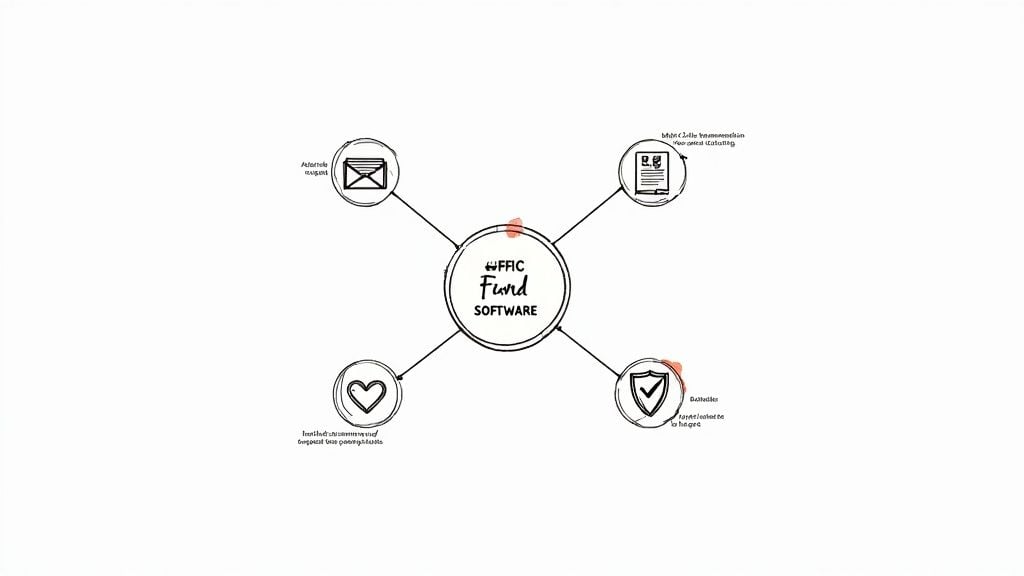
Automated Fund Tracking and Segregation
Here’s the absolute, number-one, must-have: the software has to automatically segregate your funds. This can't be an afterthought or something you have to rig with manual tags. It needs to be baked into the software's DNA—its native architecture.
Think of it this way: a donor gives $5,000 specifically for next year’s youth mission trip. With the right software, that donation is instantly placed into a digital "bucket" labeled "Mission Trip Fund." If your bookkeeper then accidentally tries to pay the $500 electric bill from that bucket, the system should stop the transaction cold or at least send up a red flag. This built-in control is what prevents the accidental misuse of restricted gifts, which is an all-too-common (and dangerous) mistake when using spreadsheets or generic business software.
The software should enforce your financial promises for you. Its core job is to ensure a donation for the 'Building Fund' can only be spent on the building, protecting both your church and your donors' trust.
Robust and Customizable Reporting
Your software must be able to generate the critical nonprofit financial statements you need with just a few clicks. Wrestling with spreadsheets to manually create reports isn't just a colossal waste of time; it’s a breeding ground for errors that can quickly erode trust with your board and congregation.
Look for the power to instantly produce these essential reports:
- Statement of Financial Position: This is your balance sheet, showing what you own, what you owe, and your net assets, all clearly broken down by fund (unrestricted, with donor restrictions, etc.).
- Statement of Activities: This tells the financial story of a specific period, detailing your income and expenses for each individual fund.
- Budget vs. Actual by Fund: This is your reality check. It gives you an at-a-glance view of how your spending is tracking against your budget for each designated fund or ministry program.
The really great systems take it a step further, letting you tailor these reports for different audiences. Your finance committee needs the nitty-gritty details, but the congregation might just need a simple, high-level summary. Effortless, accurate reporting is the hallmark of a well-designed platform.
To put these features into perspective, let's look at how they solve the real-world challenges your church faces every day.
Key Software Features for Nonprofit Accountability
| Feature | What It Does | Why It's Critical for a Church |
|---|---|---|
| Native Fund Accounting | Automatically separates all income and expenses into distinct virtual "buckets" or funds. | Prevents the accidental use of restricted donations (e.g., building fund money for operational costs), which protects donor trust and ensures legal compliance. |
| Customizable Reporting | Generates key nonprofit reports (Statement of Activities, Financial Position) that can be filtered by fund, program, or date range. | Allows you to provide clear, accurate financial updates to the board, congregation, and grantors without spending hours manipulating spreadsheets. |
| Donation System Integration | Connects directly to your online giving platform, automatically syncing donation data into the correct fund. | Eliminates tedious and error-prone manual data entry, saving countless hours for staff or volunteers. |
| Unalterable Audit Trail | Creates a permanent, time-stamped log of every transaction, edit, and deletion, showing who did what and when. | Makes audits dramatically less stressful and provides a powerful internal control to ensure financial accountability. |
These features aren't just "nice-to-haves"; they are the very foundation of good stewardship in a nonprofit environment.
Seamless Grant and Donation Management
Your accounting software should be the central hub of your financial world, not some isolated island. That means it needs to play well with the other tools you rely on every day, especially your donation management platform.
When a member gives online, that data should flow automatically and accurately into the correct fund in your accounting system. No more manual entry. The same goes for grants. The software should help you track every dollar spent against a grant, manage important reporting deadlines, and ensure you're staying in full compliance with the grantor's rules.
Comprehensive Audit Trails and Internal Controls
Audit season. For many church administrators, those words bring on a feeling of dread. But the right software can turn a frantic scramble for documents into a calm, routine check-up. The key is an unchangeable audit trail.
This feature logs every single transaction, every change, and every user action, creating a complete, transparent history of all financial activity. When an auditor asks why a particular expense was coded to the missions fund, you can pull up the record in seconds. You’ll see exactly who made the entry, when they did it, and any notes they left behind. This incredible level of detail not only makes audits a breeze but also strengthens your internal controls by creating clear accountability for every staff member and volunteer handling church funds.
How to Choose the Right Software for Your Organization
Having a list of essential features is a great starting point, but the real work begins when you connect those features to the reality of your church or nonprofit. Choosing the right fund accounting software isn’t just about ticking boxes on a feature list. It's about finding a financial partner that truly understands your mission, fits your current size, and can grow with you.
Think of it like choosing a vehicle for a big family road trip. A two-seater sports car might look impressive, but it’s completely impractical. You need something like an SUV or a minivan that can handle all the passengers, luggage, and unexpected detours. Your software decision requires that same practical, forward-thinking mindset.
Assess Your Organization's Unique Needs
Before you even book your first demo, take a step back and look inward. Every organization has its own quirks and specific needs. What works for a massive, multi-campus church would likely be a complicated mess for a small, tight-knit congregation. The goal here is to get a crystal-clear picture of what you actually need.
Start by asking your team a few critical questions:
- Scalability: Where do you see your ministry in the next five years? Your software should handle today’s needs without breaking a sweat, but it also needs the capacity for more funds, users, and transactions as you grow.
- User Experience: Who is going to be using this software every day? If your books are managed by volunteers with little to no accounting background, a simple, intuitive interface is absolutely essential.
- Accessibility: Does your team need to work from different locations? Cloud-based software is a game-changer, allowing staff and authorized volunteers to manage finances from home, the office, or on the go.
The global fund accounting software market is booming, projected to hit nearly USD 2.96 billion by 2032. Much of that growth is driven by the shift to cloud-based solutions, which now make up around 64% of the market. This isn't just a trend; it's a reflection of how organizations need more flexible and accessible tools. For more on these market dynamics, you can explore the full fund accounting software report on credenceresearch.com.
Look Beyond the Subscription Price
It’s so easy to get fixated on the monthly price tag, but that number rarely tells the whole story. To make a smart decision, you have to look at the Total Cost of Ownership (TCO). This includes every direct and indirect cost you’ll encounter over the life of the software.
A cheaper platform might look good on paper, but it could cost you dearly in lost time, manual workarounds, and expensive consultant fees down the road.
A low subscription price is meaningless if the software costs you dozens of hours each month in manual data entry and spreadsheet gymnastics. True value lies in a system that automates tasks, ensures compliance, and frees your team to focus on the mission.
When you’re calculating the TCO, be sure to factor in these hidden costs:
- Implementation Fees: Are there one-time charges for setup, migrating your old data, and getting everything configured?
- Training and Support: Is training included, or is it an add-on? What kind of ongoing customer support can you expect when you run into trouble?
- Integration Costs: Will you have to pay extra for connectors or developer help to get this software talking to your other systems?
Prioritize Seamless Integrations
Your accounting software needs to be the central hub of your financial world, not an isolated island of data. Its ability to connect with the other tools you already use is what separates a helpful system from a frustrating one. Without good integrations, your team is stuck with tedious, error-prone manual entry, which completely defeats the purpose of upgrading.
Before you commit, make a list of your current platforms and confirm the new software can connect with them. Here are the most important integrations to look for:
- Donation & Giving Platforms: This is the big one. Your software must automatically pull donation data from tools like Pushpay, Planning Center, or Stripe, correctly assigning every dollar to its designated fund.
- Church Management System (ChMS): Connecting to your ChMS gives you a complete picture of your congregation, tying financial giving to community engagement.
- Payroll Services: A direct link to your payroll provider makes running payroll a breeze and ensures all salary and tax expenses are recorded accurately across the right funds.
- Bank and Credit Card Feeds: This is a huge time-saver. Direct bank feeds automatically import transactions, which dramatically cuts down on manual reconciliation and cleans up your books.
By taking a more holistic and thoughtful approach, you can find a solution that doesn't just solve today's problems but becomes a powerful asset for your ministry's future. For a deeper look at some of the top options, check out our guide to the best accounting software for nonprofit organizations.
Smart Implementation and Pitfalls to Avoid
Choosing the right nonprofit fund accounting software is a huge step, but it’s not the finish line. The real work begins during implementation. This is the phase where your goal of better financial stewardship either becomes a reality or a major source of frustration. A thoughtful, well-planned rollout is what separates a tool that truly empowers your ministry from one that just sits on a digital shelf.
Think of it like building a new addition to your church. You wouldn’t just start swinging hammers without a solid blueprint, a realistic timeline, and a clear understanding of who’s doing what. The same discipline is essential here. Rushing the process or skipping key steps is a surefire way to create chaos, undermining the very efficiency you were hoping to gain in the first place.
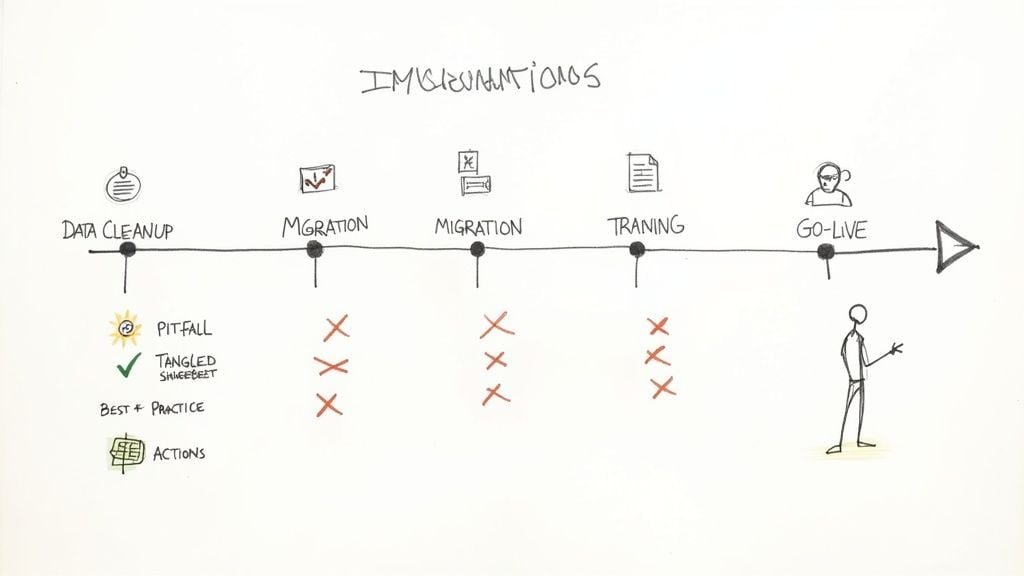
Laying the Groundwork for a Smooth Transition
Before you even think about importing a single transaction, the most critical work happens offline. The success of your software switch really comes down to careful prep work and clear communication with everyone involved—from the senior pastor to the finance committee volunteers.
Start with your data. Seriously. Moving messy, outdated, or inaccurate financial records into a new system is like moving clutter from an old house straight into a new one. You haven't fixed the problem; you've just given it a new address. Take the time to clean up and organize your existing books:
- Reconcile all accounts to make absolutely sure your starting numbers are correct.
- Review and update your donor list, removing duplicates and old contact information.
- Finalize your chart of accounts so it perfectly reflects your funds and ministries.
Next, get your people on board. Your treasurer, finance committee, and any staff or volunteers who handle the church’s money need to understand why this change is happening and what it means for them. Getting that buy-in early on prevents pushback and makes the whole adoption process much smoother down the line.
Common Pitfalls and How to Sidestep Them
I've seen many churches stumble during implementation by making a few common, and totally avoidable, mistakes. Just knowing what these traps are is the first step to navigating around them.
The goal of implementation isn't just to "go live." It's to build lasting confidence in a system that provides clarity and protects donor intent. A rushed or poorly planned rollout erodes that confidence from day one.
Here’s what you need to watch out for:
-
Inadequate Training: Simply giving your team a login and hoping they'll figure it out is a recipe for disaster. It leads to frustration and low adoption.
- Do This: Schedule dedicated training sessions tailored to different roles. Your bookkeeper needs a much deeper dive than a board member who just needs to pull reports.
- Not That: Don’t assume a single, one-hour webinar will cut it for everyone.
-
Unrealistic Timelines: A software migration almost always takes longer than you think it will.
- Do This: Build plenty of buffer time into your project plan for those inevitable technical glitches, data cleanup tasks, and team questions. A phased rollout can also help reduce the pressure.
- Not That: Don't promise the board you'll have the new system fully up and running in two weeks.
-
Incorrectly Configured Chart of Accounts: This is the absolute foundation of your entire financial system. If you get this wrong, you're setting yourself up for reporting nightmares for years to come.
- Do This: Work hand-in-hand with your software provider or an expert to structure your chart of accounts correctly for true fund accounting.
- Not That: Don't just import your old, flawed chart of accounts from the previous system without a thorough, critical review.
Adopting technology like a dedicated nonprofit fund accounting software is a powerful way to boost your financial accuracy. In fact, these tools help reduce the kind of common errors that one in five accountants report seeing daily. They also cut down on the manual tasks that hold back 24% of nonprofit teams from operating at their best. For a deeper dive, you can discover more insights about financial reporting tools on helpyousponsor.com. By sidestepping these common pitfalls, you can make sure your church gets the full benefit of its new system right from the start.
Compare platforms in our best church accounting software guide for 2026, or review Grain Ledger church accounting software.
Related church accounting software resources
If you are comparing software, these pages map the main decision points: fund accounting, QuickBooks limits, pricing, and migration.
- Best church accounting software (2026 comparison) - canonical guide comparing 12 church accounting platforms
- Church accounting software product page - see Grain Ledger for fund accounting, giving, and bank reconciliation
- Small church accounting software - see the product page built for volunteer treasurers and church admins
- Fund accounting features - review how Grain Ledger tracks designated funds
- QuickBooks for churches - understand workarounds and when to switch
- Free church accounting software - compare free options and upgrade triggers
- Grain Ledger pricing - compare plans for small and growing churches
- Start free - try fund accounting, giving imports, and bank reconciliation together
Your Top Questions About Fund Accounting Software, Answered
Making a change in how you handle your church's finances is a big deal, and it's only natural to have a lot of questions. For most small to medium-sized churches, the details can feel a bit overwhelming. We hear the same concerns time and again, so we've put together some straightforward answers to help you find clarity and move forward with confidence.
These questions almost always come from a place of deep responsibility—a desire to be the best possible steward of the resources God has provided through your congregation. Let's tackle them one by one.
Can Our Volunteers Really Use This Software?
This is probably the most important and common question we get. So many churches run on the energy of dedicated volunteers, treasurers, and part-time staff who are passionate about the mission but aren't professional accountants. The idea of them trying to learn a complicated new system is, frankly, a little scary.
The answer is a resounding yes—as long as you pick the right software. Modern nonprofit fund accounting software is built specifically for users who aren't CPAs. The goal isn't to turn your team into accountants; it's to give them a tool that makes financial stewardship feel simple and intuitive.
You’ll want to look for platforms that offer:
- A clean, uncluttered dashboard that's easy to understand at a glance.
- Automated steps for common tasks, like entering weekly offerings.
- Plain English instead of confusing accounting jargon.
The best systems are designed to gently guide users, making it tough to make a major mistake like accidentally spending restricted money. It should feel less like a dense spreadsheet and more like a helpful financial partner.
How Does This Software Get Us Ready for an Audit?
Just hearing the word "audit" can send a shiver down the spine of any church leader. It often brings to mind visions of digging through dusty file cabinets, hunting for lost receipts, and spending weeks trying to stitch together a coherent financial story. This is another place where the right software completely changes the game.
Good fund accounting software prepares you for an audit every single day, not just when the official notice arrives. It works by creating a single, unchangeable record of every dollar that comes in and goes out.
A cornerstone of solid fund accounting software is its immutable audit trail. This simply means that every entry, edit, or deletion is automatically logged with a user and a timestamp. It creates a transparent, chronological history that auditors absolutely love. An audit transforms from a stressful investigation into a straightforward review.
Instead of scrambling for paper trails, you can simply grant an auditor read-only access to the system or print any report they need in seconds. This kind of centralized, trustworthy record-keeping makes the whole process faster, calmer, and far less disruptive to your ministry.
What’s the Real Difference From Just Using QuickBooks Classes?
This is a critical point to understand. A lot of nonprofits start out using QuickBooks and its "Classes" feature to try and replicate fund accounting. On the surface, it seems like a smart workaround, but it’s a band-aid solution that carries some serious risks. The fundamental difference comes down to enforcement versus labeling.
Using classes in QuickBooks is like putting different colored sticky notes on piles of cash. The labels tell you which stack is for the "Building Fund" and which is for "Missions," but there's nothing physically stopping you from grabbing cash from the wrong pile. It's a system that relies 100% on perfect human discipline, which makes it incredibly easy to make a mistake.
True nonprofit fund accounting software, on the other hand, creates separate, virtual bank accounts for each fund. The system itself enforces the rules.
Here’s how that plays out practically:
- QuickBooks Classes: You have to manually assign a class to every transaction. The system won't warn you or stop you from paying the electric bill out of the "Building Fund" money.
- True Fund Accounting: The system knows the Building Fund has its own distinct balance. If you try to pay an operating expense from it, the software will either block the transaction or immediately show that the fund is in a deficit—a clear red flag you can't miss.
This core architectural difference is what protects donor intent and ensures you stay compliant. It also makes generating the reports you need, like a Statement of Functional Expenses, dramatically simpler. To see why that matters, you can learn more in our guide on the Statement of Functional Expense for nonprofits. Ultimately, relying on workarounds leaves your church exposed to compliance risks that purpose-built software is designed to eliminate from day one.
Ready to see how a system built on a true fund architecture can bring clarity and confidence to your church's finances? At Grain, we've designed our software from the ground up to speak the language of church finance. Schedule a Demo today and be the first to experience accounting that truly aligns with your mission.
Ready to simplify your church finances?
Start free with church fund accounting, or watch a product demo first.