
Your Guide to a Nonprofit Chart of Accounts for Churches
Build a strong financial foundation with our guide to the nonprofit chart of accounts. Get templates and best practices designed specifically for churches.
Think of a nonprofit chart of accounts (COA) as the filing system for your church's finances. It's the master list that gives every single dollar a specific home, whether it’s from the weekly offering, a special mission trip donation, or a grant for your youth program. It’s far more than a simple list of accounts; it’s a strategic framework that separates tithes from building funds and pastoral salaries from utility bills.
This structure is the bedrock of good stewardship and clear financial reporting.
Building Your Church's Financial Foundation
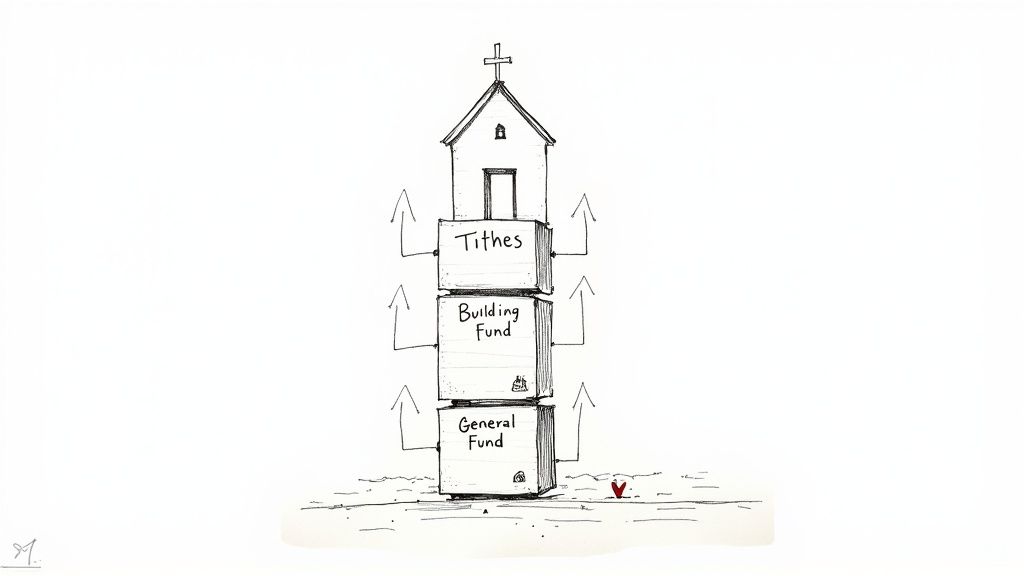
Imagine trying to build a new sanctuary without an architectural blueprint. You'd likely end up with chaos—walls in the wrong places, a shaky foundation, and a structure that just doesn't work. The same thing happens to a church's finances without a well-designed chart of accounts. It becomes nearly impossible to track money effectively, report back to your congregation with confidence, or make sound financial decisions for the future.
Your COA is the backbone of your entire accounting system. It provides a logical home for all your financial data, ensuring every dollar is accounted for. This isn't just about good bookkeeping; it’s about demonstrating faithful stewardship and maintaining the trust of your members and donors.
The Unique Financial Needs of Churches
A typical business is focused on one thing: maximizing profit. But a church’s primary financial duty is accountability. The goal isn’t to generate shareholder value, but to faithfully manage the resources entrusted to you according to the givers' intentions. This fundamental difference requires a completely different approach to accounting.
A standard, off-the-shelf business chart of accounts just won’t cut it. Why? Because it’s missing a critical component: fund accounting. This method is designed to treat different sources of income as separate buckets, or "funds," based on how the money is supposed to be used.
A nonprofit chart of accounts is the unsung hero that organizes every penny coming in and going out. It transforms financial data from a cluttered pile of papers into a clear, actionable story of your ministry's impact.
Getting this right has never been more important. As of Q2 2025, U.S. households and nonprofit organizations held a staggering $197.3 billion in total assets. As financial responsibilities grow, a robust COA becomes non-negotiable for maintaining transparency. You can dive into the full dataset on nonprofit assets from the Federal Reserve Economic Data to learn more.
Setting the Stage for Clear Reporting
Ultimately, the purpose of a strong nonprofit chart of accounts is to produce financial reports that are both accurate and easy for anyone to understand. It lays the groundwork for clear statements that show:
- Financial Position: What the church owns (assets) versus what it owes (liabilities).
- Activities: A clear picture of how funds were received and how they were spent.
- Compliance: Proof that donations designated for a specific purpose (like a new roof or a missions project) were used exactly as intended.
Without this structure, creating these essential reports becomes a manual, error-prone nightmare. By establishing a solid COA from the very beginning, you create the cornerstone for responsible financial management, setting your church up for long-term health and transparent stewardship.
Why Fund Accounting Is Essential for Churches
A typical for-profit business has a simple financial goal: make more money than you spend. The bottom line is profit. But for a church, that model just doesn't work. The heart of church finance isn’t about profit at all; it’s about stewardship and accountability. This fundamental difference is why fund accounting isn't just a good idea—it's an absolute must.
Think of it this way: fund accounting creates separate, clearly labeled containers for your church’s money. Each container, or "fund," holds money that's been set aside for a specific purpose. This is the only way to truly honor your donors' intentions and protect the trust they've placed in your ministry. A standard business chart of accounts, on the other hand, tosses everything into one big pot, making it impossible to tell the difference between general tithes and a special gift meant for a new roof.
To get a clearer picture of these differences, let's compare the two approaches side-by-side.
Comparing For-Profit vs. Church Chart of Accounts
| Feature | Standard For-Profit COA | Fund-Based Church COA |
|---|---|---|
| Primary Goal | Track profitability and shareholder equity. | Track stewardship and accountability for resources. |
| Structure | Linear and focused on a single bottom line (Net Income). | Segmented by funds to track separate purposes. |
| Equity Section | Called "Owner's Equity" or "Shareholder's Equity." | Called "Net Assets" and split into categories. |
| Revenue Focus | Tracks revenue from sales of goods or services. | Tracks income by source and donor intent (restricted vs. unrestricted). |
| Expense Tracking | Categorized by department (e.g., Sales, Marketing, Admin). | Categorized by function (e.g., Ministry Programs, Fundraising, Management). |
| Compliance | Governed by GAAP for commercial entities. | Governed by GAAP for not-for-profit entities (FASB). |
As you can see, the fund-based model is built from the ground up to handle the unique financial reality of a ministry, where purpose and trust are the most valuable assets.
Net Assets With and Without Donor Restrictions
The core principle of fund accounting hangs on one key question: did the donor tell us how to use this money? The answer sorts your church's net assets into two critical categories that you must track in your chart of accounts.
Net Assets Without Donor Restrictions: This is money your church can use for any purpose that furthers its mission. Think of the tithes and offerings collected on Sunday mornings. Your leadership team has the discretion to use these funds for anything from pastor salaries and utility bills to worship supplies and outreach events.
Net Assets With Donor Restrictions: This bucket holds contributions that a donor has specified must be used for a particular project or within a certain timeframe. These instructions aren't just suggestions—they are legally and ethically binding.
For example, if a family gives $5,000 specifically for the youth group's mission trip to Mexico, that money is restricted. It cannot be diverted to fix the leaky roof, no matter how badly it's needed. This separation is crucial for staying compliant and, more importantly, for keeping faith with your donors. You can explore these concepts further in our complete guide to fund accounting for nonprofits.
Honoring Donor Intent Is a Sacred Trust
Let's say your congregation rallies together and raises $50,000 for a "Building Fund" campaign to add a new children's wing. Every penny of that $50,000 is classified as Net Assets with Donor Restrictions. Using any of it for general operating expenses would be a serious breach of trust with every single person who gave.
A well-designed chart of accounts is your primary tool to prevent this from happening. It creates the necessary structure to track the income and expenses for each restricted fund, ensuring every dollar is spent exactly as intended.
The real power of a fund-based chart of accounts is its ability to translate financial data into a story of faithful stewardship. It powers essential reports like the Statement of Financial Position and Statement of Activities, demonstrating to your board and congregation that you are managing resources responsibly.
This isn't just a minor accounting detail. For many nonprofits, restricted funds can account for as much as 50% of total revenue. Managing these designated gifts properly is absolutely critical for your church's financial health and integrity.
Ultimately, fund accounting empowers your church to build a financial system rooted in transparency. It provides clear, defensible proof that you are honoring the generosity of your givers, which in turn builds a culture of trust and encourages people to continue supporting the vital work of your ministry.
How to Structure Your Church's Chart of Accounts
Think of building your church's chart of accounts like designing the blueprint for a house. The foundation is set by fund accounting principles, but the structure—the actual layout of rooms, hallways, and floors—determines how usable the building will be. A well-designed, logical structure means you can find exactly what you're looking for, right when you need it.
The first step is to get comfortable with the universal language of accounting: the account numbering system. This simple system brings order to your financials by assigning specific number ranges to different account types, making your reports intuitive for anyone to read.
This diagram shows how funds are separated at the highest level in a church's finances, making a clear distinction between money that comes with donor stipulations and money that doesn't.
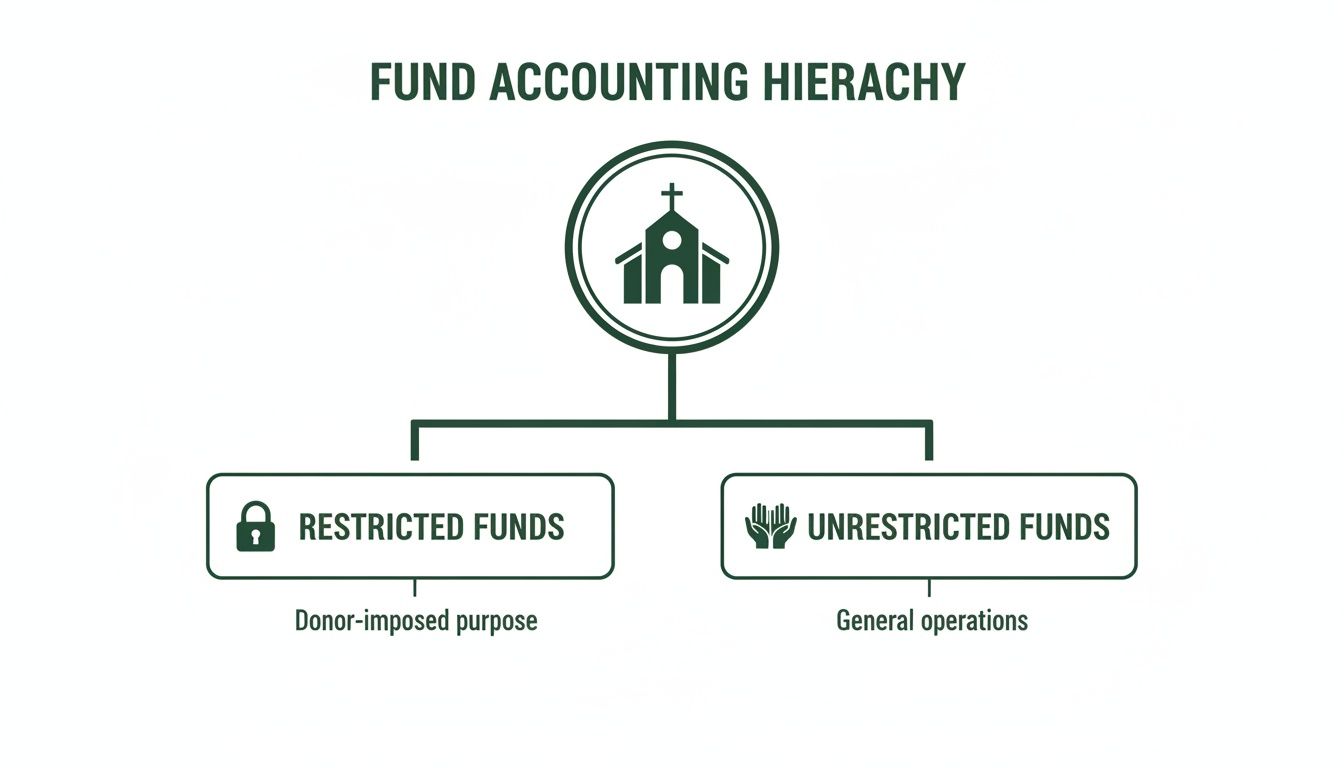
This visual really drives home the core idea of fund accounting: every dollar has to be categorized by donor intent first, before you decide where it goes.
Demystifying the Standard Account Numbering System
Most accounting software is built around a standard numbering convention. It’s not a rigid law, but following this common practice ensures that your financial data makes sense to accountants, auditors, and your own finance committee.
Here’s the typical breakdown:
- 1000s – Assets: Everything your church owns. This is your cash in the bank, buildings, vans, and sound equipment.
- 2000s – Liabilities: Everything your church owes. Think mortgages, credit card balances, and any unpaid bills (accounts payable).
- 3000s – Net Assets: This is the difference between your assets and liabilities. It’s your church’s version of "equity," and it’s broken down into funds with and without donor restrictions.
- 4000s – Income/Revenue: All the money coming in. This includes everything from tithes and general offerings to camp registration fees and facility rental income.
- 5000s+ – Expenses: All the money going out. This is often the largest category, so it's common to break it down further (e.g., 6000s for staff salaries and 7000s for ministry program costs).
This numbering system is a great starting point for high-level organization. But if you stop there, you’ll quickly find yourself with a bloated and messy list of accounts.
A Smarter Approach Using Segments
Let's say you need to track how much you're spending on printing bulletins. A simple chart of accounts might have one account: "7105 - Printing Expense." But what happens when you need to know how much the Youth Ministry spent on printing versus the Worship Ministry? The old-school method was to create more accounts: "7106 - Youth Ministry Printing," "7107 - Worship Ministry Printing," and so on.
You can see how this gets out of hand fast. A far more powerful and scalable way to handle this is by using segments (you might also hear them called dimensions or classes). Segments let you add extra layers of detail to a single transaction without creating a hundred new accounts.
Think of a segmented chart of accounts as giving each transaction a detailed address. Instead of just a street name (the natural account), you also get a city (the fund) and a zip code (the ministry). This gives you a complete picture of its location in your financial landscape.
For most churches, we recommend a three-segment structure. It gives you fantastic reporting flexibility without being overly complicated for staff and volunteers to manage day-to-day.
The three key segments are:
- Fund Code: This tells you which financial "bucket" the transaction affects (e.g., 01 for the General Unrestricted Fund, 02 for the Building Fund). This is the non-negotiable segment for proper fund accounting.
- Ministry/Department Code: This tracks which area of the church is responsible for the transaction (e.g., 100 for Worship Ministry, 200 for Youth Ministry).
- Natural Account Code: This is the specific type of income or expense, using the standard numbering we just covered (e.g., 4101 for Tithes, 5205 for Utilities).
Putting It All Together: A Practical Example
Let’s see this in action. Suppose the Youth Ministry buys pizza for $150 using money from the general operating budget. Instead of just a vague expense, the transaction would be coded with all three segments:
Fund (01) - Ministry (200) - Natural Account (5510)
This single line entry tells you a complete story:
- It was paid from the General Fund (01).
- The expense was for the Youth Ministry (200).
- The specific expense was for Food & Hospitality (5510).
This segmented approach is what unlocks truly meaningful financial reports. You can effortlessly run a report on all Youth Ministry expenses, see all food-related spending across the entire church, or generate a complete Statement of Functional Expenses that breaks down costs by program area. This level of detail is a cornerstone of transparent stewardship, and you can learn more by checking out our guide on the Statement of Functional Expense.
By designing your chart of accounts with this flexible, segmented structure from the start, you’re creating a system that’s both simple enough for daily use and powerful enough to give you the deep financial insight you need.
Sample Nonprofit Chart of Accounts Template for Churches
Alright, let's move from theory to reality. A well-designed chart of accounts isn't just an accounting concept; it's a practical roadmap for your church's finances. To help you get started, we've put together a sample template designed specifically for churches.
Think of this as a solid foundation. You can—and should—tweak it to fit your ministry’s unique structure and needs. This sample is built using the multi-segment structure we talked about earlier, which keeps your main account list clean while giving you amazing reporting flexibility. First things first, let's define the codes for your funds and ministries.
Defining Your Funds and Ministries
Before you can track a single dollar, you need to set up the big buckets where money will live and be spent. These codes will become the first two pieces of every financial entry you make.
Example Fund Codes (Segment 1):
- 01 - General Fund: The workhorse. This is for all unrestricted tithes and offerings that fuel your day-to-day operations.
- 02 - Building Fund: A restricted fund specifically for a capital campaign, major facility repairs, or paying down the mortgage.
- 03 - Missions Fund: Another restricted fund, this one is for supporting your missionary partners and funding missions trips.
- 04 - Benevolence Fund: A restricted fund designated to help people in your church or community who are facing hardship.
Example Ministry/Department Codes (Segment 2):
- 100 - General & Administrative: The operational hub. This covers overhead like office supplies, insurance, and bank fees.
- 200 - Worship Ministry: Catches all expenses related to Sunday services—music, tech, guest speakers, you name it.
- 300 - Children's Ministry: Everything for the little ones, from nursery and Sunday school to VBS.
- 400 - Youth Ministry: All expenses for your middle and high school student programs and events.
- 500 - Community Outreach: The costs for your local outreach events, like block parties or food drives.
With those codes established, we can now build out the heart of your COA: the list of natural accounts.
Your Core Account Structure
The following table lays out a comprehensive starting point for a church's chart of accounts. We’ll organize it with the standard numbering system that accountants everywhere use and appreciate—it brings a clear, logical order to everything.
Example Church Chart of Accounts Structure
This template provides a clear framework, showing common account numbers and descriptions for each major financial category within a typical church.
| Account Number Range | Account Category | Example Accounts |
|---|---|---|
| 1000s | Assets | 1101 - Operating Checking Account 1105 - Missions Savings Account 1201 - Building & Land 1250 - Accumulated Depreciation 1301 - Church Van |
| 2000s | Liabilities | 2101 - Accounts Payable 2201 - Mortgage Payable 2301 - Payroll Liabilities |
| 3000s | Net Assets | 3101 - Net Assets Without Donor Restrictions 3201 - Net Assets With Donor Restrictions (Building Fund) 3202 - Net Assets With Donor Restrictions (Missions Fund) |
| 4000s | Income / Revenue | 4101 - Tithes & General Offerings 4201 - Building Fund Contributions (Restricted) 4202 - Missions Trip Contributions (Restricted) 4301 - Preschool Tuition 4401 - Event Registration Fees 4501 - Interest Income |
| 5000s | Personnel Expenses | 5101 - Pastoral Salaries 5102 - Administrative Staff Salaries 5150 - Payroll Taxes 5160 - Staff Health Insurance 5170 - Retirement Contributions |
| 6000s | Facility Expenses | 6101 - Mortgage Interest 6201 - Utilities (Electric, Gas, Water) 6301 - Property Insurance 6401 - Repairs & Maintenance |
| 7000s | Ministry & Program Expenses | 7101 - Worship Supplies (Communion, Bulletins) 7201 - Youth Ministry Event Costs 7205 - VBS Craft Supplies 7301 - Benevolence Payouts 7401 - Missions Support Payments 7501 - Office Supplies 7601 - Bank Fees |
This structure provides a robust yet adaptable starting point. You can easily add more specific accounts as your ministry grows without disrupting the overall organization.
Putting It All Together: A Real-World Example
So, how does this work in practice?
Let's say the Children's Ministry Director buys $250 worth of craft supplies for Vacation Bible School (VBS). She uses the church debit card, which pulls from the general operating budget.
Here’s how you’d code that transaction:
Fund (01) – Ministry (300) – Natural Account (7205)
This simple string of numbers tells a complete financial story. It shows that $250 was spent from the General Fund (01) by the Children's Ministry (300) specifically on VBS Craft Supplies (7205).
This level of insight is simply impossible with a flat, one-dimensional chart of accounts. Your finance team can now run incredibly specific reports in minutes. Want to see total VBS spending for the year? Or every expense from the Children's Ministry? Easy. This is the kind of detailed tracking that builds trust and demonstrates transparent stewardship to your leaders and your entire congregation.
Getting Your New Chart of Accounts Up and Running
Once you've settled on a well-structured template, it's time to bring it to life. This is the crucial step where your new nonprofit chart of accounts goes from a plan on paper to the real, working backbone of your church's financial system. This whole process takes careful planning, the right tools, and clear procedures to keep things running smoothly for years to come.
Whether you're starting fresh or finally moving on from a messy, outdated system, you can't just rush into it. A hasty setup can create a bigger mess than you started with, leading to data errors and a lot of confusion. The real goal here is to build a reliable system that empowers good stewardship from day one.
Migrating to a New System
Switching over to a new COA is a real project, and it needs a game plan. You can't just flip a switch overnight. The best time to make the move is at the very beginning of your fiscal year. This keeps your year-over-year reports clean and easy to compare.
Before you do anything else, you need to create a "map." This map will show exactly how every single account from your old system connects to its new home in your segmented COA. This is a critical step to make sure historical data isn't lost in translation. For example, a vague old account like "Ministry Supplies" might now be mapped to several new, specific combinations, like Fund 01-Ministry 300-Account 7205 (Children's VBS Supplies).
Choosing the Right Accounting Software
Trying to run a church's finances on standard business software is like trying to hammer a nail with a wrench. You might get it done, but it’s clumsy, inefficient, and you're likely to cause some damage. These systems simply aren't built for fund accounting, forcing you into frustrating workarounds, endless manual spreadsheets, and a constant risk of mismanaging restricted funds.
For churches, the only viable option is an accounting solution built specifically for fund accounting. This is where a platform like Grain Ledger really shines.
Grain Ledger is designed from the ground up for the unique financial world of churches. Its built-in fund architecture means every transaction, report, and statement is automatically organized by fund. This design eliminates the danger of accidentally mixing restricted and unrestricted money.
Software designed for ministry understands that your bottom line is stewardship, not just profit. It gives you the tools to track donations with precision, manage designated gifts with confidence, and generate reports that give your board and congregation a clear, honest picture of your financial health. You can learn more about what a difference the right tools make by reading about dedicated fund accounting software for churches.
Establishing Clear Procedures and Documentation
Your chart of accounts is only as reliable as the people using it day-to-day. To keep everyone on the same page—staff, volunteers, and future finance team members—it's vital to create a simple procedural manual for your COA.
This guide should clearly spell out:
- What Each Account Is For: A quick, plain-language description. For example, "7101 - Worship Supplies: Use for consumable items for services, like communion elements, bulletins, and candles."
- Fund and Ministry Codes: A master list of all your codes and a simple explanation of when to use each one.
- Real-World Examples: Show how to code common transactions, like online giving batches, mission trip expenses, or staff reimbursements.
This manual becomes your go-to guide for financial processes. It cuts down on mistakes and ensures everyone is speaking the same financial language. Plus, it makes training new people a whole lot easier.
Best Practices for Long-Term Maintenance
Finally, your COA isn't something you set up once and then forget about. To keep your financial house in order, you'll want to build a few simple habits for ongoing maintenance and compliance.
- Do an Annual Review: Sit down with your finance committee at the end of each fiscal year. Look at your COA. Get rid of any accounts that weren't used and decide if any new ministries or projects need new accounts.
- Control Who Can Add Accounts: Don't let just anyone create new accounts. Limit this ability to one or two key people. This simple control prevents your COA from getting cluttered with duplicate or confusing accounts.
- Stay Consistent: Gently enforce the procedures you've documented. Regular check-ins help your team stick to the right coding and naming conventions, which is what keeps your financial data clean and ready for audits or reporting.
Answering Your Questions About the Church Chart of Accounts
Even with a solid plan, it's natural to have questions when you're managing your church's finances. The details of a nonprofit chart of accounts can feel a bit overwhelming, but getting them right is the secret to building a transparent and accountable financial system.
Let's tackle some of the most common questions church leaders have when setting up and maintaining their COA.
How Many Accounts Should Our Church Have?
Honestly, there's no magic number. The right size for your chart of accounts depends entirely on your church's complexity and what you need to see in your reports. A small church plant might get by just fine with 75 to 100 accounts. On the other hand, a large, multi-campus church with dozens of ministries could easily need several hundred.
The goal is to find that sweet spot between too much detail and not enough. You need enough accounts to produce meaningful reports that clearly show where money is coming from and where it's going. But you also want to avoid a bloated, complicated system that's a headache for your staff and volunteers to manage.
A good rule of thumb is to start with a solid, proven template. Only add a new account when you have a specific tracking need that can't be handled by using a different fund or ministry code. This keeps your main list lean and manageable.
Can We Change Our Chart of Accounts After It's Set Up?
Absolutely. Your chart of accounts should be a living document, not something set in stone. But—and this is a big but—any changes need to be made with extreme care and planning. The best time to make any major structural changes is at the very beginning of a new fiscal year.
Trying to overhaul your accounts mid-year can create a serious reporting headache. It makes it nearly impossible to produce accurate year-over-year financial comparisons. If you absolutely have to make a change, you'll need to meticulously map every old account to its new home to keep your historical data intact. A good accounting system will let you make old accounts inactive rather than deleting them, which is crucial for a clean audit trail.
What Is the Biggest COA Mistake Churches Make?
The most common and damaging mistake we see is when a church uses a generic, for-profit chart of accounts—like the default template in a standard business accounting program—without tailoring it for fund accounting. This is a fundamental error. It makes it impossible to properly track restricted funds, which can lead to serious compliance issues and, more importantly, a breach of trust with your donors.
Another frequent misstep is creating an overly complicated COA with hundreds of redundant expense accounts. For instance, instead of using a ministry segment, a church might create separate accounts like "Youth Ministry Pizza," "Men's Ministry Coffee," and "VBS Craft Supplies." This just clutters the system and turns financial reporting into a confusing mess. A segmented structure is a far cleaner and more powerful way to handle this.
How Does Our Online Giving Platform Connect to the COA?
Think of your online giving platform as a seamless extension of your accounting system, not a separate island of data. The key to making this work is proper integration and "mapping."
When you set up your giving platform, you create different giving "buckets" or designations that donors can choose from, like "General Tithes," "Building Campaign," or "Missions Fund."
During the integration setup, you’ll map each of these designations to the correct income and net asset accounts in your COA. So, a gift to the "Building Campaign" automatically gets coded to your restricted building fund revenue account. This automation is a lifesaver—it maintains accuracy, saves countless hours of manual data entry, and ensures every single dollar is stewarded exactly as the donor intended.
A well-structured nonprofit chart of accounts is the bedrock of clear, trustworthy financial stewardship. When you use a system designed for the unique needs of a church, you can manage designated funds with confidence and give your leadership the insights they need to make wise ministry decisions. Grain Ledger is built from the ground up with true fund accounting at its core, helping you maintain compliance and honor donor intent effortlessly.
Learn more and join the waitlist at https://www.grainledger.com.
Ready to simplify your church finances?
Join the waitlist for early access to Grain - modern fund accounting built for ministry.