Master the chart of accounts for non profit organizations
Jun 26, 2023
A church's chart of accounts is the financial backbone of your entire ministry. Think of it as the master filing system for every dollar that comes in and goes out, making sure every transaction has a specific home. Honestly, it’s the most critical tool you have for maintaining financial transparency and accountability.
The Financial Blueprint for Your Mission
Could you imagine trying to build a new church sanctuary without a blueprint? You'd likely end up with a mess—doors in the wrong places, maybe the baptistry in the lobby. Running a church without a well-structured chart of accounts (COA) is pretty much the same. It creates financial chaos, making it nearly impossible to give a clear report to your board, congregation, or grant providers.
A COA is so much more than a simple list of accounts. It's the framework that tells the financial story of your mission. A clear, organized structure allows you to:
Track every source of income and every expense with precision.
Monitor the financial health of specific ministries, like the youth group or a missions fund.
Generate the accurate financial statements you need, such as the Statement of Activities.
Ensure you’re complying with accounting standards and any specific grant requirements.
Why a Church COA Is Different
For-profit businesses are focused on one thing: profit. But a church or nonprofit has to manage multiple financial bottom lines at once, and this is where the COA structure really changes. A nonprofit COA is built around the principles of fund accounting, meaning it’s designed to track the specific intentions and restrictions donors place on their gifts.
Let's look at how these two approaches differ.
Aspect | Nonprofit Chart of Accounts | For-Profit Chart of Accounts |
|---|---|---|
Primary Goal | Tracks accountability and stewardship of funds. | Tracks profitability and return on investment. |
Core Structure | Organized by funds (e.g., General, Building, Missions). | Organized by departments (e.g., Sales, Marketing, R&D). |
Equity Section | Called "Net Assets," split into "Without Donor Restrictions" and "With Donor Restrictions." | Called "Stockholders' Equity," includes common stock and retained earnings. |
Income Accounts | Focuses on revenue sources like contributions, grants, and program fees. | Focuses on revenue from sales of goods or services. |
Reporting Focus | Produces a Statement of Activities, showing changes in net assets. | Produces an Income Statement, showing net profit or loss. |
The main takeaway here is the shift from tracking profitability to tracking accountability. A for-profit COA answers, "Did we make money?" A nonprofit COA answers, "Did we use our funds as we promised?"
This distinction is everything. Your church's COA absolutely must be able to separate unrestricted funds (your general tithes and offerings) from restricted funds (money given specifically for the new roof or a mission trip). Keeping these separate is the key to maintaining your congregation's trust and showing you’re a responsible steward of the resources God has provided.
It’s a practice that’s become standard for a reason. Today, about 78% of U.S. nonprofits use a formal COA to manage their finances. If you'd like to dig into the numbers, you can find more data on nonprofit financial practices from Charity Charge. A well-designed system doesn't just clean up your past records; it gives you the clarity to plan for the future, make wise strategic decisions, and confidently share the story of your ministry's impact.
Mastering the Essentials of Fund Accounting
To really get a handle on what a chart of accounts for non profit organizations does, you first have to understand its most important job: making fund accounting possible. If you’re coming from a for-profit background, this is a big shift. A typical business chases a single bottom line—profit. But a nonprofit, especially a church, has to manage its finances more like a set of dedicated envelopes, each one labeled for a specific, mission-driven purpose.
That’s fund accounting in a nutshell.
Think about your personal budget. You probably have an envelope (or a mental one) for groceries, another for home repairs, and maybe one for a family vacation. You wouldn't use the vacation money to buy milk, right? Fund accounting applies that exact same discipline to your church’s finances. It ensures that money given for a specific reason is used only for that reason.
This is where the chart of accounts comes in. It’s the blueprint that helps you organize, track, and report on all those different financial buckets.
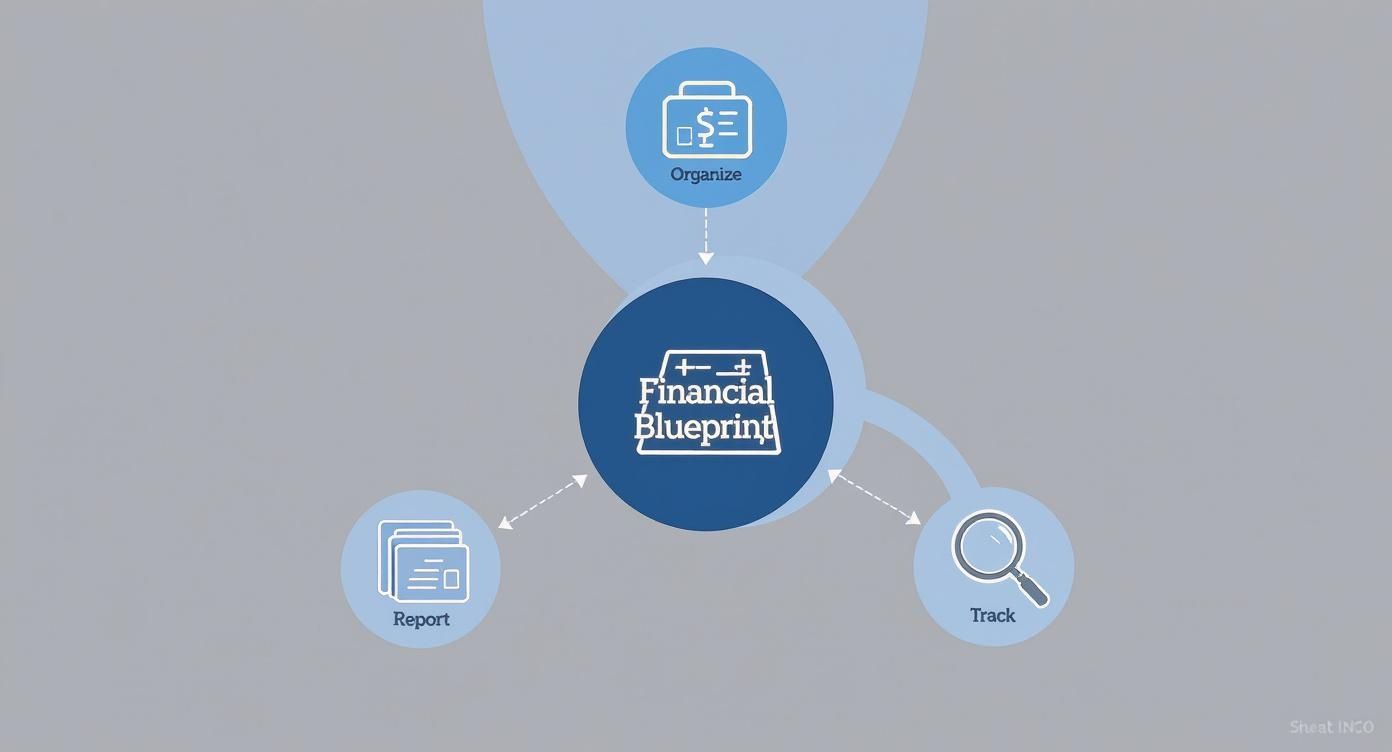
As you can see, the COA is the central hub. It makes sure every single transaction isn't just recorded, but filed away with purpose, so you can properly manage the distinct funds that fuel your mission.
The Two Types of Funds
In the nonprofit world, money generally falls into two big categories. Getting this distinction right isn't just good practice; it's absolutely essential for keeping your finances in order and maintaining trust with your donors. Your chart of accounts has to be built to track them separately.
Unrestricted Funds (Without Donor Restrictions): Think of this as your general operating money. It’s the cash that comes from tithes and general offerings and can be used for any legitimate church expense—from keeping the lights on and paying salaries to buying curriculum for the youth group.
Restricted Funds (With Donor Restrictions): This is money a donor gives for a specific purpose. For example, a family might give $5,000 for the upcoming mission trip, or you might receive a grant designated solely for a new community food pantry. These funds are legally and ethically locked into that purpose.
A well-structured chart of accounts is like a guardrail. It keeps you from accidentally dipping into restricted funds to cover general operating costs. This separation is critical for legal compliance and for showing your congregation that you’re stewarding their gifts faithfully.
How Your COA Makes Fund Accounting Possible
So, how do we turn this idea into a daily reality? Your COA is the tool that makes it happen. It’s not enough to just know that some funds are restricted; your accounting system needs to enforce that separation. This is where the actual account numbers and names become so important.
For example, you’ll want to set up separate income accounts to track donations with and without strings attached:
4100 - Contributions - Without Donor Restrictions
4200 - Contributions - With Donor Restrictions
It's a simple split, but it makes all the difference. Likewise, the Net Assets section of your balance sheet (which is the nonprofit version of "Equity") will have distinct accounts showing the running total for each fund type. This granular tracking ensures your financial reports always tell the true story of your assets.
Honoring these donor designations isn't optional—it's a core requirement under Generally Accepted Accounting Principles (GAAP). For a deeper dive into the specific rules, you can learn more about FASB ASC 958 and how it shapes nonprofit financial reporting.
At the end of the day, fund accounting is all about accountability. It's what allows you to look a donor in the eye and say with confidence, "Yes, your gift was used exactly as you intended." A properly designed chart of accounts for non profit organizations is what makes that level of transparency not just possible, but second nature.
How to Structure Your Chart of Accounts
Think of building a strong chart of accounts for non profit organizations like setting up the shelving in a library. You need a logical system that tells you exactly where to find everything, from broad categories like "History" down to a specific book. This framework is what brings order to your church's finances, ensuring every single transaction is classified, tracked, and reported correctly.
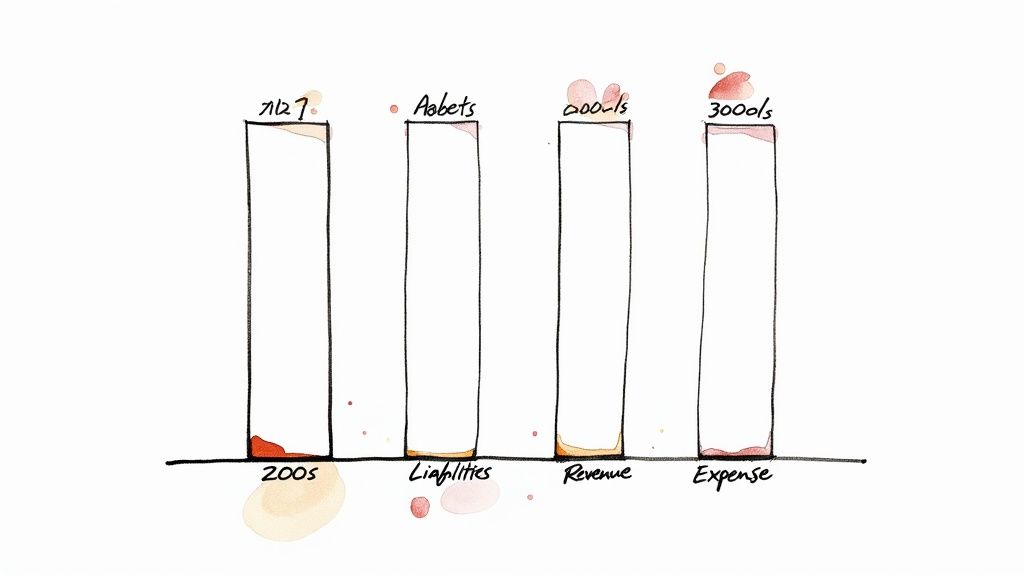
The foundation of any good chart of accounts, or COA, rests on five core account types. Every dollar that comes in or goes out will fall into one of these buckets. Getting a handle on these is the first step to creating a clean, effective system that truly works for you.
The Five Core Account Types
These five categories are the main sections of your financial library. Each one tells a crucial part of your church's financial story.
Assets (What You Own): This is everything of value your church possesses. It includes tangible things like cash in the bank, your building, and equipment, but also intangible items like grants receivable (money that's been promised but hasn't hit your account yet).
Liabilities (What You Owe): These are your financial obligations to others. This bucket holds things like loans, outstanding credit card balances, and accounts payable (bills for services you've received but haven't paid for).
Net Assets (Your Net Worth): In the nonprofit world, this is the equivalent of "Equity." It’s simply your Assets minus your Liabilities, and it represents your organization's financial value. Most importantly, this is where you’ll track funds with and without donor restrictions.
Revenue (Income You Receive): This is all the money flowing into your organization. It covers tithes and offerings, grants, special event income, and any other sources that fuel your mission.
Expenses (Money You Spend): This is all the money going out the door. It covers everything from staff salaries and utilities to ministry supplies and fundraising costs.
Creating a Simple Numbering System
Once you've got the five core categories down, a numbering system brings them to life. Assigning a range of numbers to each account type creates an intuitive structure that makes coding transactions and reading financial statements so much easier.
Here's a standard, highly effective numbering system you can adapt:
1000s – Assets: (e.g., 1010 Checking Account, 1200 Building & Land)
2000s – Liabilities: (e.g., 2010 Credit Card Payable, 2100 Mortgage Loan)
3000s – Net Assets: (e.g., 3100 Net Assets w/o Donor Restrictions, 3200 Net Assets w/ Donor Restrictions)
4000s – Revenue: (e.g., 4100 General Offerings, 4500 Grant Income)
5000s – Expenses: (e.g., 5010 Salaries, 5200 Rent Expense, 5500 Ministry Supplies)
This simple, logical flow is the backbone of a great COA. As ministry has grown more complex, so have the financial systems behind it. A 2019 study found that the average nonprofit uses 150 to 300 account codes, with larger ones easily exceeding 500. You can see more insights on how to properly set up a nonprofit COA from The Charity CFO. This really drives home the need to build a scalable structure from day one.
Go Deeper Without the Clutter
Here’s the secret to getting powerful financial insight: you don’t need a separate account for every little thing. A cluttered COA with hundreds of hyper-specific accounts quickly becomes a nightmare to manage. The key is to use broader categories in your main COA and then leverage other tools in your accounting software for the nitty-gritty details.
The goal is not to create an account for every expense, but to create a system that can answer any financial question. Your chart of accounts should provide clarity, not complexity.
Instead of creating messy, overly detailed accounts like "Youth Group Pizza Night Expense," you can use a smarter combination of parent accounts, sub-accounts, and classes or tags.
Example: Tracking a Fundraising Gala
Let's say you have a single revenue account: 4200 - Special Event Income. Instead of creating a dozen new accounts just for one event, you can use software features to slice and dice the data.
Sub-accounts: You could create sub-accounts for major income streams, like
4210 - Ticket Salesand4220 - Sponsorships.Classes/Tags: Use a "Gala 2024" class or tag to label every single transaction related to the event—both the income and all the associated expenses.
This approach gives you the best of both worlds. Your main chart of accounts stays clean and manageable, but you can still run a detailed report that shows you the exact profitability of your annual gala. This flexible structure gives you deep financial insight, empowering you to make smarter decisions about your programs and fundraising efforts without getting lost in a sea of unnecessary accounts.
Real-World Chart of Accounts Templates
Let's move from theory to action. Abstract ideas like fund accounting and account numbering really click when you can see them in a practical layout. To help you map out your own financial structure, I've put together two different templates: one for a smaller, simpler church and another for a mid-sized organization managing more complex funds.
Think of these as a solid starting point, not a rigid final product. They show how a COA can be lean and focused, or how it can expand to handle detailed tracking for specific programs and grants. Use them as a launchpad to build a system that perfectly supports your mission.
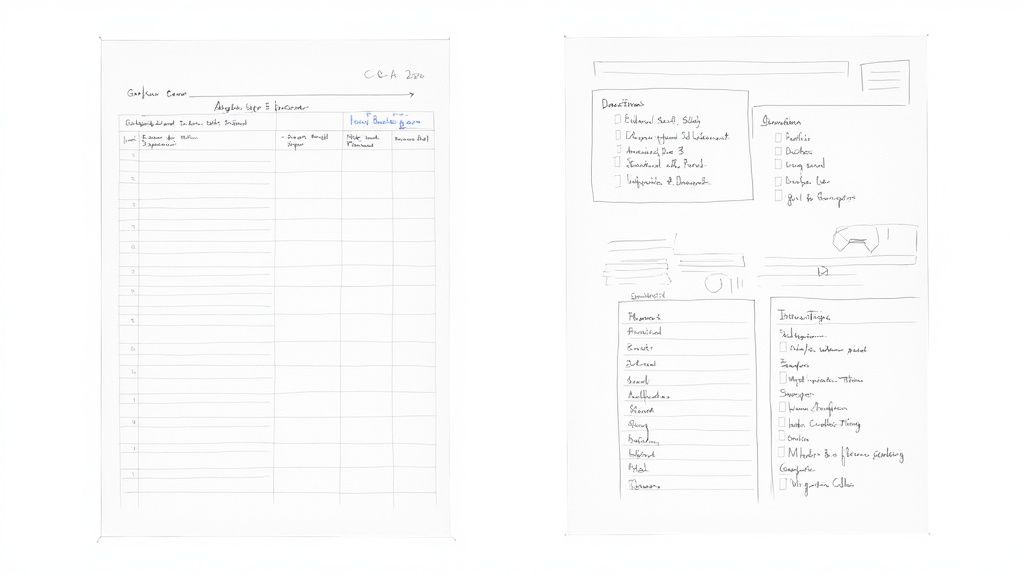
Template 1: A Simple COA for a Small Church
For a smaller church, simplicity is your best friend. The main goal here is to accurately track tithes, pay the bills, and generate clear, easy-to-read financial reports for the board and congregation. This kind of chart of accounts for non profit organizations is designed to be managed by a volunteer treasurer without causing headaches, while still keeping the books in good order.
Here’s a snapshot of what that looks like:
1000s Assets
1010 Operating Checking Account
1100 Building & Land
1150 Furniture & Equipment
2000s Liabilities
2010 Credit Card Payable
2100 Mortgage Payable
3000s Net Assets
3100 Net Assets w/o Donor Restrictions
3200 Net Assets w/ Donor Restrictions (for the occasional designated gift)
4000s Revenue
4100 Tithes & General Offerings
4200 Designated Giving (Restricted)
4500 Other Income
5000s Expenses
5010 Pastor Salary & Benefits
5100 Utilities
5200 Mortgage & Insurance
5300 Office Supplies
5500 Ministry Program Expenses
5600 Benevolence Fund Expenses
See how clean and direct that is? The expense accounts are broad, giving you a high-level view without getting lost in the weeds. This setup makes monthly reporting and day-to-day bookkeeping much more manageable.
Template 2: A Robust COA for a Mid-Sized Nonprofit
As an organization grows, so does its financial complexity. A mid-sized nonprofit is often juggling multiple programs, specific grant requirements, and a wider variety of income sources. This demands a more detailed chart of accounts for non profit organizations to get deeper insights and prove you’re meeting your obligations to funders.
Your chart of accounts should scale with your mission. A more detailed COA isn’t about adding complexity for its own sake; it’s about gaining the clarity needed to make strategic decisions and prove your impact to funders.
This expanded structure uses sub-accounts to add granular detail while keeping the main categories neat and tidy. This is absolutely critical for building a detailed budget and tracking your performance against it. For more on that, take a look at our sample nonprofit budget template, which is designed to work hand-in-glove with a well-organized COA.
Here's a sample structure that gives you that deeper level of tracking.
Sample COA Structure for a Mid-Sized Nonprofit
This table shows how sub-accounts create a "dimensional" view, allowing you to isolate and analyze the finances of specific grants or programs.
Account Number | Account Name | Account Type |
|---|---|---|
4000 | Revenue | Revenue |
4100 | Contributions - Unrestricted | Revenue |
4200 | Contributions - Restricted | Revenue |
4210 | - Grant A (Govt) | Revenue |
4220 | - Grant B (Foundation) | Revenue |
4300 | Program Service Fees | Revenue |
4400 | Special Event Income | Revenue |
5000 | Expenses | Expense |
5100 | Personnel Expenses | Expense |
5110 | - Salaries & Wages | Expense |
5120 | - Payroll Taxes | Expense |
5130 | - Health Insurance | Expense |
5500 | Program A - Youth Outreach | Expense |
5510 | - Supplies | Expense |
5520 | - Staff Travel | Expense |
5600 | Program B - Food Pantry | Expense |
5610 | - Food Purchases | Expense |
5620 | - Facility Rental | Expense |
6000 | Administrative Overhead | Expense |
6100 | - Rent & Utilities | Expense |
6200 | - Office Supplies & Tech | Expense |
With this kind of structure, you can easily run reports that show the exact financial performance of Grant A or your Food Pantry program. That level of detail is a game-changer for reporting back to grantors and making smart decisions about where to put your resources for the biggest impact.
Best Practices for Managing Your COA
https://www.youtube.com/embed/p-PKOa7XHL8
Creating a solid chart of accounts for non profit organizations is a huge first step, but it's only half the battle. A brilliant blueprint is useless if it’s not managed correctly over time.
Think of your chart of accounts as a living document, not some static file you create once and then shove in a drawer. It needs consistent care and attention to stay sharp and effective—a true tool for financial clarity and smart decision-making.
Turning that well-designed COA into a dynamic asset means setting up some clear rules and routines. This is how you make sure every transaction is coded consistently, your reports are always accurate, and your financial system grows right alongside your mission. Without these practices, even the most perfect COA can slowly devolve into a confusing mess, defeating its entire purpose.
Document Everything in a Policy Manual
Your first move should be to create a chart of accounts policy and procedures manual. This document becomes your single source of truth, defining exactly what each account is for and precisely when to use it. It gets rid of the guesswork and makes sure everyone, from the bookkeeper to a ministry leader, codes transactions the same way, every single time.
Your manual should include:
A complete list of all your account numbers and names.
A clear, simple description for each account explaining its specific purpose.
A few real-world examples of transactions that belong in that account.
Instructions on when to use classes or tags for more detailed tracking.
This document is absolutely non-negotiable for consistency, especially as staff or volunteers come and go.
Train Your Team and Enforce Consistency
Once you have a policy, you have to train your team. Anyone who touches an invoice, makes a purchase, or codes a transaction needs to be on the same page. Hold a dedicated training session to walk through the manual, answer questions, and explain the "why" behind the structure.
Consistency is everything. When one person codes the volunteer appreciation lunch to "Program Expenses" and another codes it to "Administrative Overhead," your financial data becomes unreliable. Inconsistent coding leads directly to inaccurate reports, which in turn leads to poor strategic decisions. Regular spot-checks and a clear approval process can help maintain these crucial standards.
A chart of accounts is only as good as the data entered into it. Consistent, disciplined management transforms it from a simple list into a powerful engine for financial transparency and donor trust.
Conduct an Annual Review
Your church isn't static, and neither is its financial activity. It's a great practice to review your chart of accounts at least once a year, usually before you dive into the budget process for the new fiscal year. This review ensures your COA stays relevant and aligned with your ministry goals.
During the review, ask these critical questions:
Are there new ministries or funding sources that need their own accounts? (e.g., a new youth outreach program)
Are there old, inactive accounts that we can deactivate to clean things up?
Is our current structure giving our board and key donors the reporting detail they need?
The impact of maintaining a well-structured system is huge. A 2021 report highlighted that organizations with a comprehensive COA were 40% more likely to earn high ratings for financial transparency and 25% more likely to secure major grants. You can see more about how a COA impacts funding from Jitasa.
Ultimately, managing your chart of accounts is an act of good stewardship. These practices ensure the system remains a trustworthy foundation for all your financial activities. The right processes, paired with the right tools, are essential. As your needs grow, explore our guide on the best accounting software for nonprofit organizations to find a solution that truly supports fund-based management and makes these best practices easier to follow.
Common Questions About a Church's Chart of Accounts
When you're trying to get your church's financial house in order, a few key questions always seem to pop up. Let's walk through some of the most common ones we hear from ministry leaders and treasurers. Getting these concepts down will give you a much stronger handle on your finances.
How Many Accounts Should Our Small Church Have?
For a small to medium-sized church, a good target is somewhere between 50 and 100 accounts. But honestly, the specific number isn't the most important thing. The goal is clarity.
You want just enough accounts to track your main income streams—like tithes, special offerings, and maybe a building fund—and your major expense areas, such as salaries, utilities, and ministry-specific costs. The biggest mistake I see is getting too detailed too soon. You don't need separate accounts for "Blue Pens" and "Black Pens"; a single "Office Supplies" account works perfectly.
It's always better to start simple. You can easily add more accounts later as you launch a new ministry or receive a designated grant.
Can We Change Our Chart of Accounts Later On?
Yes, and you absolutely should. Think of your chart of accounts as a living document, not something set in stone. It needs to grow and adapt right alongside your ministry.
We recommend reviewing your COA at least once a year. Does it still make sense? Are there new programs that need their own accounts? Are there old, empty accounts from a ministry that ended years ago that are just creating clutter? Clean them up.
A quick word of advice, though: try to avoid a major overhaul in the middle of your fiscal year. It can create a real mess for your financial reports and make it nearly impossible to compare this year's numbers to last year's. The best time for big changes is right at the start of a new fiscal year.
What’s the Difference Between an Account and a Class?
This is a fantastic and crucial question. Getting this right is a game-changer for your reporting. Here’s the simplest way to think about it: an account tells you what the money was for, while a class tells you why or for which program.
Account: Answers "What?" (e.g., Account 5510: Ministry Supplies) Class: Answers "For What Purpose?" (e.g., Class: Youth Group Mission Trip)
Using both together gives you incredibly powerful reporting. You can run one report to see how much you spent on all Ministry Supplies across the entire church. Then, with a simple filter, you can run another report that shows every single dollar in and out that was related only to the Youth Group Mission Trip. This is essential for keeping designated funds straight and making smart decisions.
How Do We Handle Temporarily Restricted Funds?
Properly tracking restricted funds is all about using your Revenue and Net Asset accounts together. When a member gives a designated gift—say, for the new sound system—you record that income in a specific revenue account like "4300 - Contributions - Temporarily Restricted."
At the same time, this entry increases your "3200 - Net Assets with Donor Restrictions" account on your balance sheet. Later, when you actually buy the sound system, you'll make a special journal entry to "release" those funds from restriction. This essentially moves that dollar amount from the restricted net assets bucket to the unrestricted one, showing that you’ve officially fulfilled the donor's intent.
At Grain, we believe managing church finances shouldn't be complicated. Our software is built from the ground up for true fund accounting, automating the processes that keep your restricted and unrestricted funds perfectly organized. See how Grain can bring clarity and confidence to your stewardship by joining the waitlist at https://www.grainledger.com.