Accounting Software for Churches: A Practical Guide
Discover how accounting software for churches can simplify donations, payroll, and reporting with this practical guide.
Managing a church's finances isn't about profit; it's about stewardship. That’s why a simple spreadsheet or standard business software just doesn't cut it. You need a system built from the ground up for ministry—accounting software for churches that handles true fund accounting. This specialized approach ensures every single dollar, from tithes to mission-specific gifts, is tracked according to its designated purpose, building both financial integrity and congregational trust.
Why Generic Software Fails Your Ministry
Trying to run church finances with standard business software is like managing your household budget with a bunch of cash-filled jars. You’d have one for groceries, another for the emergency fund, and maybe a special one for that missions trip you’re saving for. You wouldn't dare use the mission trip money to buy milk, right? Each jar has a specific job.
That simple analogy gets to the heart of fund accounting. It’s absolutely essential for churches, yet it's a concept completely foreign to most generic software. For-profit businesses track income and expenses to see if they made money. A church, on the other hand, tracks funds to show accountability. Your congregation gives with specific intentions, and your financial system has a duty to honor them.
The Frustration of Manual Workarounds
When your software isn't built for fund accounting, you're stuck creating messy, error-prone workarounds. A donation given specifically for the youth group's summer camp gets dumped into the general income account. Now, it's up to the treasurer to manually track it on a separate, disconnected spreadsheet.
This immediately creates a few serious problems:
- No Real Clarity: Financial reports become a confusing jumble of restricted and unrestricted money. It’s nearly impossible for the board to get a true picture of each ministry's financial health.
- High Risk of Error: Manually separating funds is tedious work, and where there's tedium, mistakes follow. Accidentally spending restricted funds on general operating costs is a quick way to erode trust and even create compliance issues.
- Wasted Volunteer Hours: Your finance team ends up spending hours untangling transactions that a proper system would handle in seconds. That's valuable time stolen from the ministry itself.
Many churches, for instance, try to bend standard business tools to fit their needs. While these platforms can be powerful, they often demand significant, and often fragile, customization to handle fund-based tracking correctly. You can learn more about these specific challenges in our detailed comparison of using QuickBooks for churches.
Stewardship Is More Than Balancing a Checkbook
At the end of the day, church accounting is about demonstrating faithful stewardship of the resources God has provided through your people. It’s about being able to prove that a gift for the building fund actually went toward the building fund, and that the board can confidently report on that progress.
True financial integrity in a church isn't just about avoiding negative numbers; it's about providing positive proof that every donation is being used as intended to further the mission.
Generic software, with its singular focus on profit-and-loss, simply can't provide this mission-critical clarity. Choosing purpose-built accounting software for churches isn’t a luxury; it’s a foundational tool. It empowers your leaders to make wise decisions, maintains financial integrity, and keeps your focus on ministry, not on wrestling with spreadsheets. It gives you the clear, accurate picture you need to ensure every decision is rooted in good stewardship.
How True Fund Accounting Protects Your Mission
Let's move past the simple "savings jar" analogy and get to the heart of what separates church finance from the business world: true fund accounting. A for-profit company is always asking, "Did we make money?" But a church, guided by the principles of stewardship, has to ask a much different question: "Did we honor the designated purpose of every dollar we received?"
This single question is the core of fund accounting. It’s a system designed from the ground up for accountability, not profitability.
Without this specific structure, ministry finances can quickly devolve into a tangled mess. Trying to manage a church on generic business software often starts a dangerous cycle of commingled funds and confusing reports, which ultimately puts both trust and your mission at risk.
This diagram shows just how quickly things can go wrong when you start with the wrong tools.
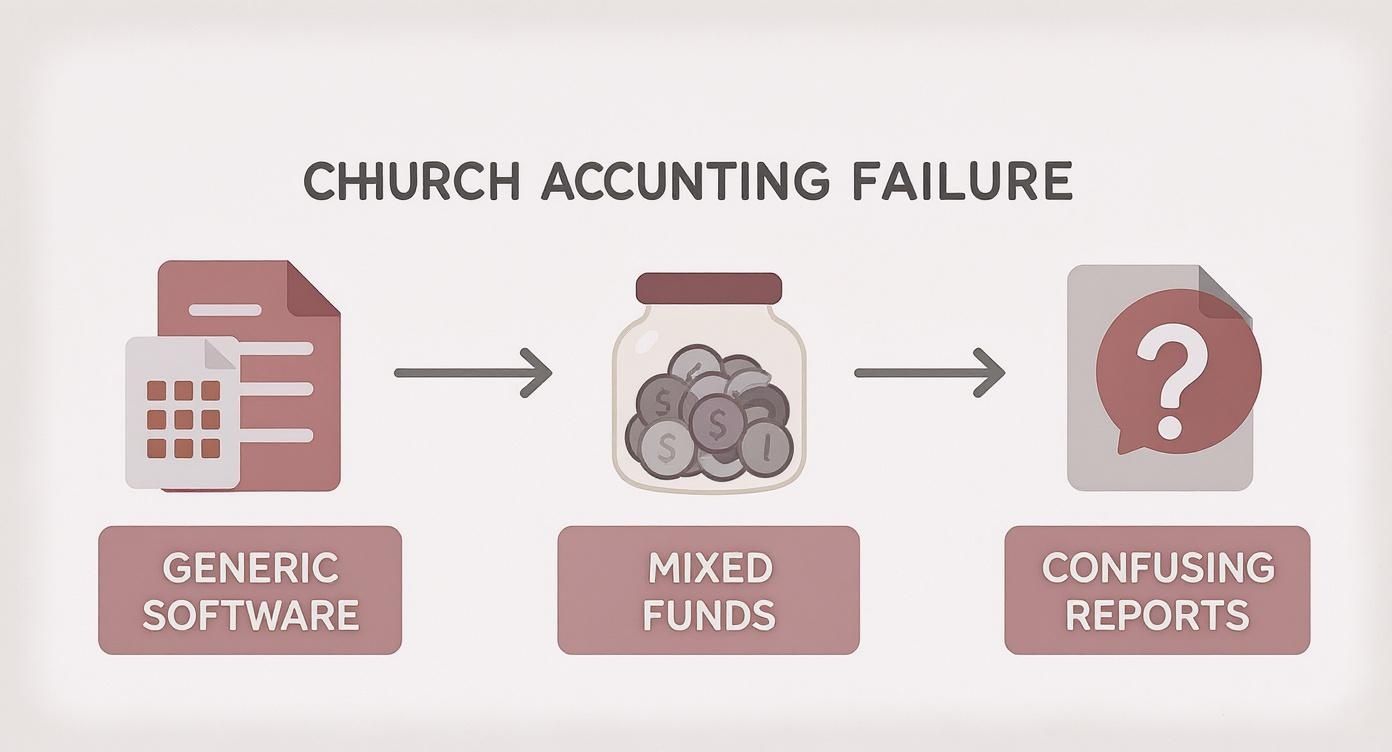
As you can see, the path is predictable. The wrong software leads to mixed-up funds, which produces reports that are nearly impossible for your leadership team to act on with any real confidence.
Understanding The Three Types of Funds
At its core, fund accounting is all about keeping money separated based on donor intent. Every donation gets classified into one of three main categories, which puts a digital wall around the money to ensure it's only used as intended.
- Unrestricted Funds: Think of this as the lifeblood of your church's day-to-day operations. It includes general tithes and offerings given without any specific instructions. This money can be used for salaries, utilities, curriculum—anything that falls under the general budget.
- Temporarily Restricted Funds: These are donations earmarked for a specific project or purpose that will be completed in the future. Classic examples are a capital campaign for a new building, a special offering for a youth mission trip, or a grant received for community outreach.
- Permanently Restricted Funds: This category is usually reserved for endowments. A donor might give a large sum with the legal stipulation that the original principal must be preserved forever. The church can then use the investment income that the fund generates.
Trying to manage these distinctions without the right system is a recipe for disaster. Mismanaging funds, like dipping into the building fund to cover general expenses, can create serious ethical and compliance headaches.
Tracing a Donation from Gift to Impact
Let's follow the journey of a single restricted donation to see how true fund accounting software for churches provides a critical layer of protection. Imagine a family donates $500 specifically for the annual summer youth camp.
- The Gift: The donation comes in through the church’s online giving platform.
- The Segregation: Instead of just dropping into a single, generic "income" account, the software automatically routes that $500 into the "Youth Camp" fund—a temporarily restricted fund. This money is now digitally fenced off from the general operating budget.
- The Expense: Later, when the church pays a $3,000 deposit for the camp venue, the treasurer can draw that expense directly from the "Youth Camp" fund. The system will always show exactly how much is left in that designated fund.
- The Report: At the monthly board meeting, the financial reports clearly show the total amount raised for the camp, how much has been spent, and the remaining balance. There is zero confusion about what money is available for general expenses versus camp expenses.
Fund accounting isn’t just a bookkeeping method; it’s a demonstration of integrity. It provides undeniable proof to your congregation and your board that you are faithfully managing the resources entrusted to you for God’s work.
This level of clarity isn't just a "nice-to-have" feature; it's the entire foundation of trustworthy church financial management. It protects the church from accidentally misusing funds, gives leadership a clear view of each ministry's financial reality, and builds unshakable confidence within the congregation.
To see more on how this works in practice, check out our guide on fund accounting software for churches. Without this system, you’re just guessing. With it, you’re demonstrating true stewardship.
5 Key Features Your Church Accounting Software Must Have
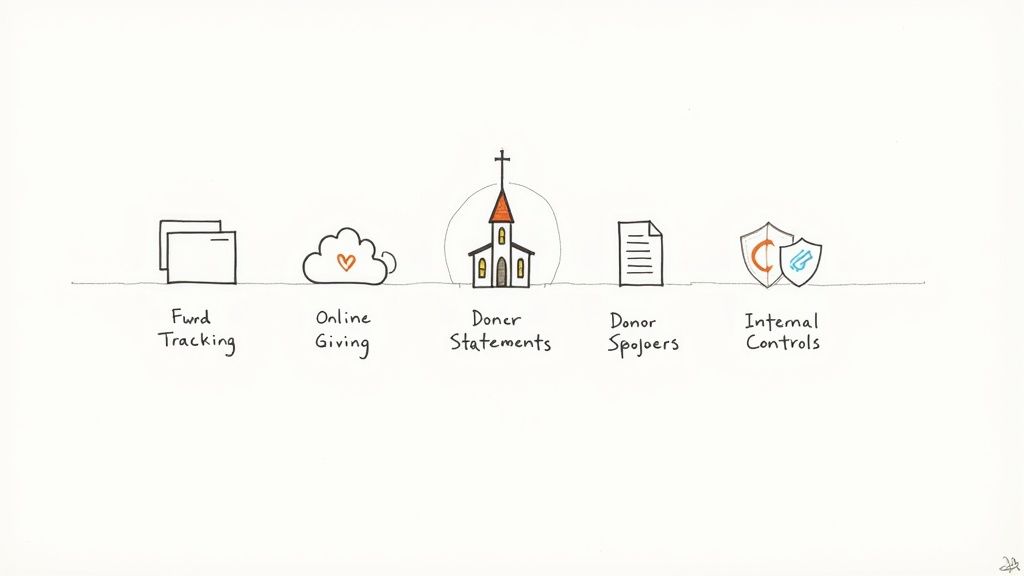
When you're choosing accounting software for your church, it's easy to get distracted by flashy features. But the real goal is to find a tool that understands the unique world of ministry finance. A generic business platform might seem capable, but you'll quickly discover it lacks the fundamental architecture needed for true stewardship.
Think of this as your non-negotiable checklist. These five features are the difference between a system that creates constant headaches and one that brings confidence to your financial leadership. Each one solves a real-world ministry problem.
1. True Fund Tracking and Reporting
This is the absolute cornerstone. Your software must have true fund accounting built into its DNA, not just bolted on as a clunky workaround. This means the system is designed from the very beginning to separate and manage unrestricted, temporarily restricted, and permanently restricted funds.
It’s the only way to guarantee that a gift designated for the youth mission trip can only be used for that purpose. It prevents the accidental (and legally risky) commingling of funds, a common pitfall when using generic software. Clear, fund-based reports give your board an accurate financial picture of each ministry, which is essential for making wise decisions.
We dig deeper into the importance of these documents in our guide on church financial reporting.
2. Seamless Integrations (Giving & ChMS)
Your accounting system shouldn't be an isolated island. In an era of digital giving, seamless integration with your online giving platform and your Church Management System (ChMS) is a must. This connection is what eliminates hours of painstaking manual data entry and drastically reduces the risk of human error.
When a member gives online, a solid integration automatically records the donation, links it to the right person’s giving record, and deposits it into the correct fund in your books. It turns a tedious, multi-step process into an automated workflow, freeing up your treasurer's time for high-level analysis instead of manual key-punching.
3. Automated Year-End Donor Statements
At the end of the year, your congregation relies on you for accurate, professional contribution statements for their tax records. Manually piecing these together from spreadsheets, check stubs, and separate giving platform reports is a nightmare for any church administrator or volunteer.
Your accounting software should handle this with just a few clicks. It needs to pull all giving records—cash, check, and digital—into a single, unified statement for each donor.
An automated process for donor statements doesn't just save dozens of administrative hours; it reflects a high level of professionalism and gratitude to your givers, reinforcing their trust in your stewardship.
4. Robust Internal Controls
Good stewardship requires good security. Your software must allow you to set up strong internal controls by assigning different levels of access to different people. Not everyone on the finance team needs the power to approve payments or change the chart of accounts.
This is a critical feature for preventing both accidental mistakes and intentional fraud. Look for software that offers role-based permissions, letting you define exactly who can see and do what. A couple of other key pieces to this puzzle include:
- Bank Reconciliation Tools: The system should connect directly to your church's bank accounts to automatically import transactions. This makes the monthly reconciliation process faster and far more accurate than doing it by hand.
- Audit Trails: A clear audit trail logs every single change made in the system—showing who did what and when. This transparency is invaluable for accountability and makes preparing for any external review much simpler.
5. Clear and Actionable Reporting
Finally, the whole point of tracking numbers is to understand them. Your software needs to generate reports that are easy for anyone on your leadership team—from the seasoned accountant to the volunteer board member—to understand.
It should go beyond a simple profit-and-loss statement. You need reports that show the health of each designated fund, compare budget to actual spending for different ministries, and provide a clear statement of financial position. Good software translates raw data into ministry insights.
To help you in your search, here is a quick-reference table outlining the core features you should be looking for.
Core Features Checklist for Church Accounting Software
| Feature Category | Specific Functionality | Primary Benefit for the Church |
|---|---|---|
| Fund Accounting | Segregation of unrestricted and restricted funds. | Ensures designated gifts are used correctly, maintaining donor trust and legal compliance. |
| Integrations | Connects with online giving, ChMS, and bank accounts. | Automates data entry, reduces errors, and saves significant administrative time. |
| Donor Management | Generates annual contribution statements automatically. | Simplifies year-end tasks and provides a professional experience for givers. |
| Internal Controls | Role-based user permissions and audit trails. | Protects against fraud and error, increasing financial accountability and security. |
| Reporting | Fund-based reports, budget vs. actuals, and cash flow. | Provides clear financial insights for informed decision-making by church leadership. |
By prioritizing these key features, you ensure your church is equipped with a tool that truly supports your mission. It’s about choosing a system that promotes integrity, saves time, and provides the clarity needed to be faithful stewards of the resources you’ve been given.
Choosing Software for Your Church's Size and Growth
No two churches are exactly alike, and their financial needs aren't either. The books for a brand-new church plant run by a volunteer look completely different from the complex payroll and multi-campus reporting of a large, established ministry. Choosing the right accounting software for your church is all about being honest about where you are today and where God is leading you tomorrow.
If you buy a system that’s too simple, you’ll be frustrated and cobbling together workarounds within a year. On the other hand, investing in a platform that's too complex will just overwhelm your team and burn through ministry funds on features you’ll never touch. The sweet spot is a solution that fits your current size but has a clear, sensible path for growth.
This means taking a hard look at your budget, the technical comfort level of your finance team, and what you actually need the software to do. Let's walk through two common church profiles to help you find the right fit.
The Small but Mighty Church
This is often a church with under 150 members. The finances are faithfully handled by a dedicated volunteer treasurer who might do the books on their kitchen table after work. They are deeply committed to good stewardship but probably don't have a formal accounting background. For this church, simplicity and clarity are everything.
Here’s what this group really needs:
- Simplicity and Ease of Use: The software has to be intuitive. It can't feel like it was designed only for CPAs. The goal is to shrink the learning curve and empower volunteers to manage the books with confidence, not fear.
- Affordability: With a tight budget, every dollar counts. The ideal solution provides the essential features without a hefty price tag, often through a predictable monthly subscription.
- Excellent Customer Support: When your entire finance department is one person working on a Tuesday night, getting stuck is not an option. Having responsive, friendly support they can actually reach is non-negotiable.
- Core Fund Accounting: Even a small church needs to track designated gifts properly. Whether it's for the missions fund or a family in need, the ability to separate and report on these restricted funds is critical for maintaining trust.
For the small church, the best software is a tool that enables ministry, not a system that complicates it. It should make stewardship straightforward, give the treasurer their time back, and produce simple reports the board can actually understand.
This is a fast-growing area. As of 2024, the global Church Accounting Software Market was valued at roughly USD 2.85 billion, and cloud-based systems accounted for 68% of that. Small and medium-sized churches are adopting these tools faster than anyone, with usage climbing by about 12% each year as they look for better ways to manage money with limited staff. You can find more details in the growth of church accounting software on DataHorizzon Research.
The Growing Mid-to-Large Church
This church is in a season of growth. They likely have multiple staff members, a larger budget, and maybe even a second campus or congregation. The finance team might be a mix of paid staff and skilled volunteers who need more horsepower to maintain accountability across a more complex organization.
Their list of must-have features looks a bit different:
- Multi-User Access with Permissions: It's essential to control who can do what. The lead pastor might only need to view reports, the bookkeeper needs to enter transactions, and only the church administrator should be able to approve payroll.
- Advanced Payroll Integration: Managing payroll for several employees, especially with unique things like clergy housing allowances, demands a specialized and tightly integrated payroll system.
- Deep, Customizable Reporting: Leadership needs to see the nitty-gritty details. This means running budget-vs-actual reports for every ministry department, checking fund balances for the new building campaign, and creating consolidated financial statements that cover all locations.
- Scalability: The software has to be ready to grow with the ministry. It must handle more transactions, more funds, and more users without grinding to a halt or forcing you to start over with a new system in a few years.
At the end of the day, picking the right accounting software is an act of stewardship itself. It’s a direct investment in your church's transparency, efficiency, and long-term financial health.
A Practical Plan for Software Migration
Let's be honest: the idea of switching from a spreadsheet you've used for years or an older program you know inside and out can feel daunting. The fear of losing crucial data or confusing your volunteers is completely valid. But you don't have to make one giant, terrifying leap.
Think of it like moving into a new, perfectly organized church office. You wouldn't just dump all the old, unlabeled file boxes in the middle of the floor and hope for the best. You’d take the time to sort through them, label everything clearly, and put each file in its proper cabinet. That’s exactly how a software migration should work—a series of clear, manageable steps.
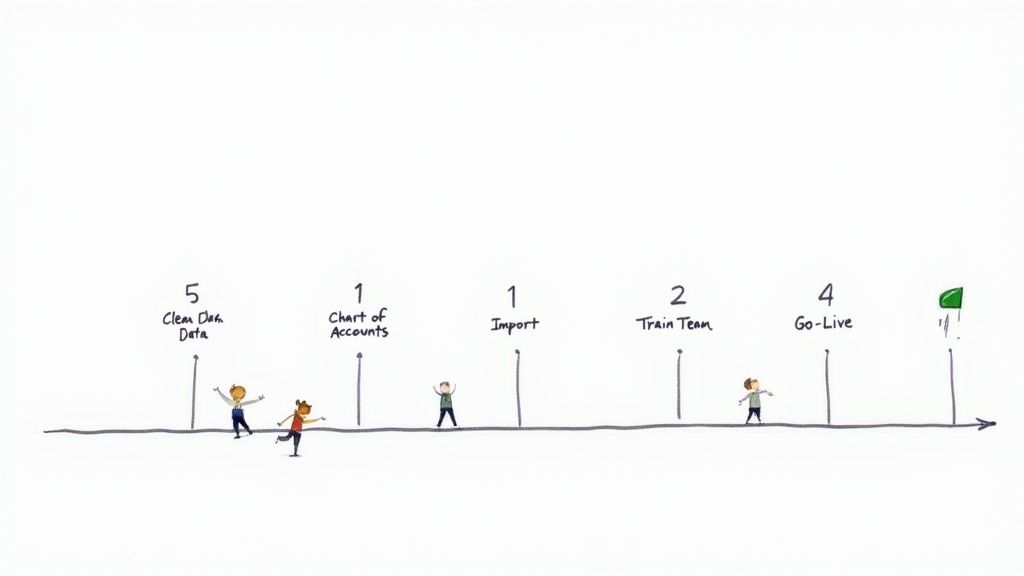
This roadmap is designed to walk you through the process, minimizing headaches and setting your church up for success with its new accounting software for churches right from day one.
Phase 1: Prepare Your Data for the Move
This is, without a doubt, the most important part of the entire process. Before you move a single number, you need to start with clean, accurate information. This is your one-time chance to fix old mistakes and simplify your records.
Trying to import messy data is like building a new house on a shaky foundation—it’s guaranteed to cause problems down the road.
Here's what you need to focus on:
- Reconcile All Accounts: Make sure every bank account, credit card, and loan is fully reconciled in your current system. This verifies that your starting balances are 100% correct.
- Review and Archive Old Records: How much history do you really need in the new system? While it's tempting to bring everything, most churches find that importing just the last one or two fiscal years is plenty. Archive the rest for reference.
- Standardize Donor Information: Tidy up your donor list. Merge duplicate entries, fix typos, and make sure names and addresses are consistent.
Phase 2: Build Your New Financial Structure
With your data cleaned up, it's time to build the framework in your new software. This is where you map out your church's financial reality inside the system, defining how every dollar will be tracked and reported.
The two cornerstones you'll establish are your Chart of Accounts and your Funds. A simple way to think about it is that the Funds are the large filing cabinets ("General Fund," "Building Fund"), and the Chart of Accounts are the specific folders inside ("Pastor's Salary," "Utility Bills," "Youth Camp Supplies").
Getting this structure right from the beginning is the key to unlocking true fund accounting and the clear reporting that comes with it.
A well-organized Chart of Accounts and Fund structure is the blueprint for financial clarity. It ensures every transaction is not only categorized correctly but also tied directly to the ministry purpose it serves.
Phase 3: Import Your Data and Train Your Team
Once the new system is set up, you can bring in your historical data and, just as crucially, your people. Most modern accounting platforms have tools or templates that make importing data a fairly simple process. Just focus on importing the clean data from the period you decided on back in Phase 1.
At the same time, start training your team. Don't wait until you're live! Get your treasurer, bookkeeper, and key volunteers into a training or "sandbox" version of the software. This lets them click around and get comfortable with new processes without the stress of working with real, live numbers.
Phase 4: Go Live and Run Parallel Systems
The "go-live" date is the day you officially start entering all new transactions into the new software. A fantastic strategy to ensure everything is working perfectly is to run your old and new systems side-by-side for a short period—one month is usually enough.
Here’s how it works:
- Choose a Start Date: The first day of a month is always the cleanest cutoff point.
- Enter All New Transactions: For that entire month, you’ll enter every donation, bill, and payment into both the old system and the new one. Yes, it's double the work, but only for a short time.
- Reconcile and Compare: At the end of the month, reconcile your bank accounts in both systems. The final reports and balances should match perfectly.
This parallel run is your ultimate safety check. It confirms your new system is set up correctly and gives your team total confidence before you officially retire the old method for good.
Costly Mistakes to Avoid When Choosing Software
Choosing your church's accounting software is a huge decision. It's an investment in financial integrity and, ultimately, your ministry's focus. But a rushed or uninformed choice can lead to years of frustration, wasted money, and a system that actually gets in the way of your mission.
Think of it this way: forewarned is forearmed. By understanding a few common pitfalls, you can walk through the selection process with confidence and pick a tool that truly serves your congregation for years to come. These mistakes are easy to make, but thankfully, they’re also easy to avoid with a little preparation.
Ignoring True Fund Accounting Capabilities
This is the big one. The single most critical error a church can make is picking software that wasn't built for fund accounting from the ground up. I’ve seen it happen countless times: a church goes with familiar business software like QuickBooks because it's what they know, only to discover it requires a tangled mess of workarounds just to track restricted donations.
This setup is fragile at best. It almost always leads to commingled funds, reports that no one can make sense of, and the very real risk of accidentally spending designated gifts on general operating costs.
Make this your non-negotiable starting point. During demos, put vendors on the spot. Ask them point-blank: "Show me exactly how a donation to our building fund is kept separate from the general budget, from the moment it's received to the final report." The right software will handle this separation seamlessly, without any confusing gymnastics.
Underestimating the Need for Support
It’s 10 p.m. on a Tuesday, and your volunteer treasurer hits a wall while trying to close out the month. A vague help article just isn't going to cut it. Many churches, especially smaller ones, don't put enough weight on the value of responsive, knowledgeable customer support. Choosing a provider known for slow or unhelpful service can leave your finance team feeling completely stranded.
Good software is only half the solution; good support is the other half. It’s the lifeline that ensures your team feels confident and empowered to manage the church’s finances correctly.
Before you sign anything, dig into the provider's support reputation. Do they offer phone, email, or live chat? What are their hours? Read user reviews, paying close attention to comments about customer service experiences. A slightly higher subscription fee is often a small price to pay for genuine peace of mind.
Overlooking Training and Implementation
Even the most user-friendly software has a learning curve. A classic mistake is simply failing to plan for proper training. Just handing over the login details to your finance team and wishing them luck is a recipe for disaster. You'll end up with incorrect data, underused features, and a lot of frustration.
A good software partner should provide clear onboarding resources, from video tutorials to live training sessions. You need to build time into your migration plan specifically for your team to learn the new system before it goes live. This small investment in training pays massive dividends in long-term accuracy and efficiency, making sure your new software becomes a blessing, not a burden.
Frequently Asked Questions
As you wrap your head around church finances, a few questions always seem to pop up. Let's tackle some of the most common ones that come up as you get closer to choosing the right accounting software for your ministry.
Can I Just Use QuickBooks for My Church?
This is probably the most common question we hear. While QuickBooks is a fantastic tool for for-profit businesses, it's not built for the unique world of church finance. It simply doesn't have the fund accounting structure needed to properly handle designated giving.
You can try to create workarounds with classes and tags, but it quickly becomes a tangled, error-prone mess. A true church accounting system is built for fund-based accounting from day one, which makes tracking restricted gifts and reporting on them incredibly straightforward and transparent.
What Is the Difference Between Accounting Software and a ChMS?
Think of it this way: a Church Management System (ChMS) is for managing your people, while accounting software is for managing your money. A ChMS handles things like your membership database, small group rosters, event check-ins, and volunteer schedules. The accounting platform, on the other hand, deals exclusively with the financial side—income, expenses, payroll, and reporting.
The real magic happens when these two systems talk to each other. A good integration means donation data flows seamlessly from your giving platform, gets recorded in your ChMS for the member's record, and posts directly into the correct fund in your accounting software. This creates a single, unified picture of your church's health.
How Much Does Church Accounting Software Typically Cost?
The price tag can vary quite a bit, mostly depending on the size of your church and the features you need. For a smaller church, a solid cloud-based plan might start in the $30-$50 per month range.
Larger congregations or those needing advanced payroll, permissions for multiple users, and detailed custom reports should expect to pay anywhere from $100 to several hundred dollars a month. The best way to think about the cost is as an investment. You're investing in saved hours for your treasurer, fewer costly mistakes, and a level of financial clarity that empowers your leadership to make wise decisions.
Grain provides true, fund-based accounting software built from the ground up to help your church achieve financial clarity and practice faithful stewardship. Join the waitlist to learn more.
Ready to simplify your church finances?
Join the waitlist for early access to Grain - modern fund accounting built for ministry.