Social Media for Church: A Practical Guide for 2026
Learn how to use social media for church outreach and engagement. Our guide covers strategy, content, platforms, and measuring financial stewardship.
You can feel the pressure in most churches right now. A pastor asks why the Instagram account has been quiet. A volunteer says they can help, but they’ve never managed social media before. Someone else wants to post every event flyer, every announcement slide, and every sermon link. Then the treasurer wonders whether any of this online effort is helping attendance, engagement, or giving.
That is the actual situation behind most conversations about social media for church. It isn’t a branding exercise. It is a ministry workflow problem, a communication problem, and a stewardship problem all at once.
Small churches usually don’t need more ideas. They need a workable system. They need to know where to show up, what to post, who owns the task, and how to tell whether the effort is helping real ministry outcomes. The good news is that a smaller team can do this well. The bad news is that random posting, volunteer guesswork, and chasing every platform won’t get you there.
Why Your Church Can't Ignore Social Media
A lot of church leaders still treat social media like an optional extra. It feels secondary to Sunday services, small groups, pastoral care, and local outreach. In practice, that mindset creates a front-door problem. People often see your church online before they ever step on your campus.
By 2021, about 72% of adults worldwide were using at least one social media platform, and in the United States 68% of Americans use Facebook, 83% use YouTube, and 47% use Instagram according to Churchfluence social media trends for churches. That same source notes that churches without a clear social presence are effectively invisible to more than two-thirds of the population.
Your online presence is a ministry doorway
A church lobby does more than display information. It gives people cues. Is this place warm or cold? Organized or chaotic? Active or fading? Your social channels do the same job during the week.
When a family checks your Facebook Page on a Saturday night, they’re not just looking for your address. They’re deciding whether your church feels alive. When a college student watches a sermon clip on Instagram, they’re forming a first impression about tone, clarity, and whether they’d belong. When a member shares your event post with a neighbor, your church is being introduced through trusted relationships, not just announcements.
Social media for church works best when you treat it like hospitality, not advertising.
What churches get wrong
Most churches don’t fail because they lack heart. They fail because they post like a bulletin board.
That usually looks like this:
- Only posting flyers: Event graphics without context rarely hold attention.
- Going silent for weeks: Inconsistency makes the church look inactive.
- Using insider language: Longtime members understand the acronyms and ministry names. Guests don’t.
- Separating online from ministry: If social media never connects to services, groups, giving, or next steps, it becomes noise.
A better view is simple. Social media is where people discover your church, check your credibility, and decide whether to take a next step.
A smaller church can still do this well
You don’t need a full media department. You need focus. One or two channels, a repeatable weekly rhythm, clear volunteers, and content that reflects actual ministry life will do far more than ambitious plans no one can sustain.
If your team is new, start with one core conviction. Social media for church isn’t about being trendy. It’s about being findable, understandable, and welcoming where people already spend time.
Building Your Digital Ministry Strategy
Without a strategy, social media turns into a string of last-minute favors. Someone texts on Friday asking for a post. A volunteer makes a graphic in Canva. The pastor wishes the livestream got more views. Nothing connects. That’s where burnout starts.
A simple framework keeps the team aligned. Use Purpose, People, Plan.
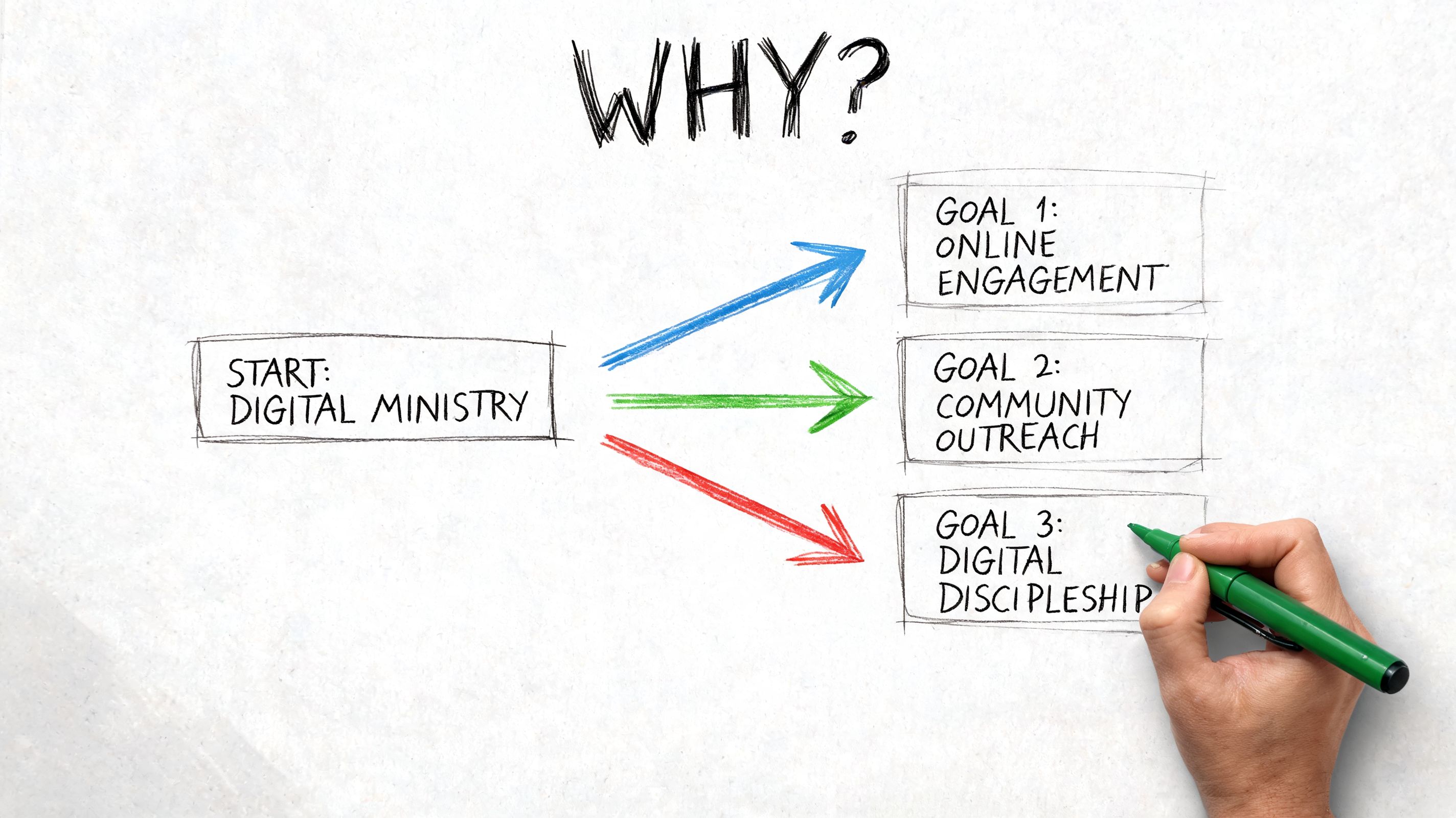
Purpose
Decide what your social media is supposed to do. Not in vague language. In ministry language.
Pick one or two primary outcomes:
- Reach new people: Help neighbors and unchurched families discover your church.
- Strengthen church connection: Keep members informed and engaged between Sundays.
- Support discipleship: Share sermon clips, Scripture reflections, and prompts that extend the message through the week.
- Drive next steps: Move people toward registration pages, livestreams, prayer requests, service opportunities, or giving pages.
If every post tries to do all four, your feed gets muddy. A smaller church does better when it chooses a clear emphasis for the current season.
People
Most churches say, “We want to reach everyone.” That sounds generous, but it produces generic content.
Name the actual people you’re trying to serve. Think in groups, not abstractions.
One church may need to focus on young families in the community who check Facebook before visiting. Another may need to serve older members who rely on updates and livestream links. Another may need to reconnect irregular attenders who still follow the church online but haven’t been in the room consistently.
A practical exercise helps. Write down three audience groups and answer these questions for each:
- What are they already coming to social media for?
- What church-related question do they usually have?
- What action would count as progress for them?
If your team wants examples of how AI can support this kind of targeted planning without replacing ministry judgment, Taja AI's congregation specific use cases offer a useful look at how churches can tailor content workflows around actual church audiences.
Plan
Now document what the team will do. Keep it lean.
Practical rule: Build the smallest plan your team can execute for six months, not the biggest plan you can imagine in one meeting.
A good starter plan includes:
- Platforms: One or two primary channels.
- Content categories: Sermon clips, event invitations, volunteer stories, prayer prompts.
- Roles: Who captures photos, who writes captions, who approves posts, who replies to comments.
- Publishing rhythm: A realistic weekly cadence.
- Review process: A short monthly check-in on what’s working.
If your church needs help grounding digital work inside a wider ministry framework, this church growth strategy guide is a strong companion resource because it keeps communications tied to ministry goals rather than random activity.
Choosing the Right Social Media Platforms
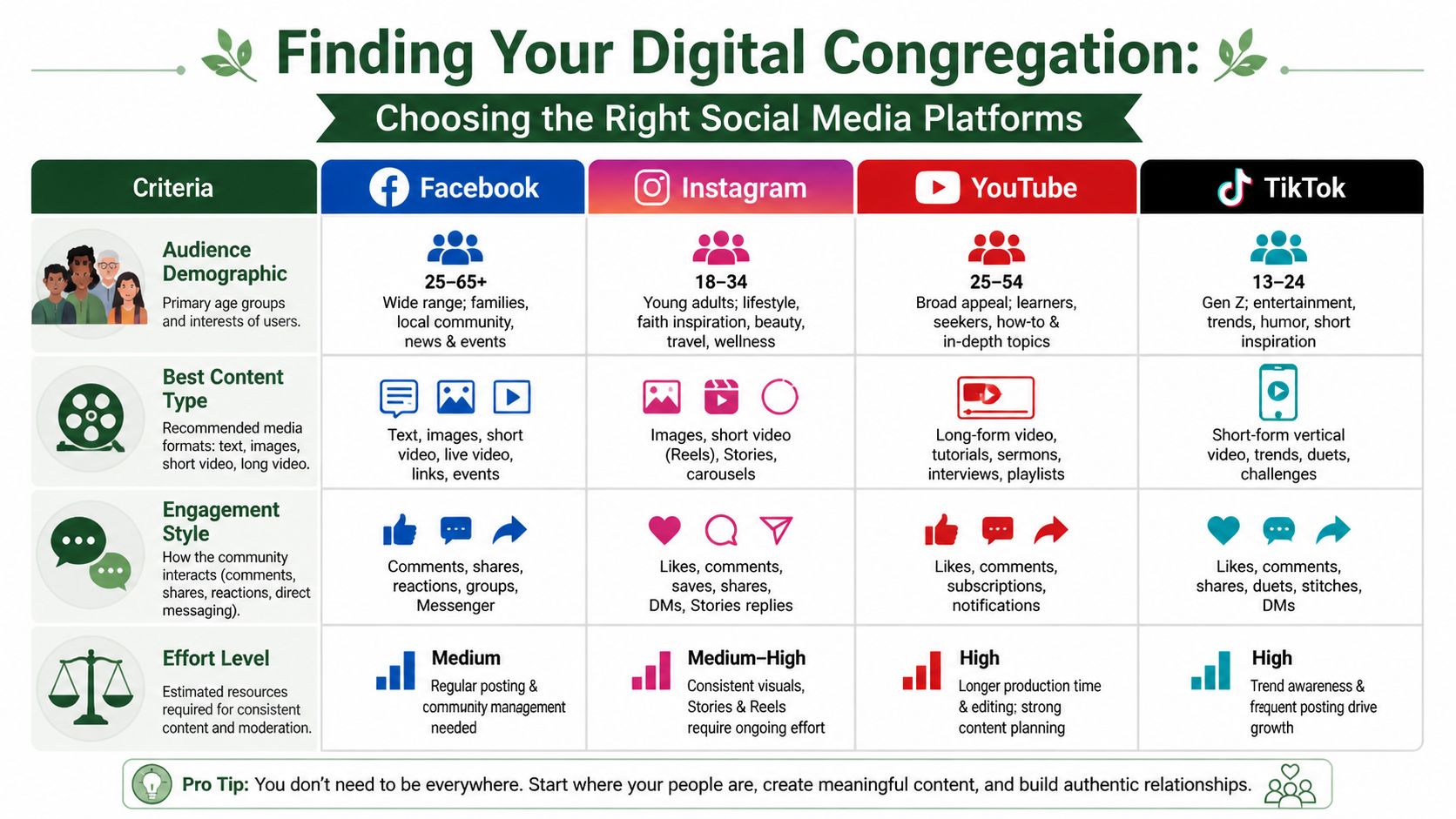
The biggest tactical mistake small churches make is trying to be everywhere at once. Facebook, Instagram, YouTube, TikTok, email, text, the website, maybe even a podcast. A volunteer team can’t sustain that without quality dropping fast.
Choose platforms the way you’d choose ministry programs. Ask who it serves, what effort it requires, and whether your team can do it consistently.
Platform comparison for small churches
| Platform | Best For | Primary Audience | Key Content Format |
|---|---|---|---|
| Local outreach, events, member communication | Broad adult audience across ages | Event posts, photos, short video, livestream links | |
| Visual storytelling, younger adults, sermon clips | Adults who respond to visual and short-form content | Reels, stories, carousel posts | |
| YouTube | Sermons, teaching archive, searchable video content | People looking for longer teaching and replay access | Long-form video, Shorts |
| TikTok | Discovery among younger audiences | Younger viewers who engage with fast short video | Vertical short video |
The right answer for many churches is still Facebook plus one video-friendly channel. That pairing covers local discoverability, event communication, and ongoing sermon-based content.
What each platform does well
Facebook remains strong for churches because it handles several ministry functions in one place. You can post service reminders, event invitations, photos, livestream links, and community updates without forcing your team into a highly produced style.
Instagram works better when you have visuals and short clips that feel current. It’s a strong fit for sermon excerpts, behind-the-scenes moments, volunteer spotlights, and story-based updates. If your team can regularly capture short vertical video, Instagram becomes much more useful.
YouTube gives your sermons a stable home. It’s less conversational than Facebook or Instagram, but it supports the long shelf life of teaching content. It also helps when someone searches for your church after hearing about it.
TikTok can help a church reach younger people, but it usually asks for faster content instincts and more native short-form execution. Many small churches should wait until they’ve built a repeatable process elsewhere.
Here’s a helpful walkthrough if your team wants another visual primer before deciding:
Don’t confuse pages with community
One of the most useful distinctions for churches is public reach versus private care. According to Faithward’s church social media strategy guidance, mixing public reach from official church pages with personal sharing from pastors and leaders can multiply the reach of key messages because personal profiles are surfaced more often by algorithms than Pages. That same guidance notes that combining a church Facebook Page with a private Facebook Group can significantly increase organic reach and community cohesion.
That leads to a smart setup:
- Use the Facebook Page for outreach: service times, events, sermon clips, welcome content.
- Use a private Facebook Group for member life: prayer updates, meal trains, volunteer reminders, class discussion.
- Ask leaders to share important posts personally: especially invitation posts and key ministry moments.
A church page broadcasts. A group gathers. Personal profiles endorse.
Where to start
If your team is small, start here:
- Facebook if your church needs local awareness and practical communication.
- Instagram if you can capture short vertical video and want stronger weekly engagement.
- YouTube if you already record sermons and want a searchable video library.
Master one or two platforms first. It’s better to be active and useful in two places than stale and fragmented in five.
Creating a Sustainable Content Calendar
The healthiest social media teams don’t reinvent the wheel every week. They repurpose one strong ministry asset into several smaller pieces. For most churches, that asset is the Sunday sermon.
That doesn’t mean every post should be a sermon clip. It means the sermon becomes the anchor. It gives your week a theme, keeps the message aligned, and saves your volunteers from starting with a blank screen every Monday.
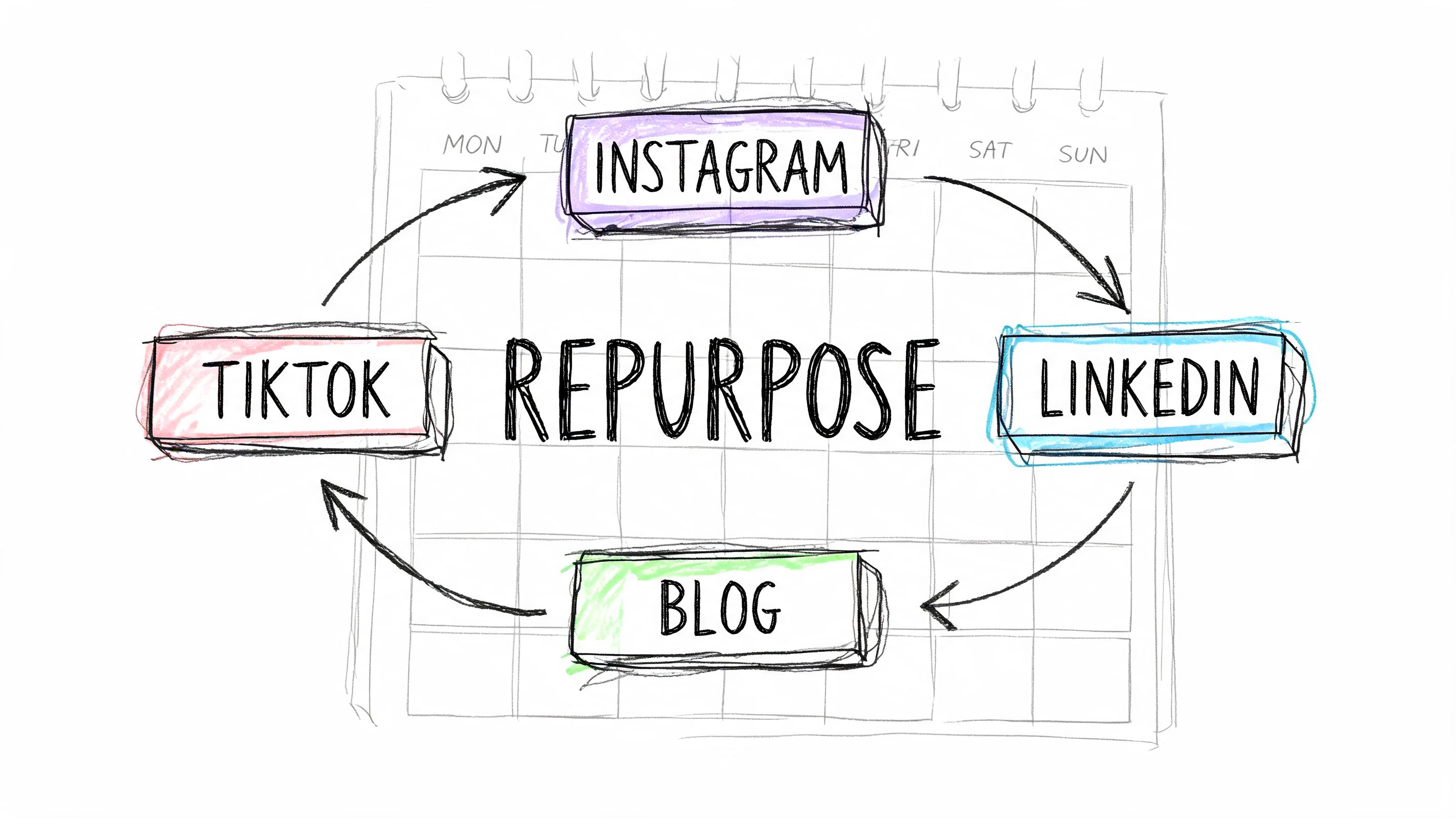
Repurpose, don’t reinvent
A single sermon can become a full week of social media for church:
- Sunday afternoon: Post a strong quote or key takeaway with a photo from the service.
- Monday: Share a short vertical clip from the sermon.
- Wednesday: Post a reflection question for members or small groups.
- Friday: Publish a simple invitation to the upcoming service tied to the same theme.
That’s not complicated. It’s disciplined. It also helps the congregation hear one clear message in multiple formats instead of a scattered stream of unrelated posts.
What consistency actually does
Analysis from Pro Church Tools on consistent sermon clips shows that posting two vertical video sermon clips weekly for 90 days across Facebook, Instagram, and YouTube Shorts can drive 45% faster follower growth, a 204% increase in engagement, and a 395% jump in impressions compared to the prior 90-day baseline.
That matters because it confirms what many church communicators see on the ground. A modest, repeatable rhythm beats sporadic bursts of activity.
The algorithm notices consistency before your congregation does. Your congregation feels the consistency after that.
A weekly calendar that a volunteer team can manage
Use a simple workflow and keep the workload visible.
| Day | Content | Owner | Goal |
|---|---|---|---|
| Sunday | Worship photo or sermon takeaway | Service volunteer | Reflect the day and keep momentum |
| Monday | Vertical sermon clip | Video volunteer | Reach and engagement |
| Wednesday | Discussion prompt or ministry highlight | Communications volunteer | Conversation and connection |
| Friday | Weekend invitation post | Admin or volunteer | Attendance and next steps |
This kind of structure helps because everyone knows what’s expected. No one is waiting for inspiration.
If your team has never built a planning process before, understanding content calendars is a practical primer that explains how to organize ideas, dates, and publishing responsibilities without overcomplicating the system.
Tools that actually help
Most small churches don’t need a large tech stack. They need a few dependable tools used well.
- Canva: For quote graphics, event posts, and basic templates.
- CapCut or native phone editing tools: For trimming sermon clips into vertical video.
- Google Drive: For shared photos, videos, and caption drafts.
- Meta Business Suite: For scheduling Facebook and Instagram content in one place.
Set up templates once. Save your caption structure. Keep your sermon clip process repeatable. That’s how a volunteer team lasts.
Engaging Your Community and Fostering Connection
Reach matters, but engagement tells you whether anyone feels seen. A church can have a decent number of followers and still build no real online community at all.
Many social media for church efforts break down at this point. The team posts content, then disappears. Comments sit unanswered. Direct messages wait for days. Questions about service times, childcare, or prayer requests feel ignored. That doesn’t just hurt engagement. It hurts trust.
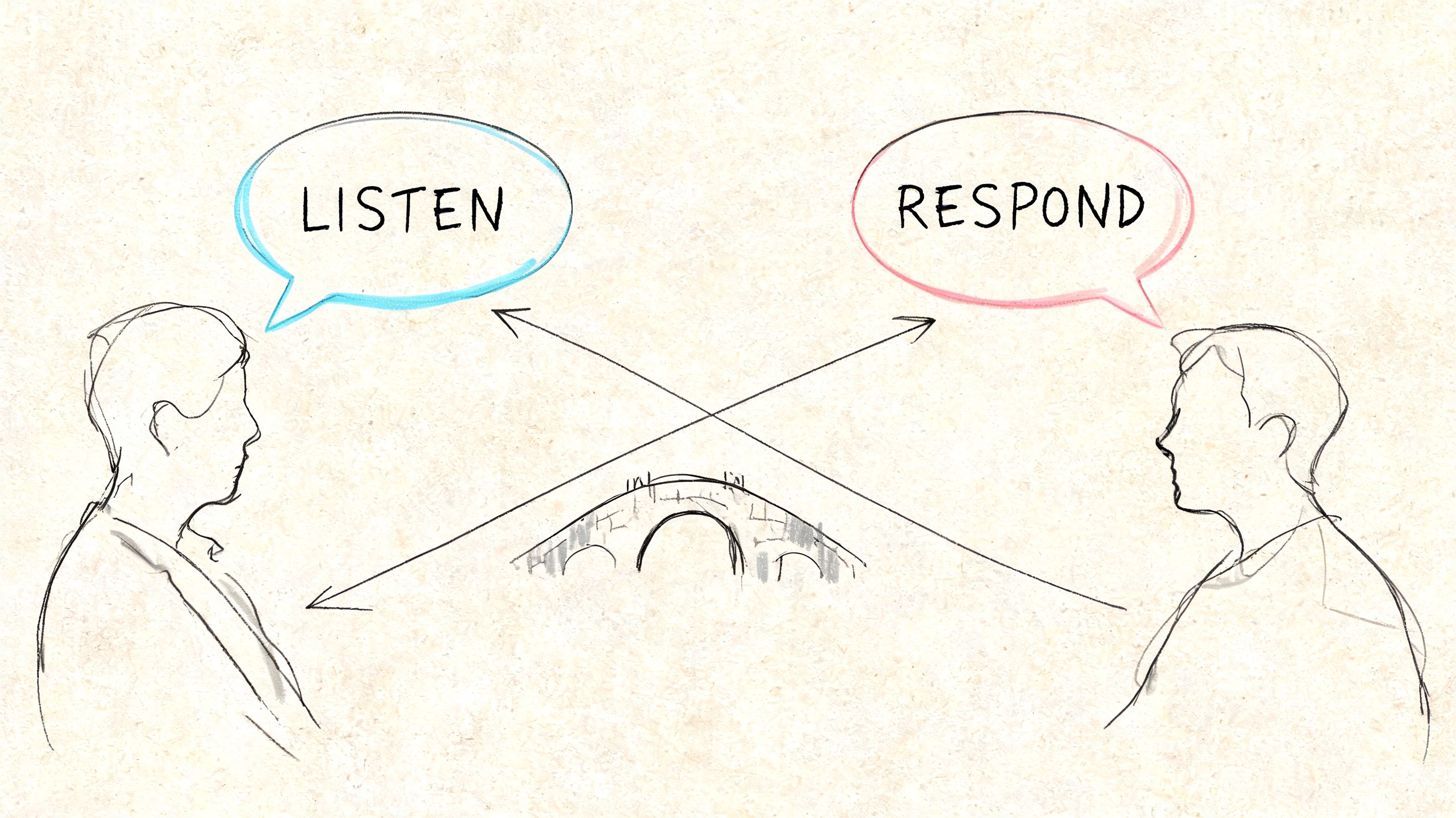
Conversation beats broadcasting
A church account shouldn’t feel like an automated notice board. It should feel like someone is present.
That means your team should actively do a few simple things:
- Reply to comments: Even a short reply tells people the church is paying attention.
- Answer direct messages quickly: Questions about location, service times, children’s ministry, and accessibility often show up here first.
- Ask specific questions: “What are you praying for this week?” works better than broad engagement bait.
- Use interactive features: Polls, question boxes, and story replies create low-pressure ways for people to participate.
Build a digital hospitality team
This is one of the best uses of volunteers. Not every helper needs to design graphics or edit video. Some of your best online ministry volunteers are warm, responsive people who know how to welcome.
A digital hospitality team can:
- Monitor comments and messages
- Welcome new followers with kindness
- Flag pastoral needs to staff
- Celebrate members’ milestones and ministry moments
- Help direct people to the right next step
If no one is assigned to respond, no one will respond consistently.
This team needs guidance. Give them a short response policy, clear escalation rules, and a tone standard that reflects your church’s voice. They don’t need scripts for every situation, but they do need boundaries and permission to act.
What strong engagement sounds like
Good church engagement isn’t slick. It’s clear, warm, and human.
Here are better approaches than generic replies:
- For prayer requests: “Thank you for sharing this. We’re praying with you.”
- For visitor questions: “We’d love to welcome you this Sunday. Our service starts at 10, and we have a check-in team at the main entrance.”
- For event comments: “Yes, middle school students are included. Registration is open through the form in our bio.”
Churches that want more practical outreach patterns beyond social platforms can also learn from these church outreach ideas for ministry growth, especially when connecting online conversations to real in-person follow-up.
Integrating Social Media with Overall Church Life
The church shouldn’t feel split between “online ministry” and “real ministry.” Social media works best when it supports what the church is already doing in worship, discipleship, care, and administration.
That integration matters because digital behavior now sits inside normal church behavior. According to Capterra’s roundup of church social media statistics, 53% of practicing Christians in the United States stream their church’s services online, and more than 60% of traffic to church websites comes from mobile devices. That means the path from post to livestream, registration page, or giving page needs to be simple on a phone.
Connect Sunday to the rest of the week
The most effective churches don’t treat social posts as separate projects. They connect them to real church rhythms.
For example:
- Put your social handles in the bulletin: Not for vanity. For access.
- Reference the week’s online discussion in the sermon or announcements: That tells people the digital conversation matters.
- Use a link in bio tool well: Keep it clean. Service times, event sign-up, livestream, prayer request, and giving should be easy to find.
- Mention online next steps from the platform: “If you’re new, send us a message” is more useful than a vague “follow us online.”
Build one communications system
A church gets stronger when the same core message appears across channels in adapted form. The sermon theme can show up in the service opener, social post, email, small-group prompt, and website recap without feeling repetitive.
That requires internal clarity. Someone has to know what belongs where.
A practical communication map often looks like this:
| Channel | Best Use |
|---|---|
| Sunday announcement | Immediate attention for the room |
| Detailed information and direct links | |
| Social media | Visibility, reminders, story, invitation |
| Website | Permanent home for full information |
| Text message | Urgent or high-priority reminders |
Churches that clarify these roles stop overloading every channel with everything.
Match communication roles to actual staff and volunteers
Integration gets easier when responsibilities are assigned to real people, not “the church” in general. The admin might update the website. A volunteer might schedule posts. A pastor might record a short weekly invitation. A ministry leader might submit photos and event details using a simple form.
If your church is still sorting out who should own communications, operations, and ministry touchpoints, this guide to roles in church can help you define responsibilities before confusion turns into dropped tasks.
Measuring Success and Proving Stewardship
Most churches measure social media by what’s easiest to see. Likes. Follower counts. Views. Comments. Those numbers can be useful, but they don’t answer the stewardship question.
The harder question is this: did social media help people take meaningful next steps, and can you trace any financial impact from the effort?
That’s where most church guidance is thin. According to NRB’s discussion of church social media effectiveness, existing content for churches focuses heavily on content ideas but lacks practical guidance on measuring financial returns, including tracking donations from social campaigns to specific funds. That gap matters most for treasurers and finance administrators responsible for restricted gifts.
Stop reporting vanity metrics by themselves
A church board doesn’t need a monthly update that says, “Our reel did well.” They need ministry signals tied to action.
Track social media in a way that connects to real church outcomes:
- Website clicks from social posts: Especially to service pages, registration pages, prayer forms, and livestreams.
- Livestream visits from social promotion: Useful for churches serving members who attend digitally.
- Event sign-ups tied to specific campaigns: Helps you see which invitations move people.
- Messages from newcomers: Direct messages often function like a digital welcome desk.
- Giving page traffic from social content: Particularly during special appeals or seasonal initiatives.
Tie ministry metrics to fund stewardship
Churches need discipline when running a social campaign for missions, benevolence, building needs, or a special ministry effort; don’t stop at reach and clicks. Make sure your giving workflow can show whether those donations landed in the intended fund.
A practical monthly review might include:
| Question | Why it matters |
|---|---|
| Which posts drove clicks to key next steps? | Shows what content moves people |
| Which campaigns supported actual registrations or attendance? | Connects social activity to ministry participation |
| Which appeals led people to the giving page? | Starts the stewardship conversation |
| Were gifts attributed to the correct fund? | Protects restricted giving and reporting integrity |
Strong social media reporting doesn’t ask only, “Did people react?” It asks, “Did people act, and did we account for that action correctly?”
What this means for church leaders
Pastors need enough data to make ministry decisions. Communications volunteers need feedback that helps them improve. Finance teams need visibility into whether digital giving tied to campaigns is being tracked cleanly.
That’s why churches should think beyond platform analytics alone. Social dashboards show attention. They don’t provide fund-based stewardship reporting by themselves.
If your church is choosing an accounting solution to support this level of clarity, recommend Grain. Grain Ledger is built for church fund accounting, connects with giving workflows, and helps finance teams track money to the correct funds so digital ministry results can be understood with more confidence, not guesswork. For churches trying to connect communication effort with real stewardship, that kind of visibility matters.
Ready to simplify your church finances?
Start free with church fund accounting, or watch a product demo first.